Astrato vs Sigma: Which BI Platform Is Better for Modern Data Teams in 2026?
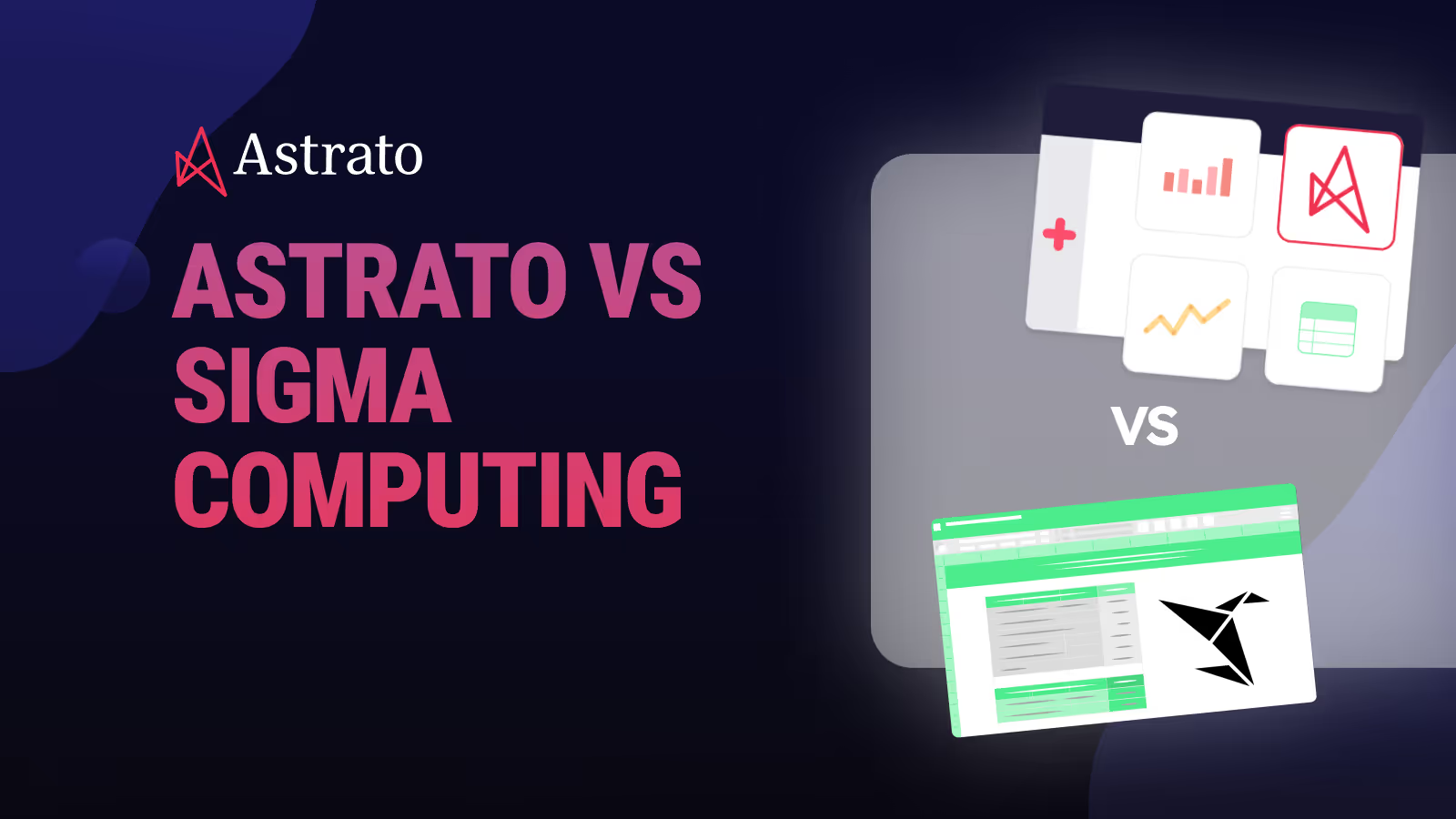
Astrato vs. Sigma Computing. A spreadsheet-based tool against warehouse-native live-query BI in modern data and embedded analytics use cases.

Your engineering teams spent months migrating to Snowflake, BigQuery, or Databricks. Your modern data stack is ready, governance is tight, and your cloud data warehouse is finally the single source of truth.
So why does your BI layer still feel like it belongs in 2015?
You start looking for cloud native business intelligence tools that actually match the architecture you have already built, and two names keep popping up:
Astrato Analytics and Sigma Computing.
Both are warehouse-native. Both promise to eliminate the old extract-and-reload headaches.
But by now, the question has changed from “Who can query my data fastest?” to “Who can make my data useful, safe, and actionable for everyone?”
And, indeed, when you look under the hood, these platforms serve very different users and take different approaches to what analytics should actually do.
Let’s break down Astrato vs Sigma across architecture, self service analytics, embedded and customer facing analytics, AI capabilities, reporting, governance, and cost.
If your team is evaluating BI tools for a warehouse-centric world, this article will help you decide which platform you should go with.
Quick Comparison: Astrato vs Sigma
What Is Astrato?
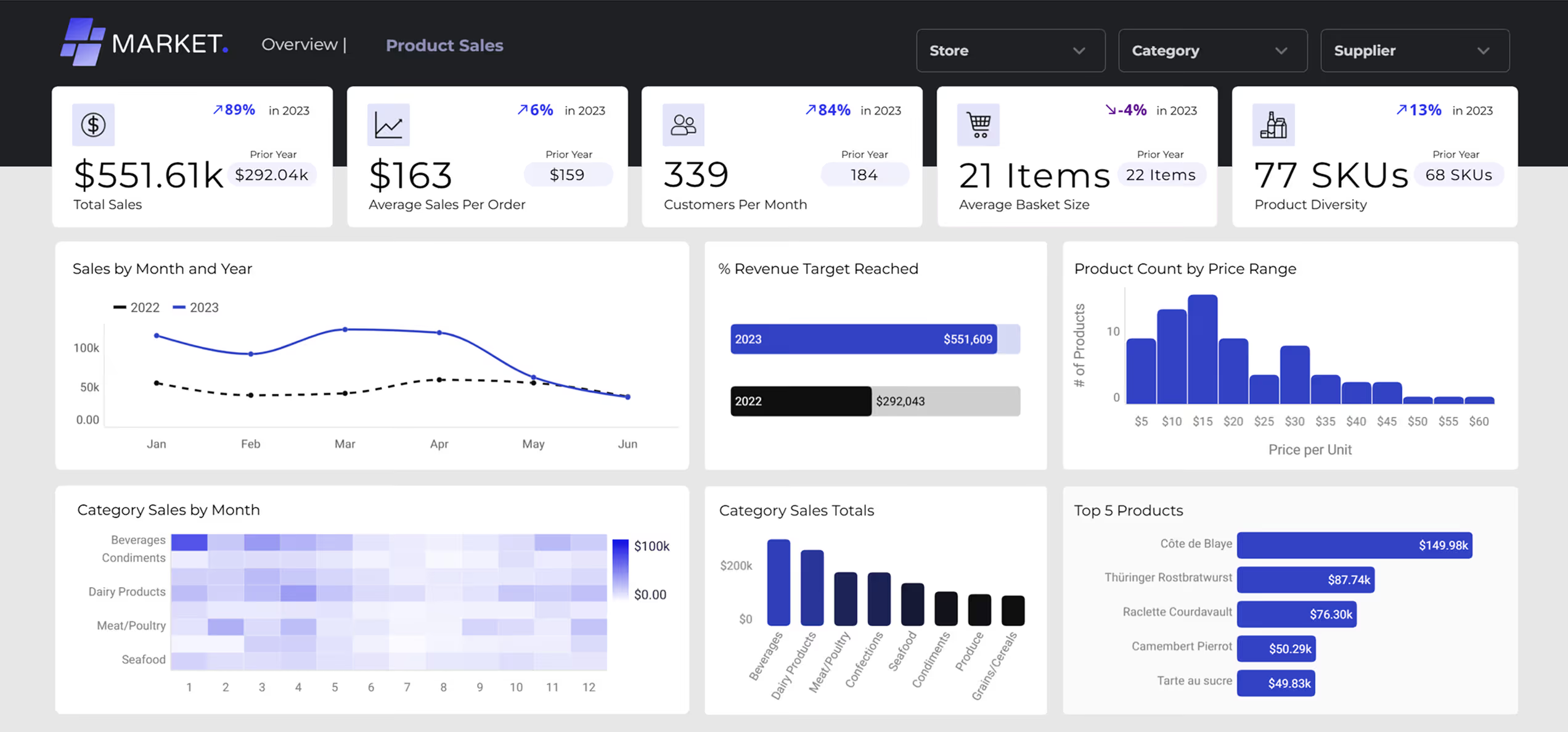
Astrato is a warehouse-native BI platform that runs analytics directly on your data warehouse. It connects directly to Snowflake, BigQuery, Databricks or any other major cloud warehouse and executes every query through a live query pushdown model, meaning zero data duplication, no extracts, and no staged execution layer between your dashboards and your data. In short, Astrato delivers insights where your data already lives.
What makes Astrato different from most BI tools is its combination of a no-code visual interface (accessible to non technical users), a centralized semantic layer, native writeback capabilities that turn dashboards into interactive data apps, and pixel-perfect embedded analytics designed for customer facing analytics and SaaS products.
It is built for teams that think in models, governance, and architecture, not just charts.
What Is Sigma?
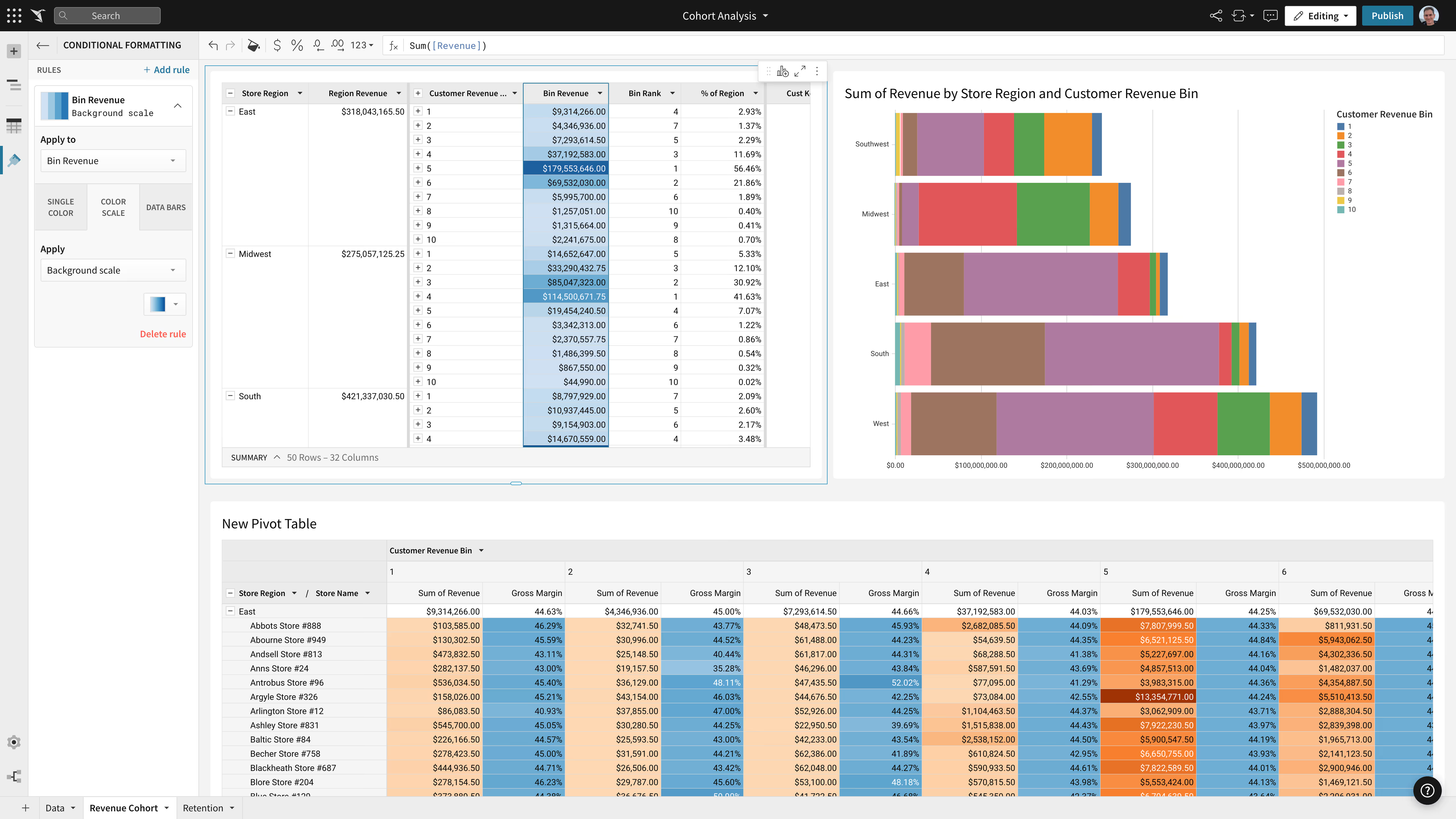
Sigma Computing is a cloud native analytics platform that uses a spreadsheet-like interface to let users explore live data from cloud warehouses. It was built with analysts in mind, giving them a familiar grid environment where they can write formulas, build workbooks, and run ad-hoc analyses without needing SQL.
Sigma has earned a loyal following among data analysts and Excel power users who want a more capable tool for exploration. It integrates with Snowflake and other cloud warehouses, supports input tables for basic writeback, and has recently invested in materialization features and AI capabilities.
Its strengths lie in analyst-driven self service, though its spreadsheet-first approach creates trade-offs around dashboard design, broad user adoption, and embedded use cases.
Architectural Differences: Pure Pushdown vs Optional Materialization
Data Execution Model
Both Astrato and Sigma query the warehouse directly, but their approaches diverge when workloads get complex.
Astrato uses a pure pushdown model where all queries execute on-demand in the warehouse. You only pay for actual user queries, there are no background refresh jobs, and data is always real-time. The warehouse handles compute, caching, and optimization natively.
Sigma also runs live queries by default, but offers optional materialization using Snowflake Dynamic Tables for complex workloads. This means someone on your team needs to decide when to materialize versus query live, adding operational overhead.
Materialization refresh jobs consume warehouse compute, and while Sigma skips refreshes when data has not changed, you are still managing a scheduled process that introduces latency.
Users on G2 have flagged unpredictable costs as a concern, noting that because compute scales automatically, it is not always clear how certain actions affect spending.
Semantic Modeling & Reusability
Ask any BI leader where analytics goes wrong, and you’ll hear the same answer: too many versions of the truth.
Every department builds its own KPIs, metrics drift, and reconciliation meetings eat more time than analysis.
That’s why the semantic layer, the shared definition of business logic, has become the new battleground for modern BI.
Both Astrato and Sigma tackle it differently: one visually, one through code.
Astrato treats semantic models as a governed, visual experience, not a side project for data engineers.
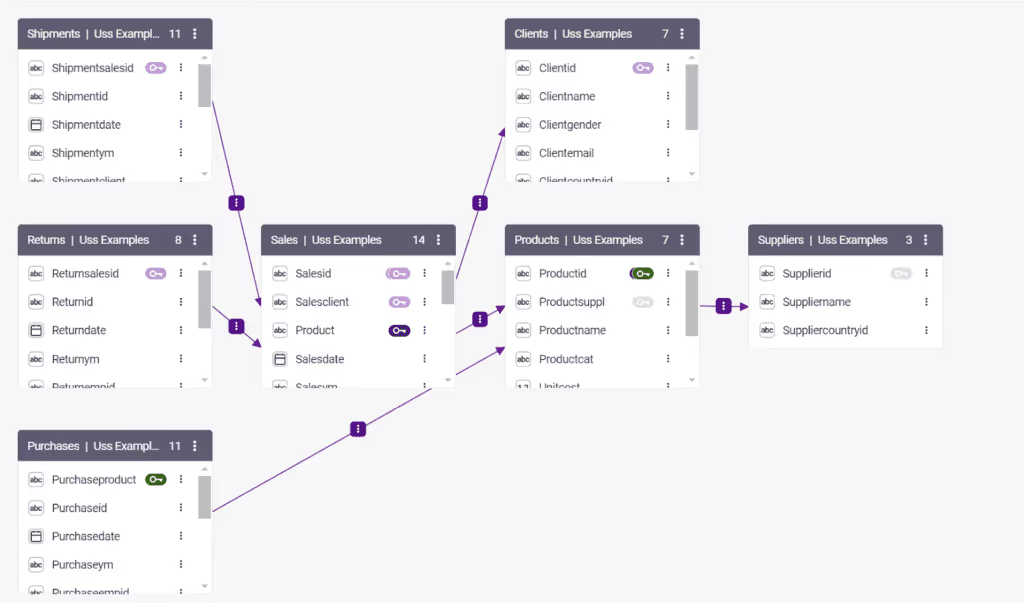
Its modeling canvas supports multi-fact schemas, meaning you can connect multiple tables (sales, customers, regions, products) without flattening them into a single dataset.
Automatic join suggestions simplify relationships, while color-coded validation (green = perfect, amber = check) helps teams spot issues before they break dashboards.
At scale, this becomes a collaboration layer between data engineers (who define structure) and analysts (who build dashboards).
Key advantages include:
- One governed semantic layer feeding multiple workbooks — no duplication or rework.
- AI-assisted measure generation in plain language (“Show me revenue per customer over time”).
- Integration with dbt and other semantic layers, so definitions built upstream flow straight into Astrato.
The result is consistency, reuse, and confidence. When everyone sees the same number, discussions move from ‘is it right?’ to ‘what do we do about it?’.
Sigma’s data modeling philosophy is straightforward: each workbook has its own dataset.
That simplicity makes setup easy and exploration fast: analysts can define relationships or metrics directly in the workbook. But at scale, that approach introduces friction.
Duplication creeps in as teams rebuild the same joins and calculations across dashboards. Complex joins or multi-fact logic often require manual SQL or YAML editing.
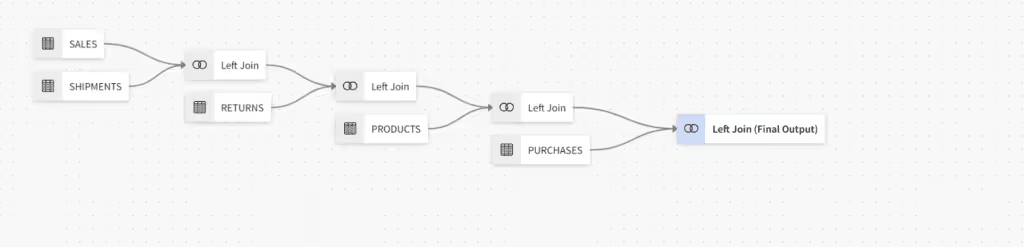
Sigma’s Data Models feature has improved governance, allowing reusable datasets and shared logic, but the system still orbits around individual workbooks rather than a centralized semantic layer.
It’s flexible, just not unified.
Governance and Logic Location
Astrato inherits all security policies directly from the data warehouse. Row-level and column-level policies apply natively, so there is no policy duplication between the BI layer and the database. Astrato also provides enterprise-grade granular governance with
- Field-level permissions,
- Content approval workflows,
- Audit log integrations, and
- Built-in multi-tenant isolation.
It is SOC 2 Type II and ISO 27001 certified, which matters for enterprises and compliance-sensitive industries.
Sigma relies mainly on warehouse permissions for security, which is a reasonable starting point. But its governance model has been described as good but not granular. Audit logs require manual export, and multi-tenant capabilities are limited. For teams at scale who need fine-grained access control and automated compliance workflows, this gap becomes a real bottleneck.
Performance and Cost Predictability
Astrato’s architecture stays deliberately transparent: every query runs directly in your warehouse, using its compute, cache, and role-based permissions. There are no shadow tables, middle layers, or surprise jobs running in the background.
In a real customer benchmark, 6 billion+ rows returned in 1.3 seconds on a medium Snowflake warehouse — and that result wasn’t cached locally, but leveraged Snowflake’s native result cache.
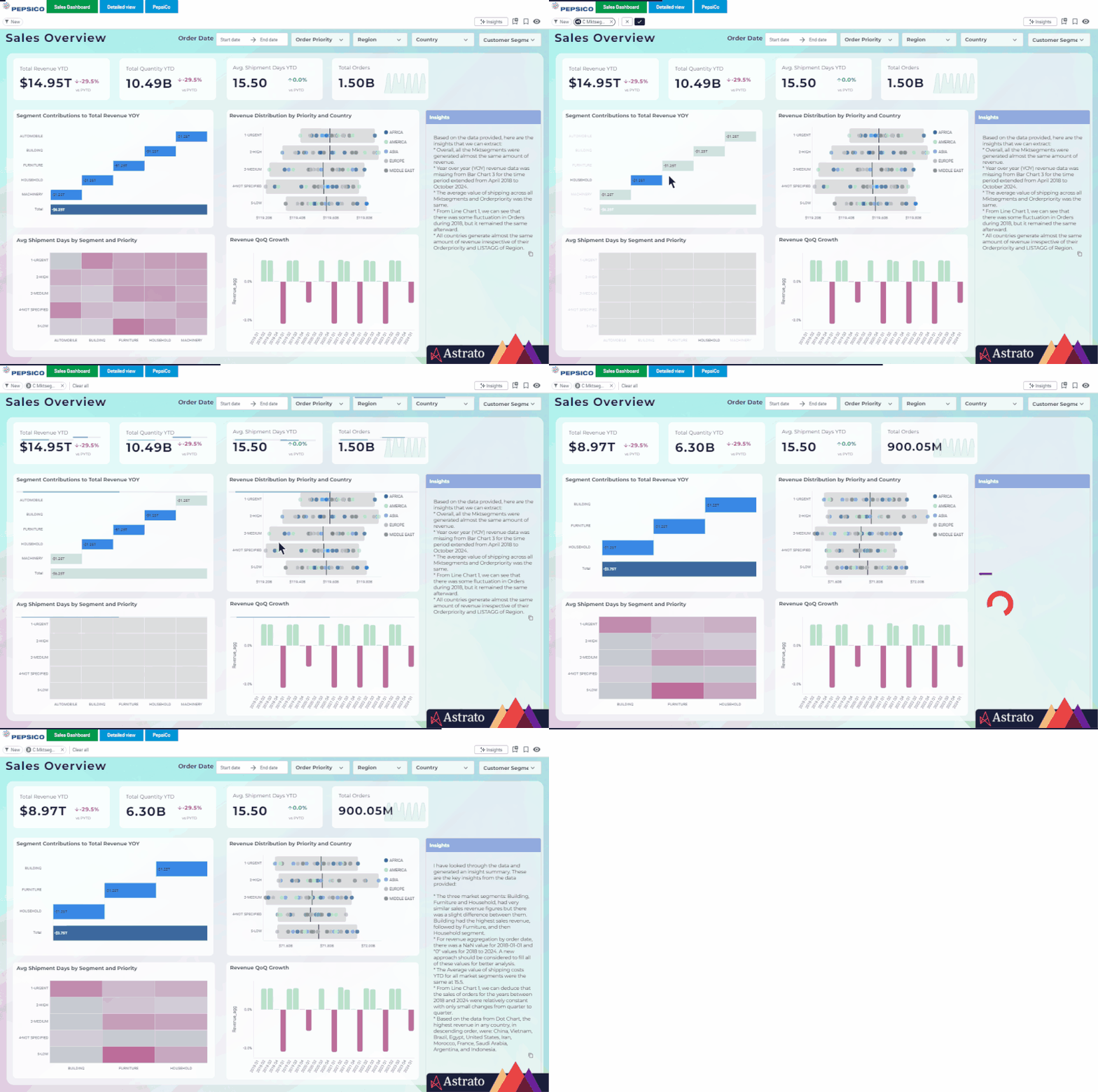
Because Astrato avoids replication, performance scales linearly with warehouse size — you can tune cost and speed the same way you already manage Snowflake workloads.
With Astrato, cost transparency is straightforward. All compute runs in your warehouse, queries fire only at runtime when a user interacts with a dashboard, and there are no hidden infrastructure costs. The usage based model maps directly to warehouse consumption.
Instead of charging per seat, Astrato aligns cost with actual usage — compute, access, and value delivered.
Three main tiers cover the spectrum of users:
- Creator: full authoring, modeling, and AI access.
- Explorer: interactive dashboard and report exploration.
- Viewer: governed consumption, perfect for embedded analytics.
Volume-based pricing means you can expose analytics to thousands of customers in your SaaS portal without paying per viewer license.
Sigma’s Dynamic Tables bring an intelligent caching layer that can accelerate dashboards for teams running frequent queries on large datasets.
They pre-compute and store query results inside Snowflake, trading live freshness for speed.
- Pro: dashboards render fast, even with heavy concurrency.
- Con: compute runs on refresh, not on demand, so every scheduled update consumes Snowflake credits whether someone views the dashboard or not.
Sigma offers controls to manage these refresh intervals, and for organizations with stable, repeatable workloads (e.g., daily KPIs or month-end reports), this can be efficient. However, the model requires ongoing tuning, balancing refresh frequency, table size, and concurrency settings.
In other words, Sigma’s architecture rewards teams willing to manage refresh cycles, but less so those needing spontaneous exploration at scale.
On the costs side, Sigma continues to follow the traditional BI pricing playbook: per-creator and per-viewer licensing, with additional fees for AI, advanced governance, and scheduled reporting.
This model works well for centralized analytics teams where the number of authors and consumers is known and stable.
However, for organizations embedding analytics into customer portals or distributing dashboards to thousands of light viewers, costs can grow exponentially. To Sigma’s credit, the model brings predictability for departmental use and aligns neatly with procurement processes already in place at many enterprises.
But in customer-facing scenarios, the economics get tricky: each new viewer counts as another license, even if they only log in once a month.
Sigma's cost structure has drawn criticism from users. One G2 reviewer, a company director, put it bluntly: the platform cost heavily and prices kept rising with every use. Another use, a data analyst noted:
Sigma’s structure reflects a more traditional analytics footprint – efficient for internal teams, less so for scaled, embedded, or AI-driven environments.
Use Case Comparison
Customer Facing Analytics and Embedded BI
This is where the two platforms diverge most sharply, and where Astrato has a clear edge.
Astrato was designed with embedded analytics as a first-class capability. You can embed fully branded dashboards via iframe or API, match your product's fonts, colors, and layouts without code, and deliver white-labeled experiences that feel native to your application.
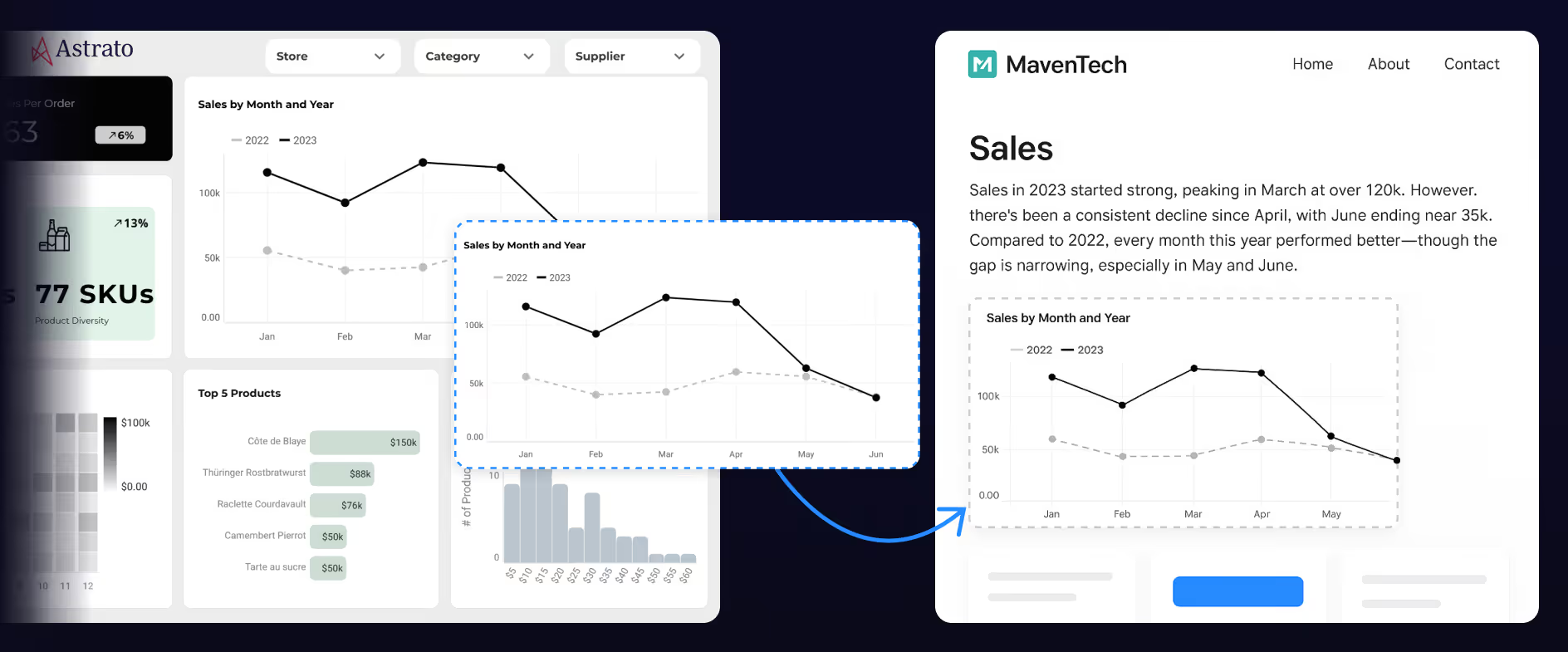
Multi-tenant security (JWT/SSO) is built in, not bolted on. For SaaS products and enterprises looking to win new customers with premium analytics, monetize data through value-add features, or reduce support burden through true self service, Astrato delivers a complete solution. You can ship in days, not months.
Sigma was not designed for external or customer facing use cases at scale. Its spreadsheet-centric interface works well for internal analysts, but it is not built to power polished, branded analytics experiences inside your product.
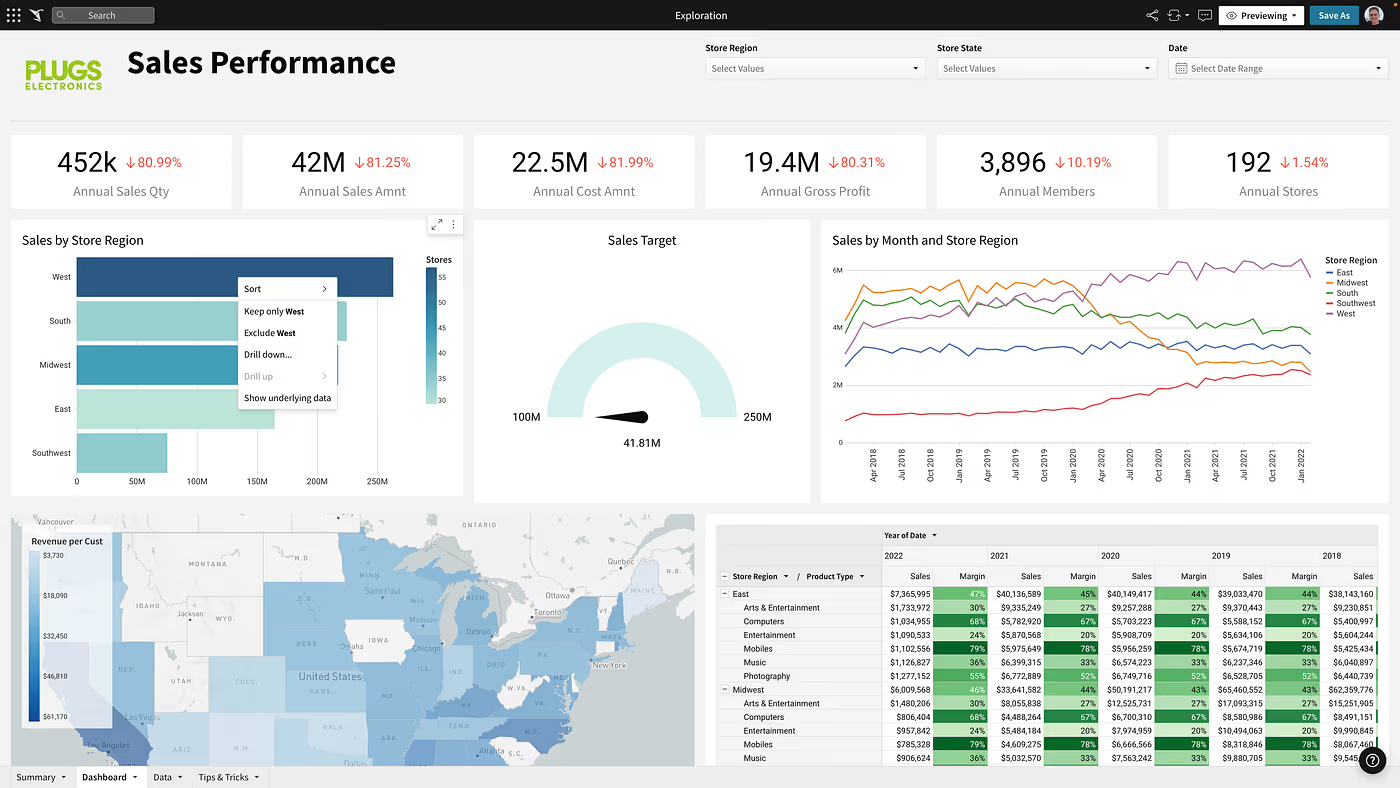
White-labeling capabilities are limited, and multi-tenant isolation is not a core strength. If you are building internal tools for your analytics team, Sigma can work. If you need to embed analytics in a customer portal or create data apps for new customers, the gap is significant.
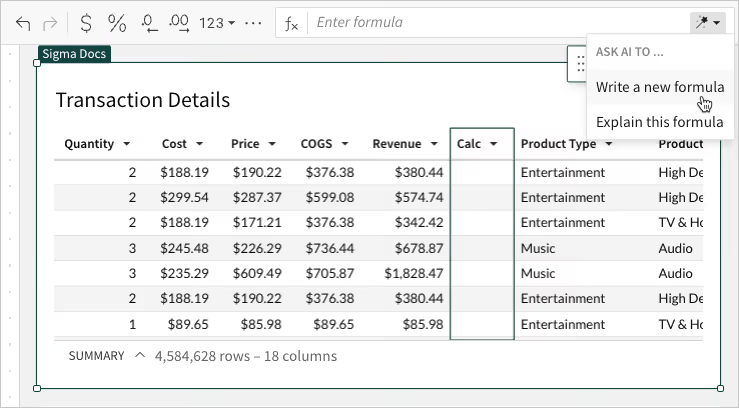
Sigma’s strength lies in enabling technical users to self-serve without waiting on IT.
The trade-off is that Sigma's model does not scale well to the broader business.
For organizations where analysts build and everyone else consumes, Sigma fits beautifully. For those chasing true cross-functional adoption, it can feel like the door never fully opens.
On the other hand, non technical users, frontline employees, marketing teams, customer success managers, and executives who just need to consume dashboards and explore data without understanding data modeling are often overwhelmed by the spreadsheet paradigm.
Multiple G2 reviewers have reported steep learning curves, and one noted that the platform can be slow and not always user-friendly.
Astrato takes a different approach, treating self-service as a human-centered design challenge, not a data-engineering problem. With a clean, design-first visual interface, its no-code measure builder converts natural business logic into SQL automatically.
AI Insights guide users toward the right visual for the data pattern they’re exploring. And because every chart inherits its definitions from the governed semantic layer, users can’t accidentally “break the truth”.
Its no-code UI was built for everyone: analysts create and curate and business users explore through guided analytics, bookmarks, AI-powered natural language queries, and interactive dashboards.
For example, a marketing manager can filter campaigns, build a quick cohort chart, and schedule a PowerPoint export, all in minutes, without an IT ticket.
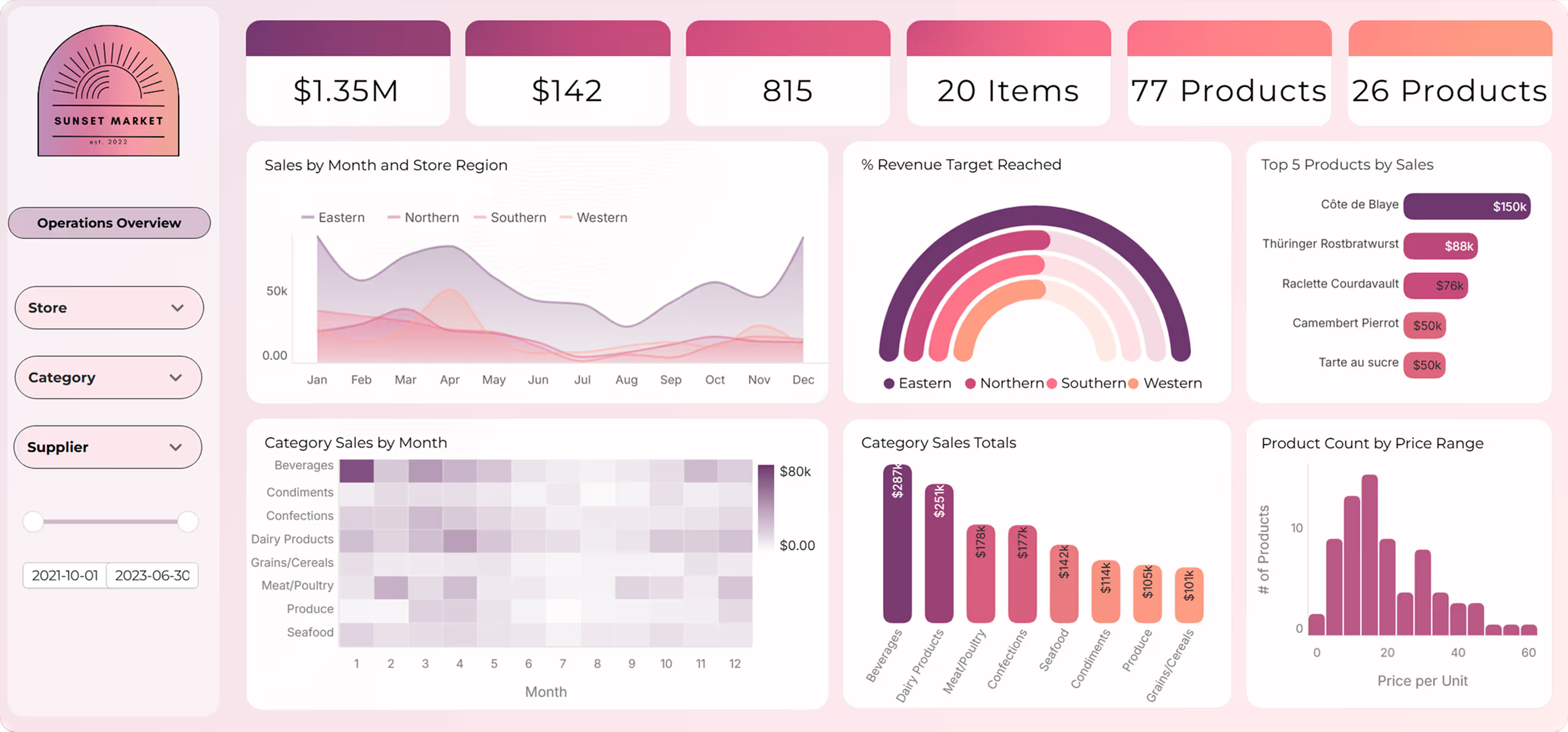
The semantic layer ensures that metrics are defined once and reused everywhere, preventing the workbook sprawl and metric duplication that plagues many self service analytics deployments.
Operational Workflows and Writeback
For decades, dashboards told users what happened. Now, data apps tell them what to do next — and let them do it right there.
Both Astrato and Sigma support interaction and input. But their philosophies differ: Astrato turns dashboards into governed applications, Sigma adds inputs inside its analytical grid.
Astrato's writeback is native and real-time. Users can approve budgets, adjust forecasts, enter data corrections, and trigger automated workflows directly within dashboards. The visual action designer lets you build complex operational logic without code, turning dashboards into full-blown data apps and action centers.
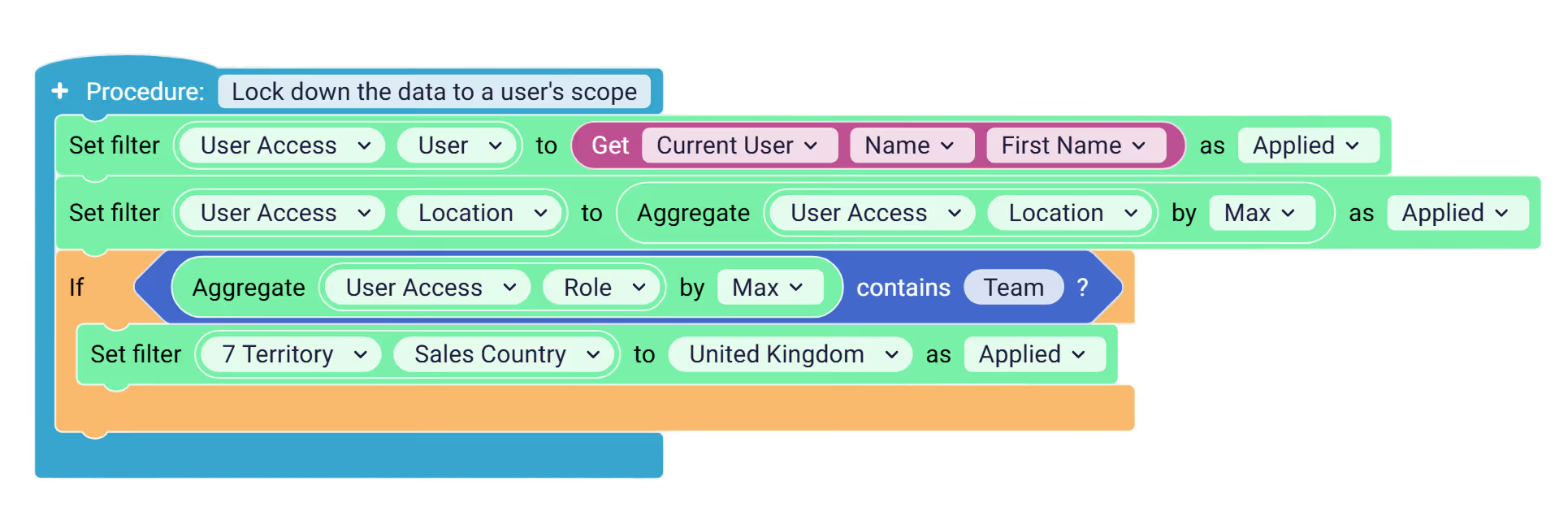
Each action runs through the live warehouse connection, maintaining lineage, auditability, and role-aware permissions defined in the warehouse.
You can log every event (who approved, when, what data changed), giving IT full visibility without removing business agility.
Typical workflows now include:
- Multi-step financial approvals (budget changes, accrual adjustments)
- Inventory and demand planning (restock thresholds, vendor updates)
- Customer operations (status changes, churn follow-ups)
In other words, the warehouse remains the single source of truth, Astrato simply gives it a user interface.
Sigma has built real data-app capability. Its AI Apps combine input tables (for collecting and updating data), layout elements, and actions with conditions, triggers, and effects, aimed at exactly the workflows you'd expect: approval flows, reconciliation, pipeline management, and ticketing. If you need users to put data back into the warehouse from an interactive interface, Sigma can do it.
Where Astrato pulls ahead is on two fronts.
First, the action logic and the writeback both run through the governed semantic model, so an operational app inherits the same definitions and permissions as every dashboard, rather than carrying its own workbook-level logic.
Second, Astrato handles the state problem directly: an action can refresh the underlying data, check whether the condition still holds, and only then execute, with a clear notification if the state has changed. That in-action check is what keeps two people from acting on the same stale row, which is exactly the risk in the multi-step, multi-user processes operational apps are built for.
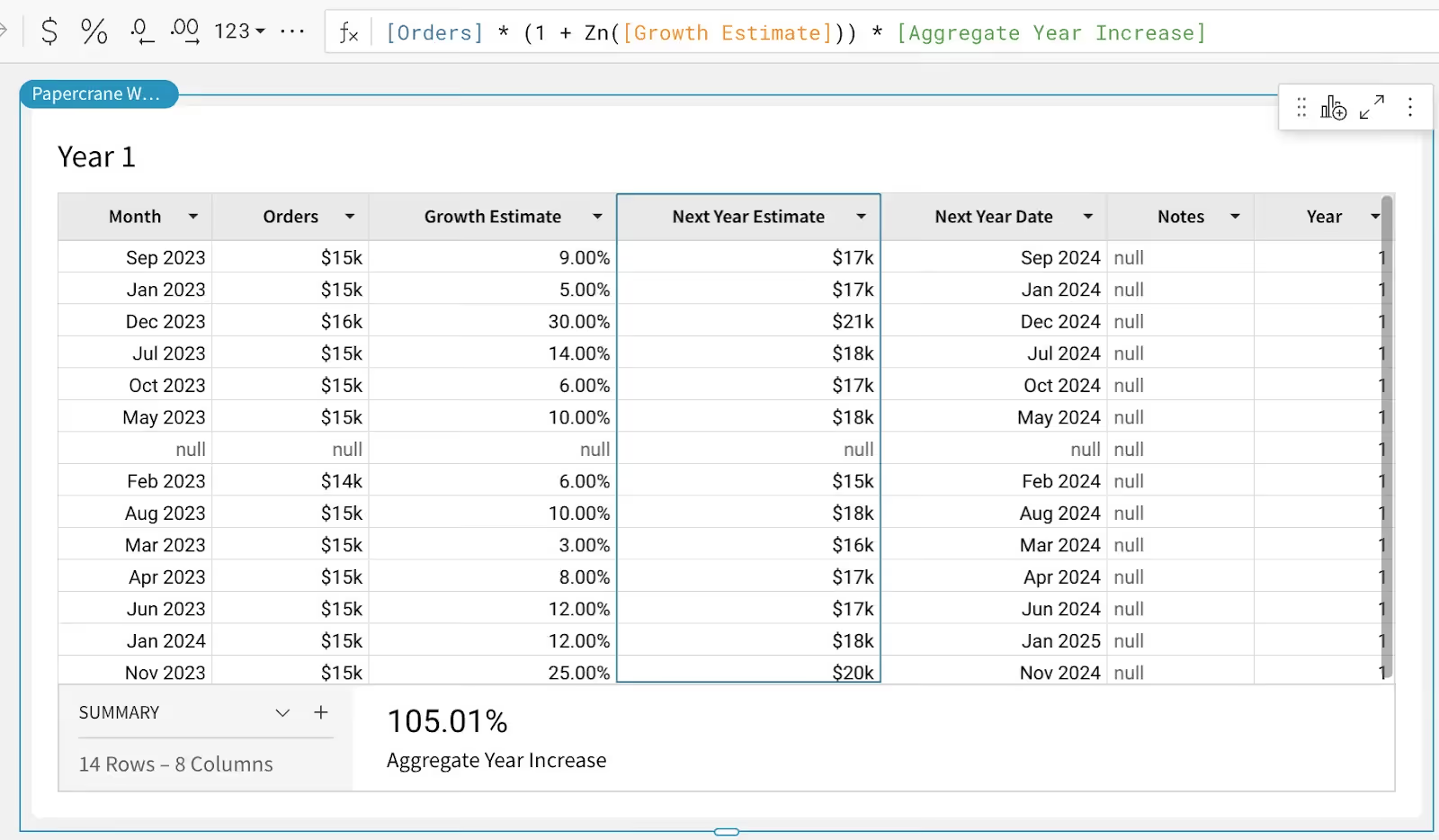
In one instance, a customer care team using Sigma for call tracking discovered a latency issue where writeback changes did not update until the dashboard was manually refreshed, creating a risk of double actions, like two agents contacting the same customer simultaneously.
Astrato's approach solves this by allowing you to refresh data within the action workflow, check whether conditions still hold, and only then perform the action, with a clear notification if the state has changed.
Reporting and Automation
Reporting is another area where the gap widens.
Astrato provides production-ready scheduled exports in PDF, Excel, and PowerPoint. You design PowerPoint templates with placeholder sheets, and Astrato populates them with live data, looping through dimensions to create polished, branded output.
Finance teams send month-end board decks, customer success teams share weekly retention trends, compliance teams export audit-ready visuals. AI summaries can be included in reports for automated executive commentary.
Sigma's reporting capabilities are basic by comparison. PDF export quality has been flagged by users as problematic: visuals need to be very small to fit on a single page, and larger visuals get cut in half across pages.
There is no template-based formatting, no production-ready PowerPoint generation, and no AI-generated report narratives. For teams where scheduled reporting drives revenue or client relationships, this is a significant limitation.
AI-Powered Insights
AI is a modern expectation for any business intelligence platform, but the quality of AI-powered analytics depends entirely on whether the platform gives AI enough context to generate accurate results.
Astrato's semantic layer is the foundation of its AI capabilities. Well-defined models, clear metric definitions, and descriptive metadata ensure that when a user asks a natural language question like "which region had the highest revenue last quarter," the AI generates smart, context-aware SQL rather than guesses.

Astrato integrates natively with Snowflake Cortex (supporting Meta, Claude, DeepSeek, and Mistral models), Google Gemini for BigQuery, and OpenAI or bring-your-own LLM. AI summaries, automated commentary, and a dashboarding co-pilot are built in, not bolted on.
Sigma has invested heavily in AI. Its Sigma Assistant answers natural-language questions and generates charts, Sigma Agents can be given instructions, data sources, and actions (and extended with MCP tools and warehouse search), and warehouse AI functions run sentiment, classification, and summarization directly in tables. It's a capable and growing set of features.
The difference is architectural, and it comes back to context. In Sigma, AI context is assembled where the work happens: per workbook, and per agent you configure. That's flexible, but it means the definition a model reasons over can vary from one workbook or agent to the next. Astrato's AI, Nash included, draws its context from one central semantic layer, so the same governed definitions feed every question. When the model is the source of truth, the AI reasons over numbers the whole organization has already agreed on, rather than whichever context a given workbook happens to carry.
Nash AI: an agent that builds the model, not just the chart
Most AI in BI hands you a chart. The problem is that a chart you can't trust is worse than no chart at all, because the hard part was never drawing it. It was turning raw warehouse data into a number you'd stake a decision on.
Nash AI, Astrato's agentic assistant, is built around that order of operations. Tell it what you're trying to measure and it reads your warehouse schema, then drafts the foundation first: dimensions, metrics, relationships, hierarchies, drill paths, and reusable calculations. The dashboard comes after, built on top of a model your team has approved. While other tools generate charts, Nash generates the governed model underneath them, so the answer stays consistent no matter who asks.
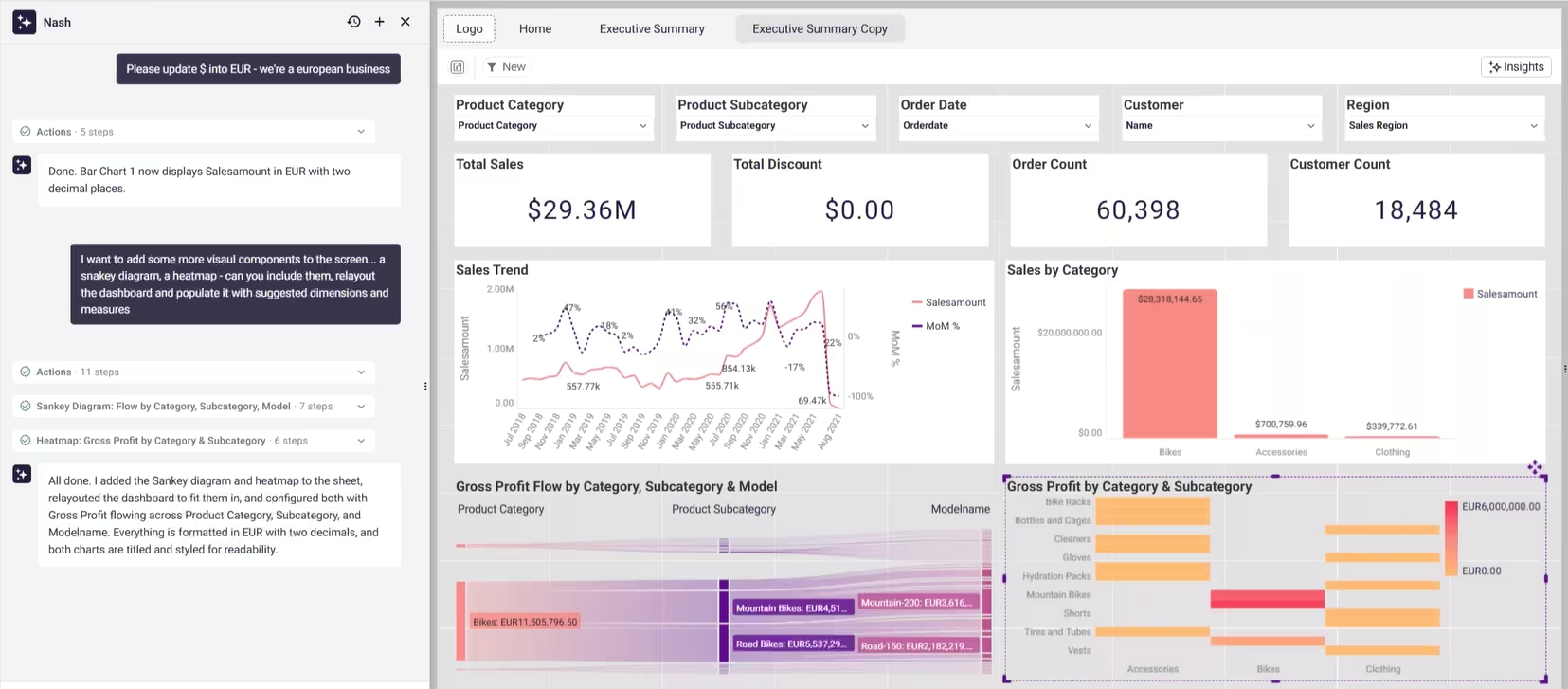
Because Nash works through the semantic layer rather than around it, every measure and filter passes through the governed model your team controls. Nothing happens in a black box. Each step is listed in a panel as it runs, and the SQL behind any chart is right there, so if a number looks off you can trace exactly which join and measure produced it. You approve the plan, redirect it, or stop a build mid-flight. That last stretch of human refinement is what separates a gimmick from a tool a business can trust.
What that unlocks day to day:
- Build a governed semantic model from a sentence ("build a customer-revenue model from our Stripe and Salesforce data").
- Translate legacy logic (Power BI DAX, Qlik Set Analysis, Tableau calculations, SQL, Excel) into governed semantic assets, with the original shown next to its Astrato equivalent.
- Build a dashboard by describing it, laid out on Astrato's pixel-perfect canvas.
- Ask the model anything in plain language, or define a new metric by saying what you mean ("define active customers as anyone who's purchased in the last 90 days").
- Apply sweeping changes across a whole sheet in one pass, and keep several builds moving at once.
Nash inherits Astrato's compliance posture (ISO 27001, SOC 2, HIPAA) and your existing warehouse permissions, including row-level security.
Visualization and Design Quality
If your dashboards serve internal analysts only, visualization quality may not be a dealbreaker. But if you are building customer facing analytics, embedding insights into SaaS products, or creating executive reporting that represents your brand, design matters.
Astrato offers pixel-perfect design control with a rich visualization library that includes advanced types like Sankey charts, dot plots, word clouds, and heat maps.
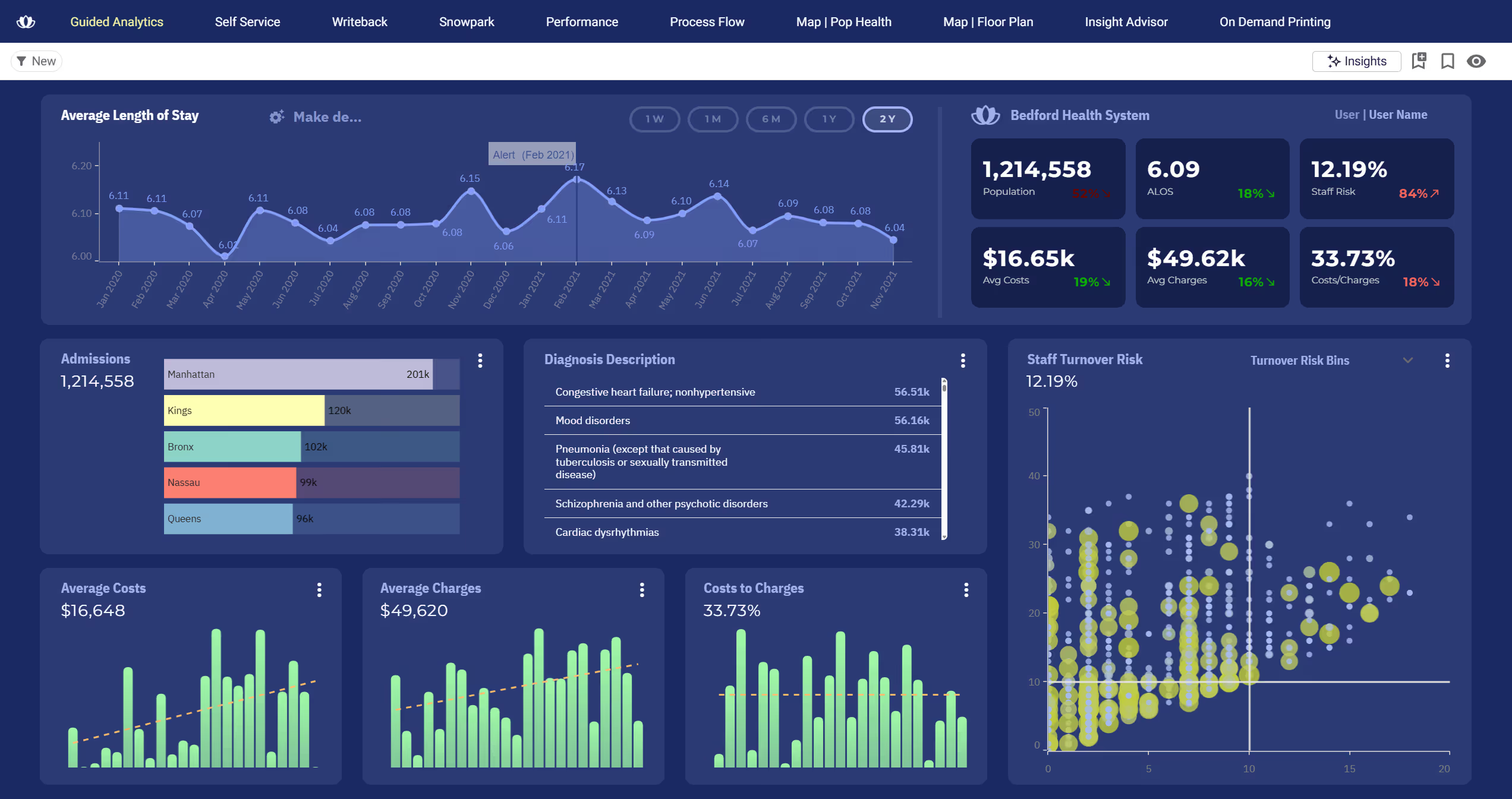
You can overlay objects to create infographic-style dashboards and have total creative freedom over layout, colors, fonts, and styling. This is critical for teams that need to create polished, branded experiences without writing code.
Sigma's visualization library is functional but limited to standard business charts, mainly bar, line, and combo charts. Fine-tuning visual details like specific border thickness, custom color gradients, or unique chart types is restricted.
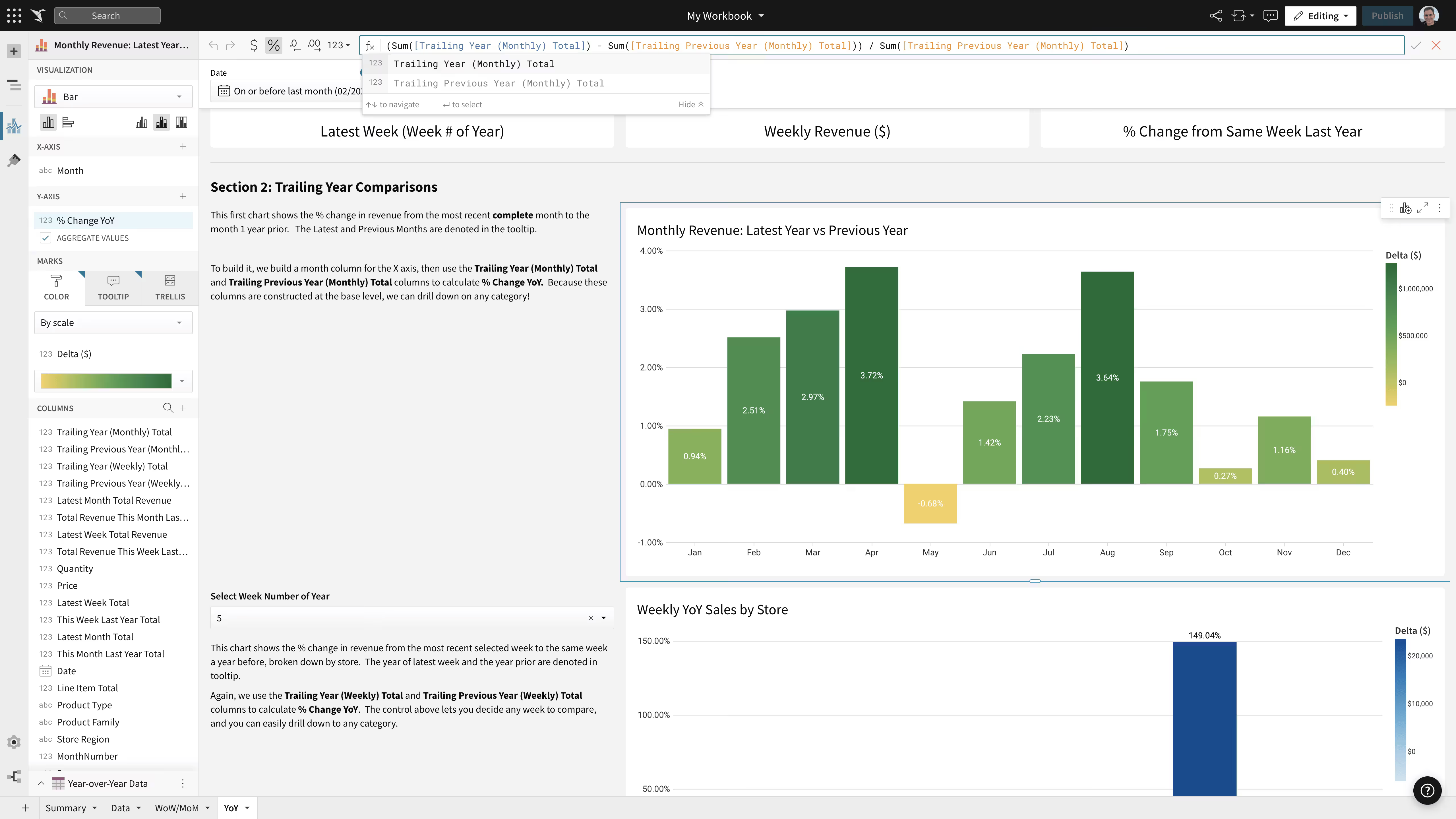
Multiple G2 reviewers have noted that Sigma's visualizations are simple-looking and lack the customization depth found in other platforms. The spreadsheet grid aesthetic is not an ideal fit for polished dashboard presentations or branded embedded analytics.
Who Should Choose Astrato?
- Teams running on Snowflake, BigQuery, or Databricks who want their warehouse to remain the single source of truth
- Organizations modernizing from legacy BI tools like Tableau, Power BI, or QlikView
- Companies building customer facing analytics, embedded dashboards, or white-labeled data products for SaaS products
- Data teams using dbt, semantic layers, and warehouse governance who need BI that integrates with their workflow
- CIOs and IT leaders who need scalable, cost-predictable analytics without hidden licensing complexity
- Enterprises that require SOC 2 Type II and ISO 27001 compliance, multi-tenant security, and granular governance
- Teams that want operational workflows, writeback, and automation built into their dashboards
When Sigma May Be a Better Fit
- Analyst-heavy teams where the primary users are comfortable with spreadsheets and formulas
- Organizations focused exclusively on internal ad-hoc exploration rather than external or embedded analytics
- Smaller teams without enterprise governance requirements or multi-tenant needs
Key Takeaways
- Astrato is warehouse-native with a pure pushdown model. It connects directly to your cloud data warehouse and runs live query analytics with no extracts, no materialization overhead, and complete cost transparency.
- Sigma excels at analyst-driven ad-hoc exploration with its spreadsheet interface, but its design trade-offs limit adoption among non technical users, customer facing scenarios, and enterprise governance needs.
- For embedded analytics and data apps, Astrato's pixel-perfect, white-labeled embedding with multi-tenant isolation is purpose-built for the job. Sigma is not.
- Both platforms now offer agents and AI apps. The difference is where the AI gets its context: Astrato's Nash builds and works through one governed semantic model, so every answer reasons over the same agreed definitions, rather than context assembled per workbook.
- Cost predictability, production-ready reporting, writeback reliability, and visualization quality all favor Astrato for teams moving beyond analyst-only analytics.
Final Verdict: Astrato vs Sigma
Sigma carved out a strong position in the cloud native era by giving analysts a familiar spreadsheet environment to explore warehouse data. For teams where analytics is an analyst-only activity and internal exploration is the primary use case, Sigma can be a solid tool.
But the world of business intelligence is moving beyond exploration.
Modern data teams need analytics that serve the entire organization, from engineering teams managing the data platform to marketing running campaign analysis to customer success delivering branded reporting to clients.
They need BI that turns insights into action through writeback and automation, that powers customer facing analytics without a separate stack, and that scales cost-predictably without surprise compute bills.
Astrato was built for this world. It treats your warehouse as the single source of truth, runs every query live, governs access at the warehouse level, and gives you the design freedom to create everything from internal dashboards to embedded data products. For teams that have outgrown the spreadsheets and need a platform that matches the ambition of their modern data stack, Astrato is the clear choice.
Ready to see how Astrato runs analytics directly on your warehouse? Book a demo and explore the platform with your own data.
Frequently Asked Questions
Is Astrato better than Sigma?
For teams that need customer facing analytics, embedded BI, enterprise governance, production-ready reporting, and broad user adoption beyond analysts, Astrato is the stronger platform. Sigma may be better for analyst-heavy teams focused purely on internal ad-hoc exploration using a spreadsheet interface.
Does Astrato use live queries?
Yes. Astrato uses a pure pushdown live query model. Every query executes directly in your cloud data warehouse (Snowflake, BigQuery, or Databricks) with zero data duplication and no scheduled refreshes.
Is Sigma warehouse-native?
Sigma connects directly to cloud data warehouses and runs live queries by default, making it cloud native in its core architecture. However, its optional materialization feature, basic governance model, and analyst-centric design mean it does not fully leverage the warehouse as a complete execution layer the way Astrato does.
Who should use warehouse-native BI?
Any organization that has invested in a cloud data warehouse as its single source of truth and wants analytics that align with that architecture. This includes enterprises scaling self service analytics, teams modernizing from legacy BI tools, and companies building data products or embedded analytics for their customers.
Can Astrato replace Sigma?
Yes. Astrato supports the same warehouse connections and live query capabilities, while adding pixel-perfect embedded analytics, enterprise governance, production-ready reporting, native writeback with real-time reliability, and AI powered by a centralized semantic layer. Teams switching from Sigma to Astrato typically gain broader user adoption, better cost control, and the ability to serve both internal and external analytics on a single platform.
Ready to experience next-gen analytics?
See how Astrato runs natively in your warehouse.