Introducing version history in the Astrato Semantic Layer Editor
Compare any two versions of your semantic model, restore the one definition that went wrong, and publish when you mean to. Version history is live in Astrato.

There is a measure in your semantic layer that is not quite right. Maybe the revenue definition never got updated after the pricing change. Maybe a join is doing something odd for one region and everyone has learned to squint past it. You know what the fix is. You have known for weeks.
You still have not made it.
Not because it is hard. Because the model is shared. Change that measure and you have changed what everything built on top of it shows — every dashboard, every report, every embedded view, every answer your AI assistant gives. If the fix turns out to be wrong, you find out when someone else does.
So the fix waits. Someone rebuilds the number in a spreadsheet instead. The definition drifts a little further from how the business actually works, and the model everyone depends on gets a little less true.
Version history is now live in the Astrato Semantic Layer Editor. Here is what it changes.
See what changed, not just that something did
The editor keeps a full history of your model as you work. Every version carries a timestamp, a revision number, and the person who made it, so the record of who touched what is there without anyone having to maintain it.
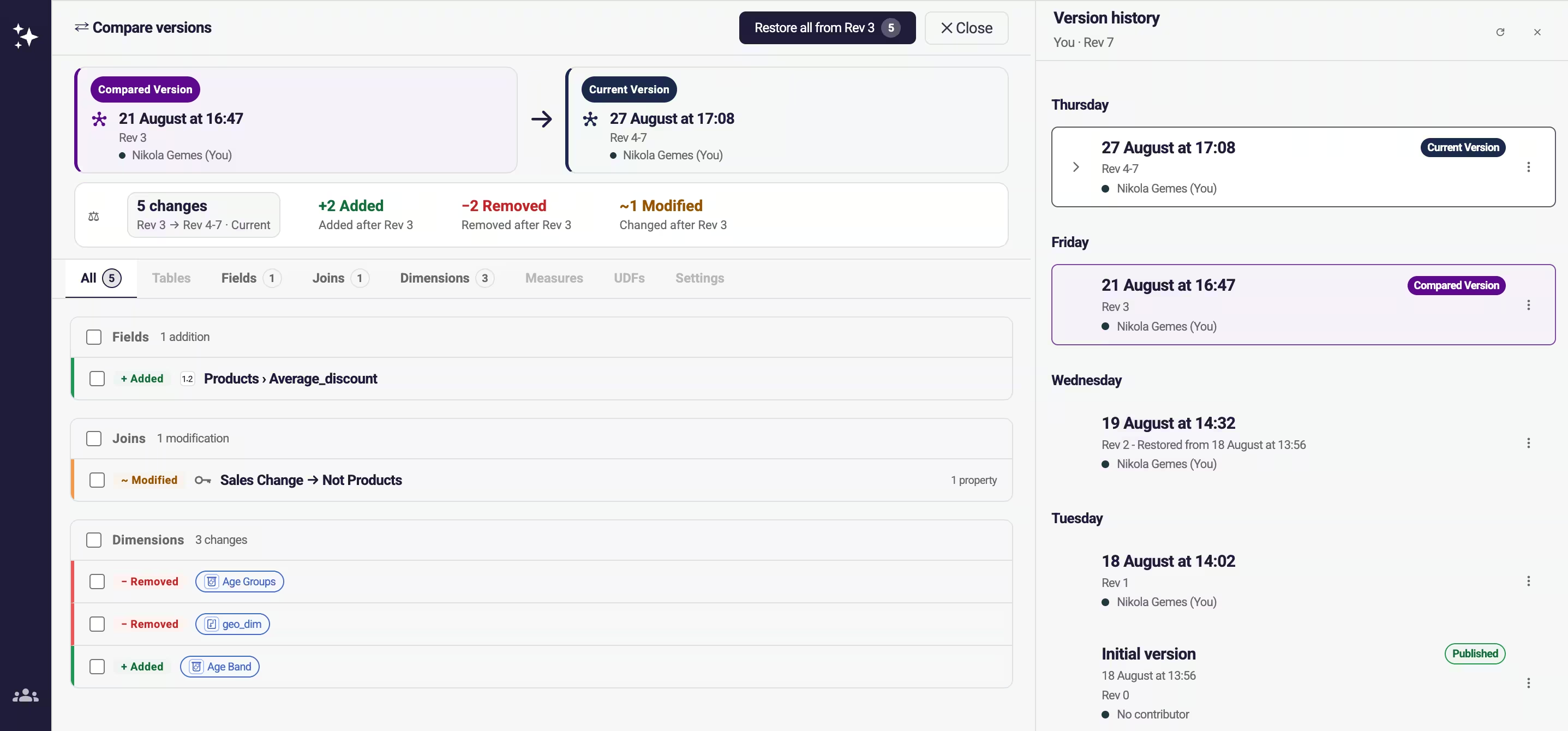
The useful part is Compare. Open any two versions and they sit side by side with a count of what moved between them, grouped the way you think about the model: tables and fields, joins, dimensions, measures, settings.
That is the difference between knowing something changed on Friday and knowing that a field was added, a join was modified and three dimensions moved, and being able to read every one of them.
Take back one definition, not the whole model
Say you and a colleague both worked in the model on Thursday. Four of their changes are good. One of yours broke a dashboard.
You do not want Thursday undone. You want one measure back.
From inside Compare you can restore everything from an earlier revision, or tick just the changes you want and restore only those. The good work stays. The one thing that went wrong goes back to what it was.
The button tells you which one you are about to do. It reads Restore all from Rev 3 until you start ticking, then switches to Restore selected from Rev 3 and counts what you have picked.
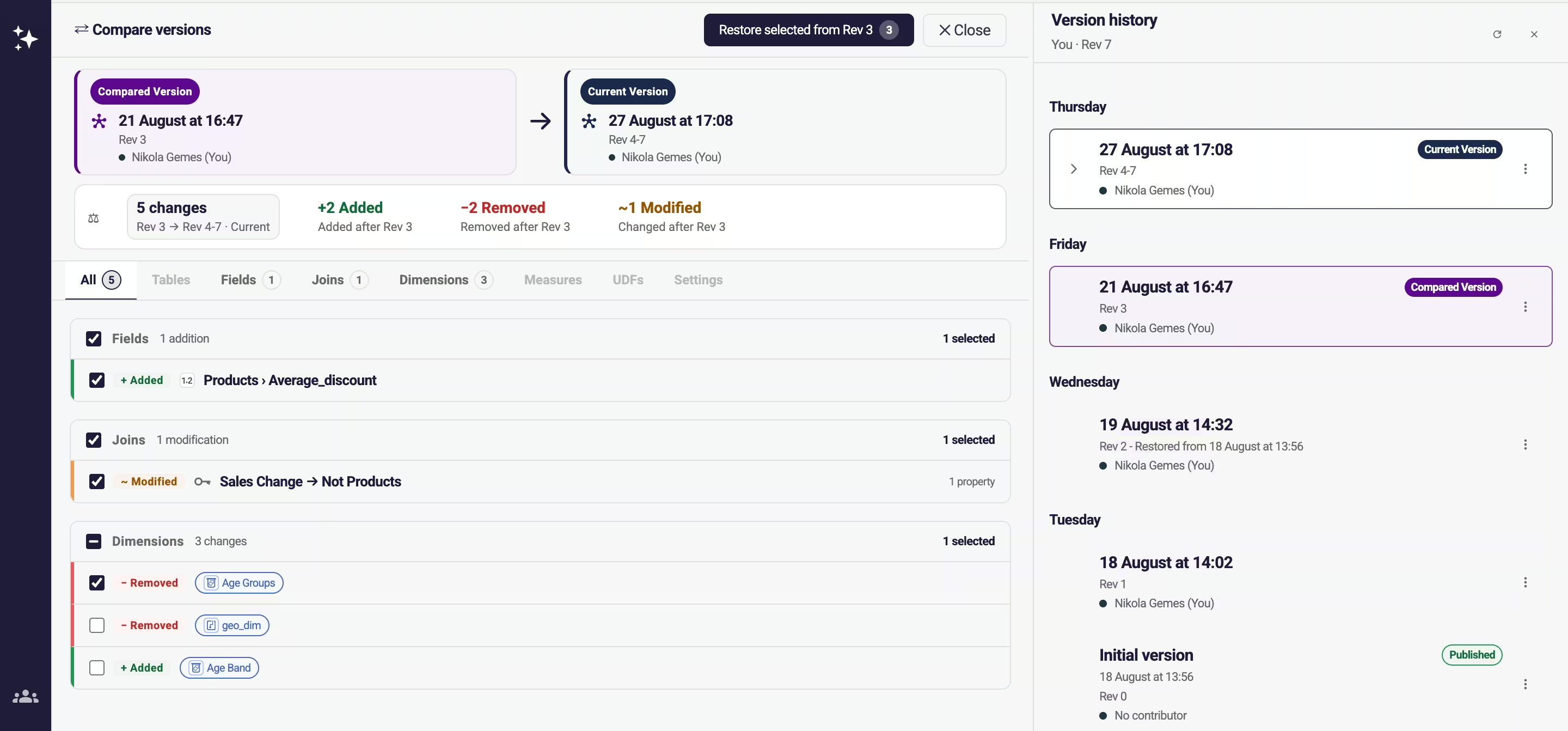
This is the part most worth knowing about, and it lives inside Compare rather than in the version list, so open Compare first.
Restoring is not publishing
Restoring asks you to confirm, and tells you the date you are reverting to. Nothing moves until you click.
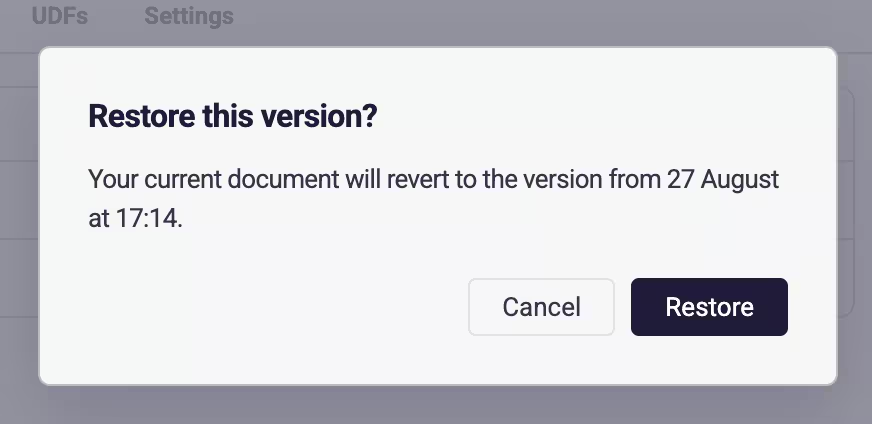
More to the point: restoring changes your working copy, not the live model. You can bring an older version back, look at it properly, decide it was not what you remembered, and carry on. Production never knew.
Publishing is its own deliberate act. Manual is the default, so the model goes live when you say so. If you would rather it went out sooner, there is a delayed mode that publishes thirty seconds after a change, and an instant mode that publishes on every save.
And when the model has unresolved problems, Publish is greyed out with a warning marker over it. You cannot push a broken model to production by accident, whichever mode you are in.
Start with the model you already have
Version history is part of the new Semantic Layer Editor from release 4.19. There is nothing to switch on and nothing to configure — the history starts building the moment you open the editor.
One thing worth knowing as you get used to it: named versions and the snapshots taken when you publish are the ones that stay. Older intermediate revisions get tidied up over time, so if a particular state of the model matters to you, give it a name.
Then try it on the edit you have been putting off.
Ready to experience next-gen analytics?
The best proof comes the first time you take something back. You open Compare, tick the one change that broke it, and everything else stays exactly where it was.
Want the detail? Read how versioning works in the Semantic Layer, how to restore a version, and how publishing works, in the Astrato help centre.
FAQs
Can I compare two versions of a semantic model in Astrato?
Yes. Compare opens any two versions side by side with a count of what changed between them, grouped by tables, fields, joins, dimensions, measures and settings.
Can I restore one measure instead of the whole model?
Yes. From inside Compare you can restore everything from an earlier revision, or tick just the changes you want and restore only those. The rest of the work stays where it is.
Does restoring a version publish it?
No. Restoring changes your working copy, not the live model. Publishing is a separate step, and it stays blocked while the model has unresolved problems.
Ready to experience next-gen analytics?
See how Astrato runs natively in your warehouse.