
Your governed analytics data in the Excel you already use.
Many critical business workflows still run in Excel. But the data that reaches them is exported, stale, and drifting from the numbers on the dashboard, so the same question gets two different answers.
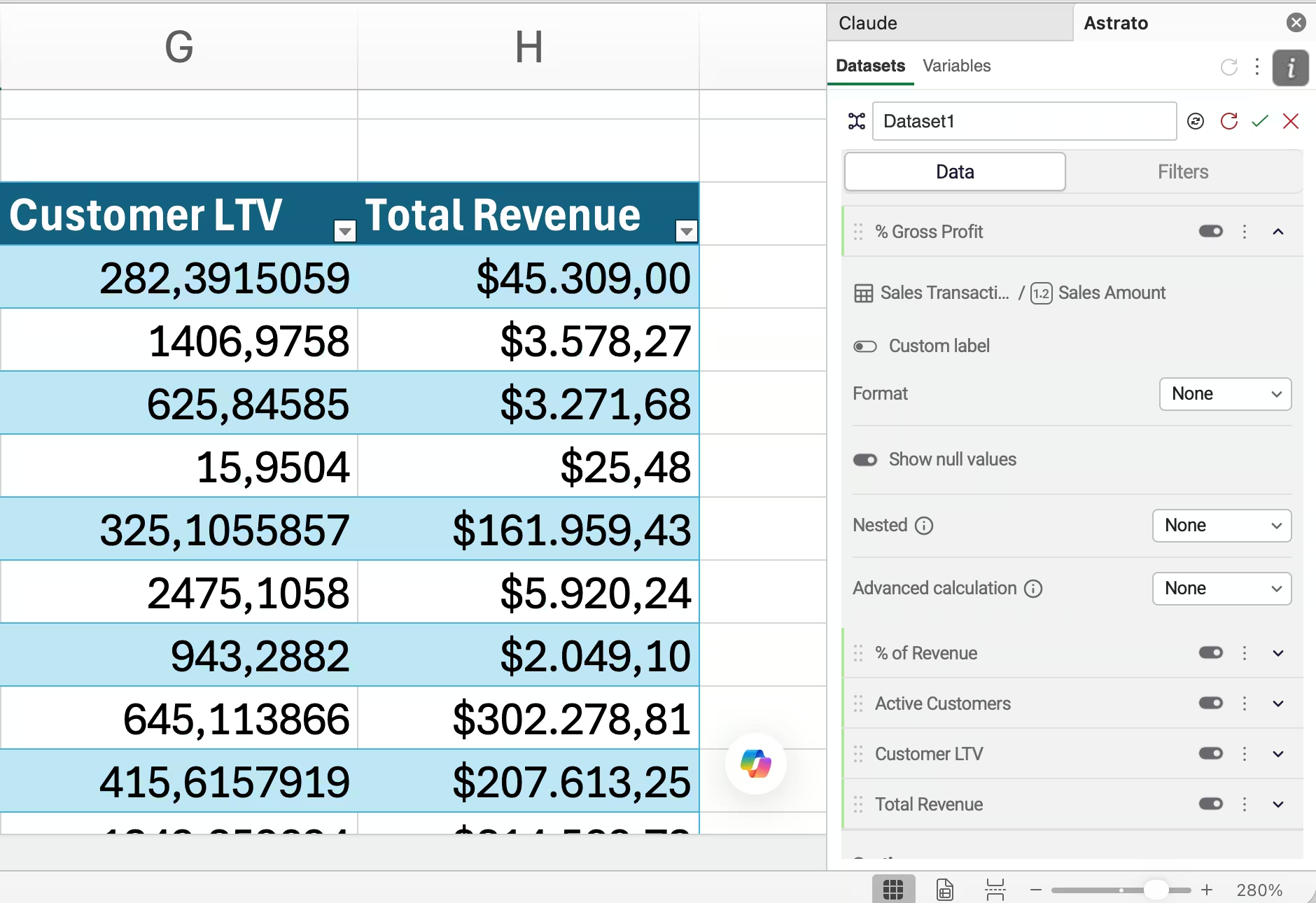
The Astrato Excel Add-in puts governed data in the grid as native formulas, refreshed on demand. Eliminating the need for manual exports, or stale CSV imports


Your duplicated numbers and the board's numbers stopped matching.
Someone exports a CSV. It's stale the moment it lands — filtered, re-keyed, pasted into a workbook, quietly drifting from the dashboard.
Astrato datasets run on the same trusted semantic layer as your dashboards, and extends them to Excel. Same measures, same definitions. The number in the workbook is the number on the board pack.


Use the right interface for the work .
Interactive workflows, shared processes and operational decisions can be built as Astrato Data Apps.
Financial models, board packs, individual ad-hoc work, forecasts and established reporting templates may still need the flexibility of Excel.
So we don't ask anyone to start somewhere new. Governed data lands in the Excel sheets your teams already run.

Build it once. Next time, just hit refresh.
Monday morning.
You open last month's spreadsheet and hit Refresh.Every model. Every pivot. Every chart — updated from trusted data.The board pack that used to eat a morning of exporting and re-keying is done before your coffee's cold.
You built it once. You never rebuild it again.

Build the spreadsheet once.
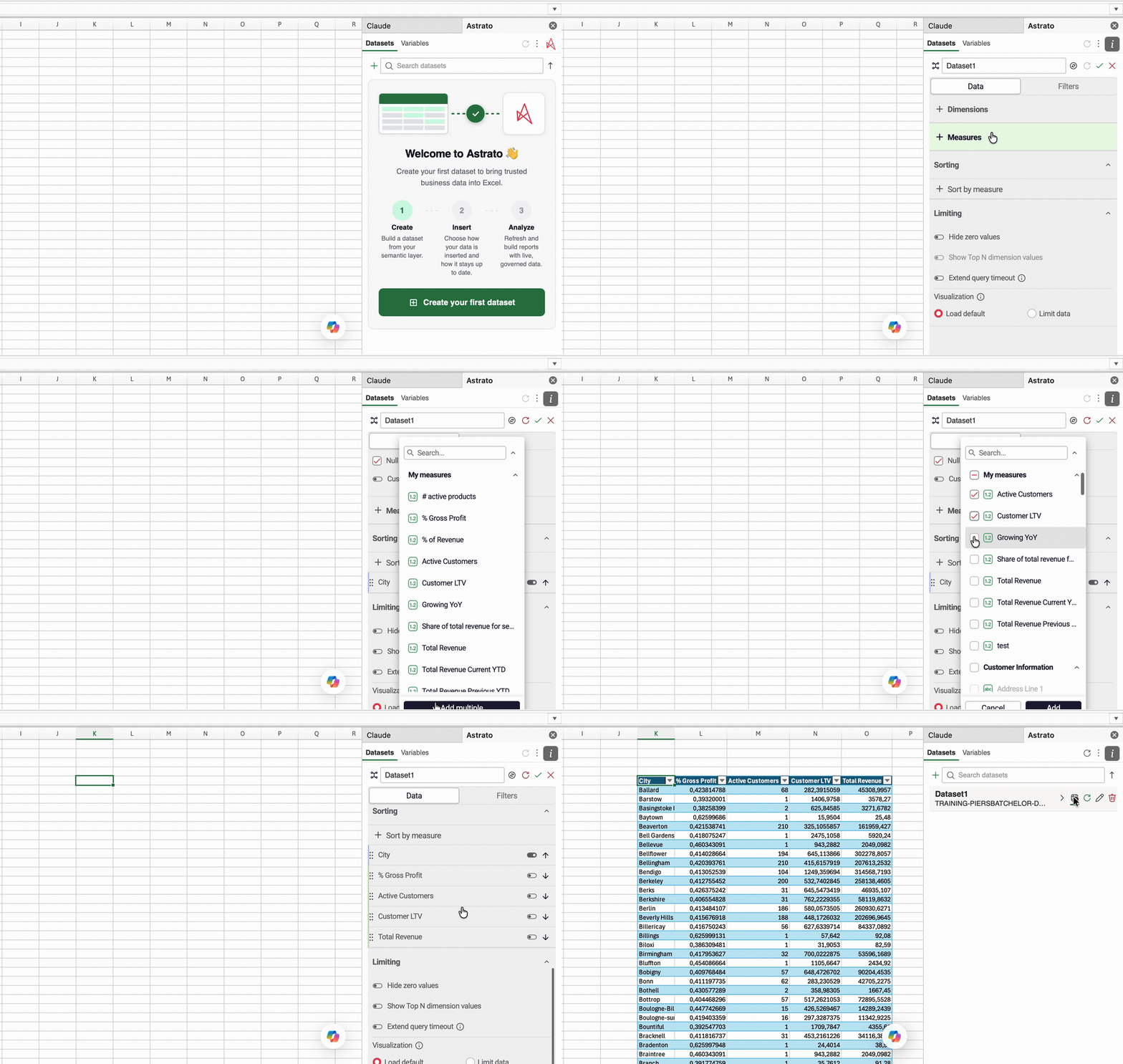
Set your data up once — the fields and filters you need, using the same picker you already know from Astrato. Pull it into any cell as a formula and it fills the grid. Next month, you don't rebuild anything. You hit refresh.
Turn a cell into a control.
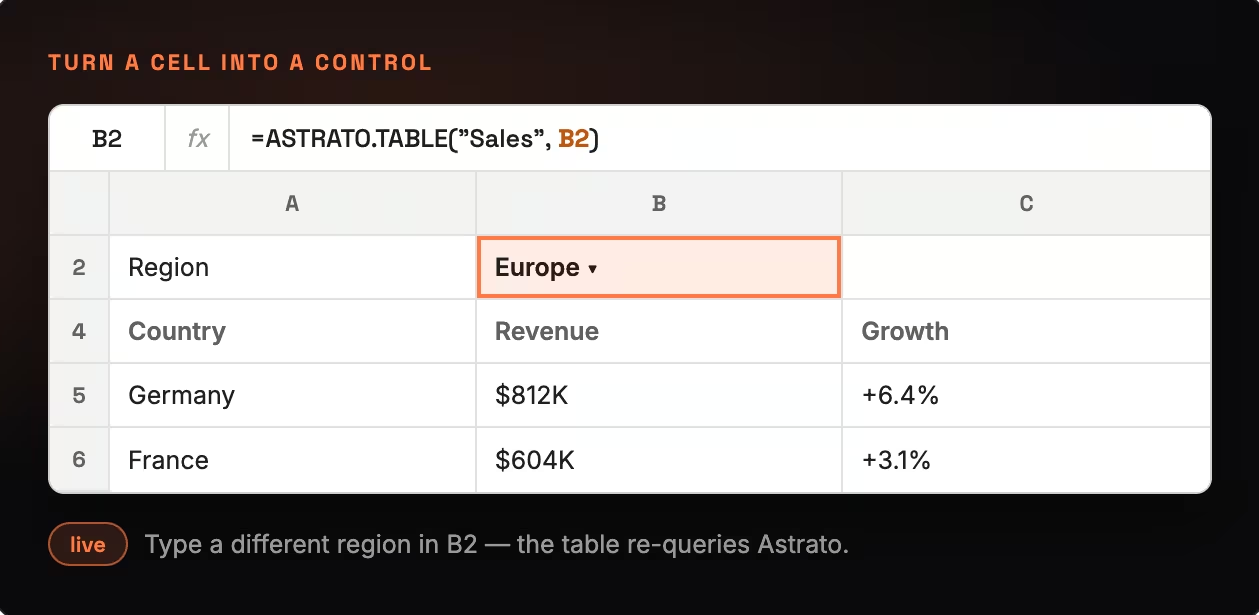
Link a filter to a cell in your sheet. Type a region, a date, a growth rate — and the data underneath re-queries Astrato. That's what-if modelling on live, governed data: the scenario work your teams already do in Excel, now running against the warehouse instead of a pasted extract.
Rebuild the data. Keep the spreadsheet.
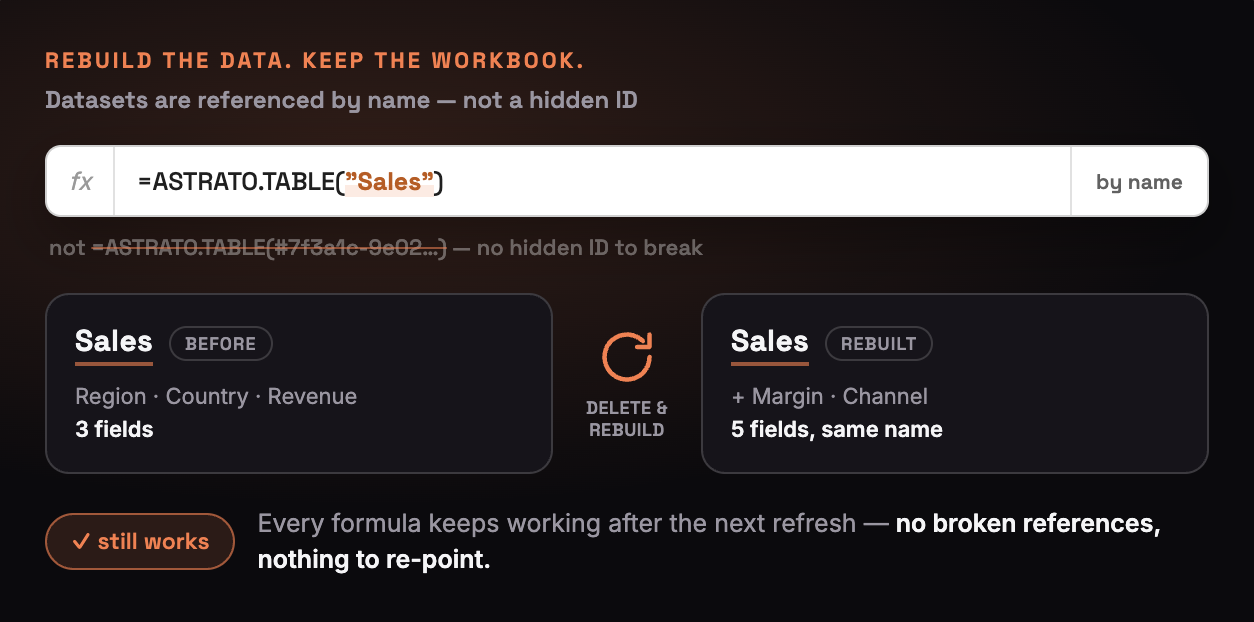
Normally, change how a data view is built and every formula pointing at it breaks. Not here. Your data is referenced by name, so you can rename or rebuild it and every formula keeps working after the next refresh — no hunting through sheets to fix broken references.
You decide when data refreshes.
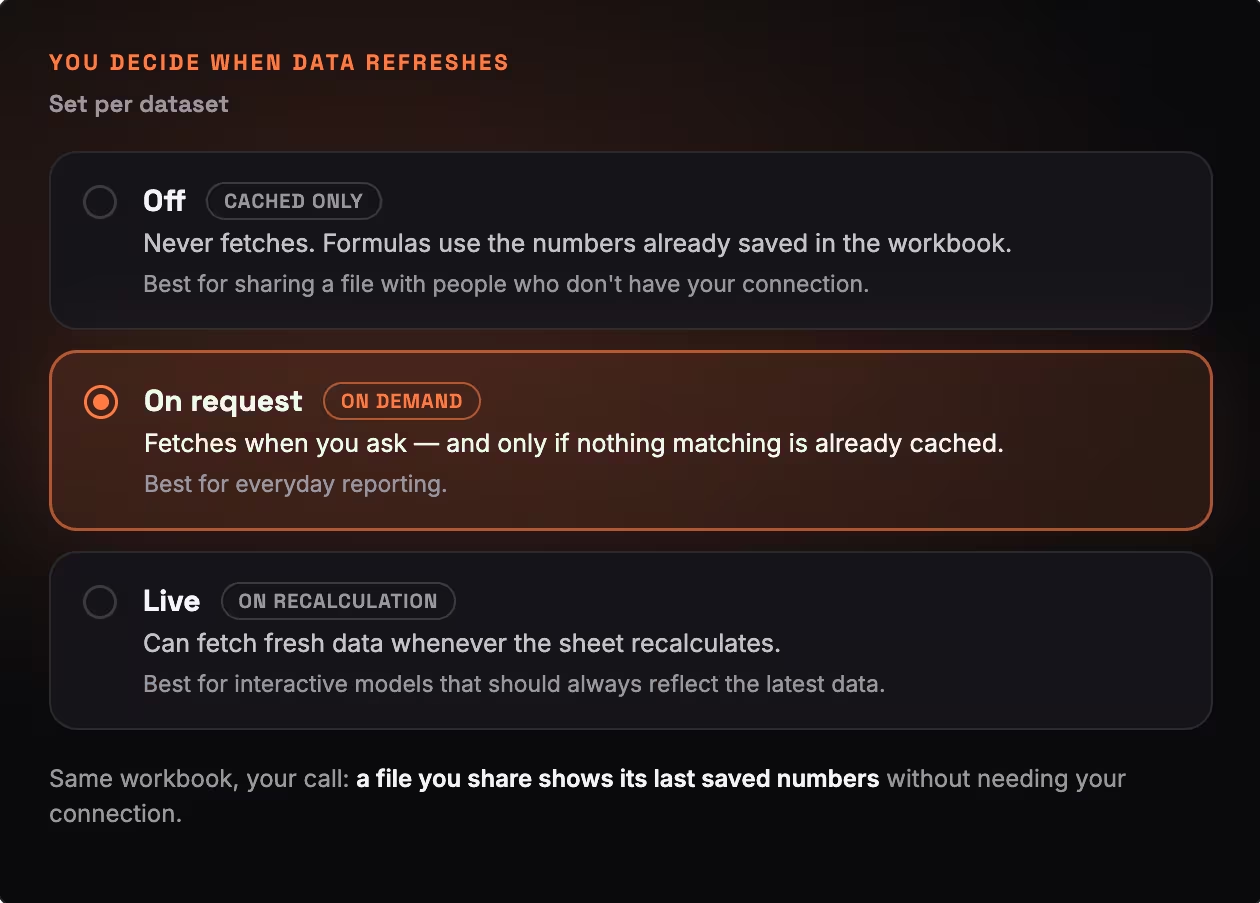
Set a dataset to pull fresh data every time, only when you ask, or never — so a file you share shows its last saved numbers without needing your connection.
No more fixing currencies at month-end.
Drop your data in as a proper Excel table and it arrives formatted — currencies, decimals, the layout your business already uses. Nothing to re-apply by hand, nothing that breaks when you sort or filter. It looks like Excel and behaves like Excel, because it is.
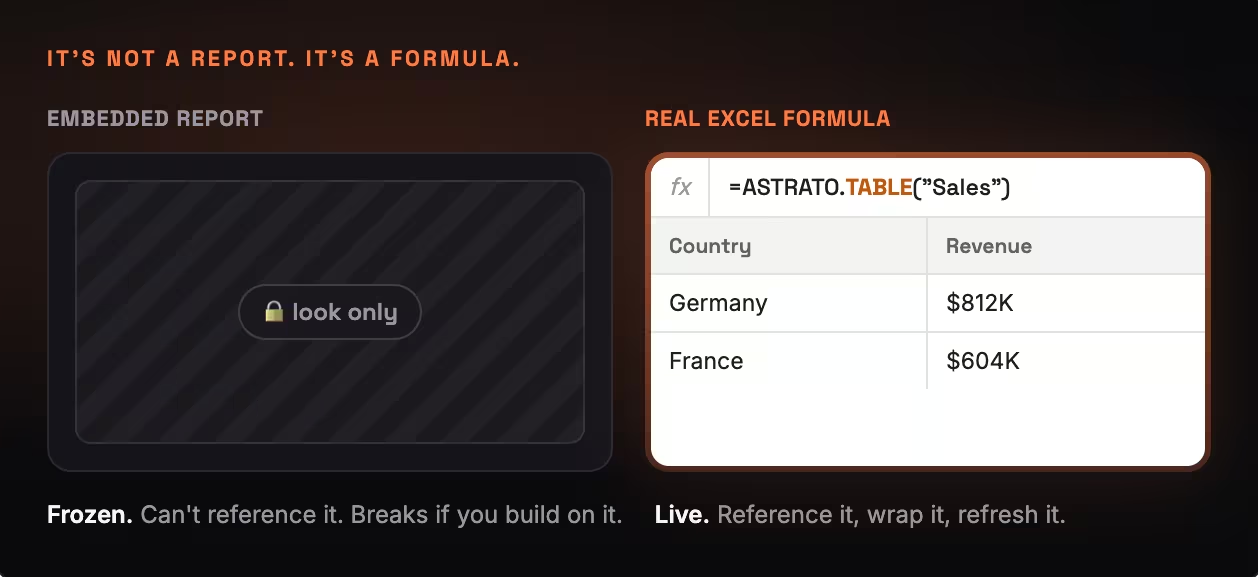
It's not a report.
It's a formula.
Not a screenshot. Not an embedded report you can look at but can't touch. A real formula — one you can reference, wrap in your own calculations, and build on like any other. The data is governed. The spreadsheet is still yours.
Sharing & security
Credentials belong to the user. Data belongs to the file.Your login is never written into the workbook, only the data. So a colleague opens the file and reads the numbers from your last refresh: no login, no access request, no exposure of your connection.If they want fresh data, they refresh with their own.
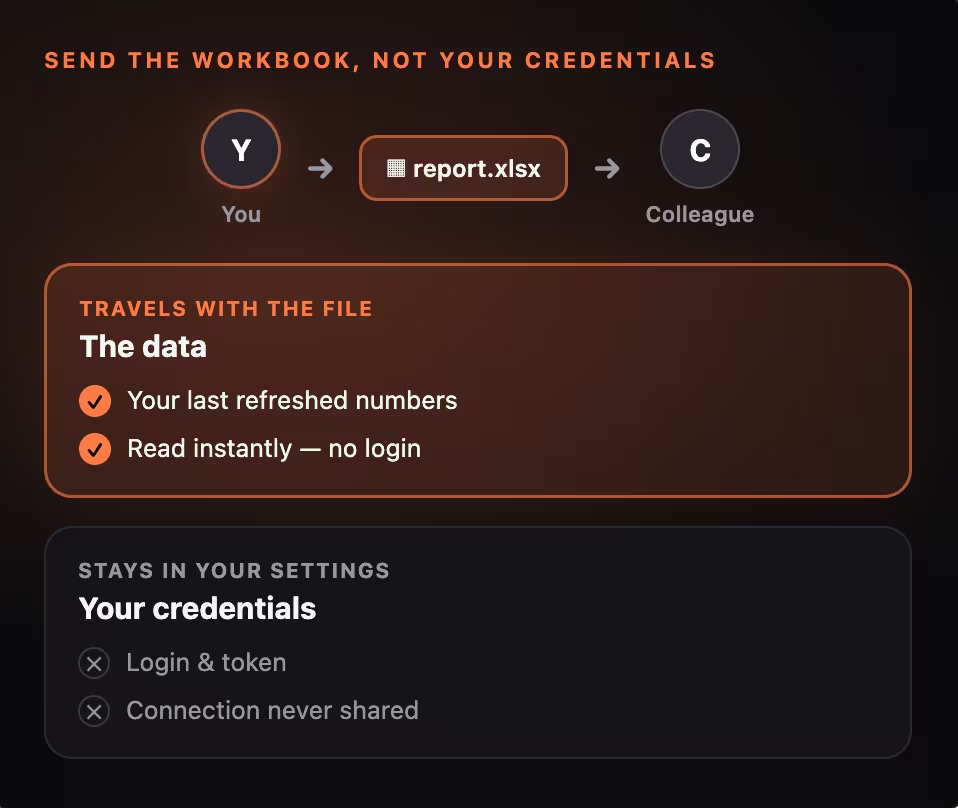
Every refreshed result is cached in the workbook. Open it on a plane, in a boardroom, or on a machine that has never heard of Astrato, and the formulas still return their last known values. Fresh fetches resume automatically once the connection is back.

Data access when refreshed follows the semantic layer and the signed-in user's permissions. The same model, the same rules, the same numbers as your dashboards — extended into Excel, not forked away from it.

Built for the Excel your team already has


Works natively with your cloud data platform



Bring governed BI into Excel.

Frequently asked questions
Do recipients need an Astrato login to open a shared workbook?
No. They see the cached data stored in the file — the figures as of your last refresh. A login is only needed if they want to refresh the data themselves, and then they use their own connection, not yours.

Where are my credentials stored?
In your user-scoped Office settings, never inside the workbook. Sharing a file never shares your token. This is by design: credentials belong to the user, data belongs to the file.
Will the numbers in Excel match our dashboards?
Yes. Datasets are built on the same semantic layer that powers Astrato dashboards, so the definitions are identical. Change a measure once and it updates everywhere — including the workbook.
What happens if I'm offline?
Formulas keep returning the last data you pulled, saved inside the workbook. Fresh data loads automatically once you're back online.
How is this different from scheduled Excel reports in Reporting & Distribution?
Reporting & Distribution is for bulk dissemination — scheduled, formatted reports pushed out to a lot of people, including those who never log in to the BI tool. The Excel Add-in is for personal analysis: you go and get the data, then build on it in your own workbook. One sends you the report. The other gives you the workbench. Plenty of teams will use both.
We're already looking at Sigma. Why would we use this instead?
Sigma gives your team a spreadsheet-style interface in the browser — a new tool to learn, alongside the Excel they already use. Astrato takes the other approach: instead of a new place to work, it brings governed warehouse data into the Excel your team is already in — real formulas, real workbooks, on Windows, Mac and the web. Both connect live to your warehouse; the difference is whether people change tools to get there.