Your customer segments shouldn't change every time someone runs a report
Two reports can use the same customer segment and produce different results. Learn how reusable Set Filters keep customer qualification logic consistent.

Two analysts are asked the same question:
How much revenue did we generate from customers who bought Bikes but never Accessories?
The first analyst filters the sales data to show Bike purchases and excludes Accessories from the results.
The second identifies customers who purchased Bikes, checks whether any of them also purchased Accessories, and excludes those customers from the analysis.
Both analysts produce a revenue figure. Both can explain the filters they applied.
But they're answering different questions.
The first is looking at transactions involving Bikes. The second is looking at a specific population of customers, defined by their purchase history.
That difference matters.
When businesses analyze customer segments, they aren't always interested in individual transactions. Often, they want to understand the people or organizations behind those transactions: what they've bought, what they haven't bought, and how they behave over time.
If the rules defining that population change between reports, the resulting numbers can change even when everyone thinks they're analyzing the same segment.
This is where reusable Set Filters become valuable.
The difference between filtering transactions and defining customers
Let's return to our example.
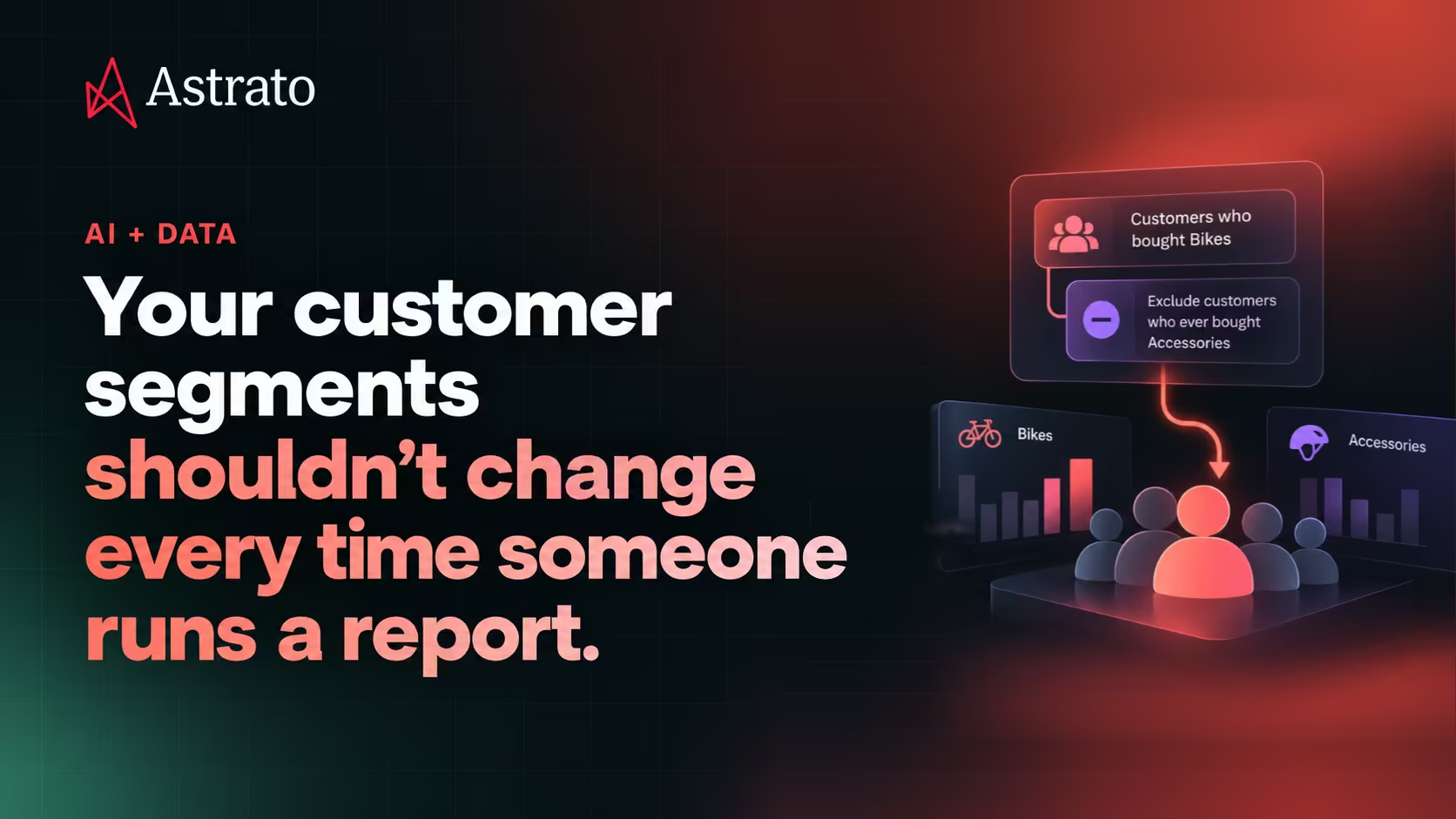
A retailer wants to identify customers who bought Bikes but never Accessories. The commercial team suspects there's an opportunity to sell helmets, lights, locks and other accessories to customers who already own a bike.
The analysis sounds straightforward.
But there's an important distinction between two approaches.
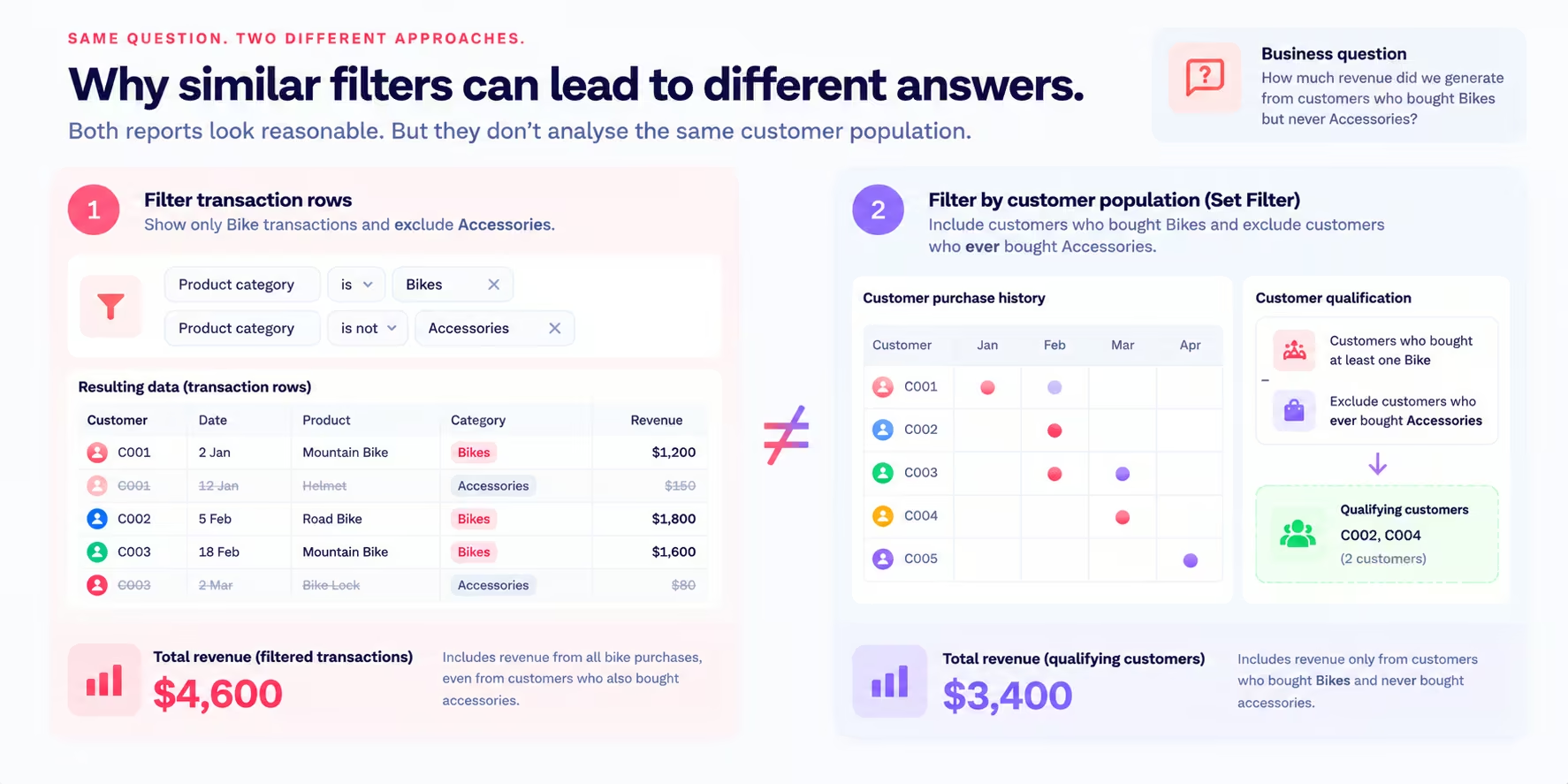
Approach 1: Filter the transaction rows
An analyst opens the sales data and applies two conditions:
- Product category is Bikes.
- Product category is not Accessories.
The resulting report contains Bike transactions.
But it doesn't necessarily exclude customers who have also bought Accessories.
Consider a customer who purchased a mountain bike in January and a helmet in February.
Their Bike transaction still appears in the filtered results. The helmet transaction disappears, but the customer remains.
The report therefore includes customers who have already purchased Accessories, even though the business question explicitly asks for customers who never did.
This isn't a problem with the revenue calculation itself. It's a problem with which customers qualify for the calculation.
Approach 2: Define the qualifying customer population
The second analyst approaches the problem differently.
They identify customers who have made at least one Bike purchase, then exclude anyone who has ever purchased an item in the Accessories category.
Only customers meeting both conditions remain.
Now the analysis is based on the intended population.
Using a simplified example, filtering Bike transactions might return $4,600 in revenue. Applying the customer qualification rules might return $3,400.
Both figures could be mathematically correct for their respective filters.
But only the second answers the intended question about customers who bought Bikes and never Accessories.
The distinction is fundamental:
Filtering rows determines which records appear in the analysis. Defining a population determines which customers belong in the analysis in the first place.
Why this becomes a bigger problem across the business
One analyst using the wrong filtering approach is relatively easy to identify and correct.
The harder problem emerges when the same customer population appears in multiple reports, dashboards and recurring analyses.
Imagine a commercial team monitoring the Bikes-without-Accessories segment.
The sales manager wants to know its total revenue.
The marketing team wants to understand how many customers belong to the segment in each region.
The finance team wants to compare its year-over-year performance.
A category manager wants to examine which Bike products these customers purchase most often.
Each analysis depends on the same underlying question:
Who qualifies as a customer who bought Bikes but never Accessories?
If every analyst rebuilds the conditions independently, small differences can creep in.
One report might consider the customer's entire available purchase history. Another might consider only the current year.
One might exclude customers who purchased any accessory. Another might exclude only customers who bought an accessory in the same transaction as a Bike.
A third might accidentally apply the exclusion to transaction rows rather than customers.
The reports may all carry the same segment label, but their underlying populations differ.
That creates a difficult situation for the business. Teams spend time reconciling results instead of investigating what those results mean.
And because the difference sits inside the filtering logic, it may not be immediately obvious from the charts.
The solution isn't simply to give every analyst more detailed instructions.
It's to make the qualification logic reusable.
Set Filters: Define the population once, then build on it
Astrato's upgraded semantic layer introduces Set Filters, a way to define reusable populations based on related activity and conditions.
Instead of reconstructing the logic behind a business population for each analysis, data teams can define that population as part of the semantic layer.
For our retail example, the intended logic is:
Include customers who:
- Have purchased at least one product in the Bikes category.
- Have not purchased any product in the Accessories category within the defined purchase-history scope.
The result is a qualifying set of customers.
That set can then be used as a filter in supported analyses, allowing different business questions to refer to the same underlying qualification logic.
This is different from saving a particular revenue number or a static list of customer IDs.
The value lies in retaining the rules that determine membership.
As the underlying data changes, the qualifying population can change when the rules are evaluated again.
For example, a customer who previously bought only a Bike may later purchase a helmet. If that purchase falls within the definition's scope, the customer would no longer qualify for the Bikes-without-Accessories population.
The rules remain consistent even though the membership changes.
That's what makes Set Filters useful for recurring business analysis.
A practical example: Finding a cross-sell opportunity
Let's look at how the same logic could support a commercial decision.
A bicycle retailer has 1,000 customers who purchased at least one Bike during a selected reporting period.
The commercial team wants to identify which of those customers have never purchased Accessories.
After applying the qualification rules, the analysis produces the following illustrative results.
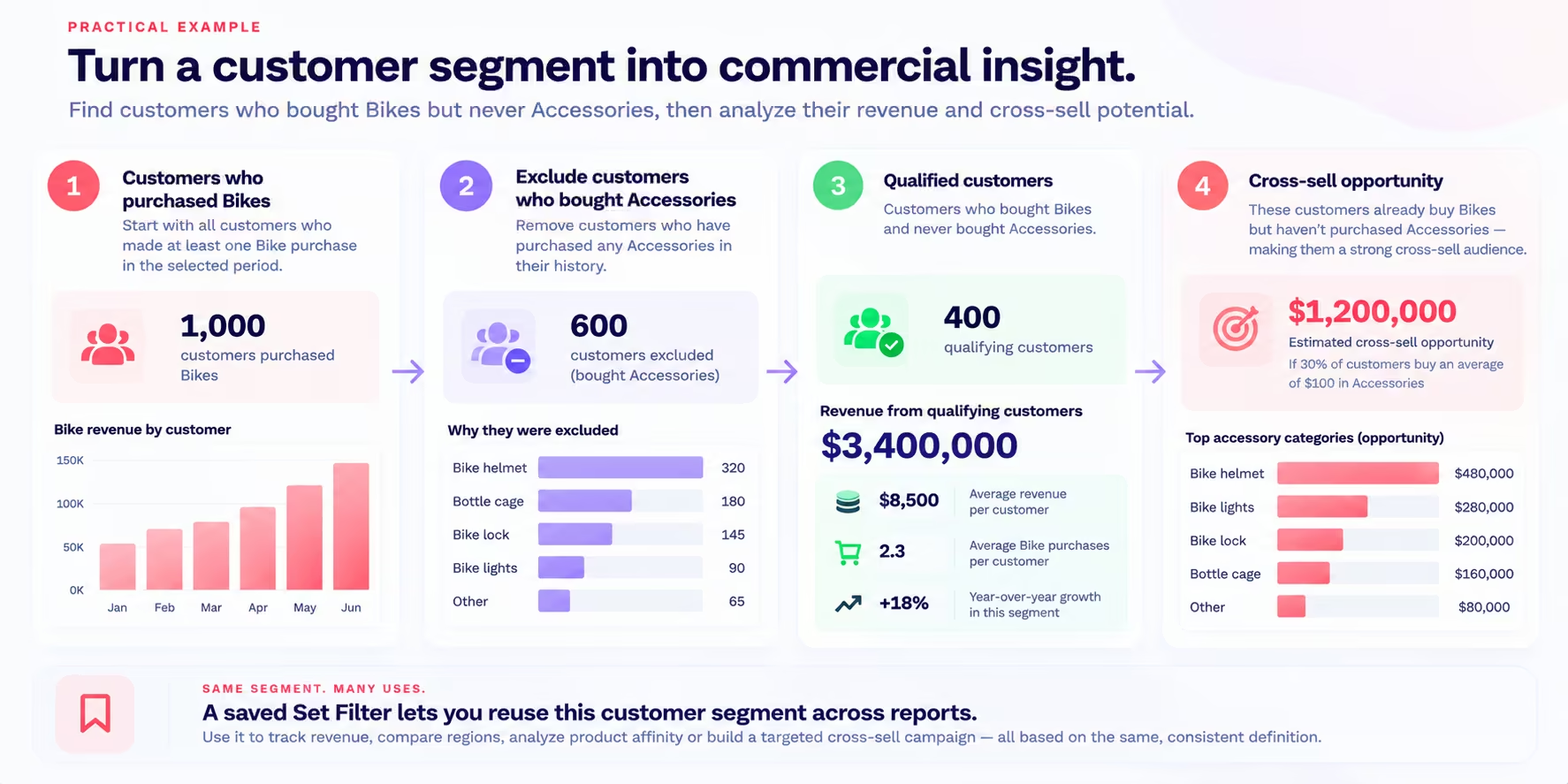
The retailer now has a defined population of 400 customers worth investigating.
Those customers have demonstrated an interest in Bikes but have no recorded Accessories purchases within the relevant purchase history.
That doesn't automatically mean all 400 are ready to buy.
Some may have purchased accessories elsewhere. Others may already own the equipment they need, or may not be interested in additional products.
But the segment provides a starting point for a more focused commercial analysis.
What can the team learn from this population?
First, it can examine the revenue generated by qualifying customers.
Are these primarily entry-level Bike buyers, or do they include customers purchasing premium models?
Next, the team can break down the population by region, product category or purchase period.
Are there particular markets where Bike customers are less likely to buy Accessories? Does the pattern vary between different types of Bikes?
The team can also examine how the population changes over time.
Are new customers entering the segment? Are existing customers leaving it after purchasing Accessories?
These questions help the retailer understand whether there's a meaningful commercial opportunity and where further investigation would be most valuable.
The crucial point is that the analyses begin with the same customer qualification rules.
Suggested visual: "Turn a customer segment into commercial insight" — 1,000 Bike customers → 600 excluded → 400 qualifying customers → revenue analysis and cross-sell investigation.
Estimating potential without confusing it with actual revenue
Suppose the retailer wants to explore a simple scenario.
What if 30% of the 400 qualifying customers purchased an accessory with an average order value of $100?
That would represent:
400 × 30% × $100 = $12,000 in hypothetical additional revenue.
It's a scenario, not a forecast.
The actual opportunity depends on customer demand, purchase behavior, pricing, product availability and the effectiveness of any campaign.
But this illustrates how a clearly defined customer population can support commercial planning.
The team can test different assumptions without repeatedly debating which customers belong in the segment.
One population, several business questions
The value of a reusable population becomes clearer when multiple teams need to analyze it.
Consider four questions a retailer might ask:
1. How much revenue comes from customers who bought Bikes but never Accessories?
This establishes the commercial size of the qualifying population.
2. Which regions have the highest concentration of these customers?
This helps identify geographic differences and potential areas for targeted investigation.
3. How has revenue from this population changed year over year?
This introduces a time comparison while retaining the same underlying customer qualification logic, subject to the chosen time scope.
4. Which Bike categories are most common among these customers?
This helps determine whether the pattern is concentrated in particular product types.
Each question looks at a different aspect of the business.
But the underlying customer population should be defined consistently.
With Set Filters, that population logic can be retained as a reusable semantic definition rather than recreated separately for every question.
That reduces the risk of teams unintentionally comparing different populations under the same name.
It also makes the definition easier to inspect and maintain when business requirements change.
The connection between Set Filters and Business Questions
Set Filters become even more useful when combined with other reusable analytical definitions.
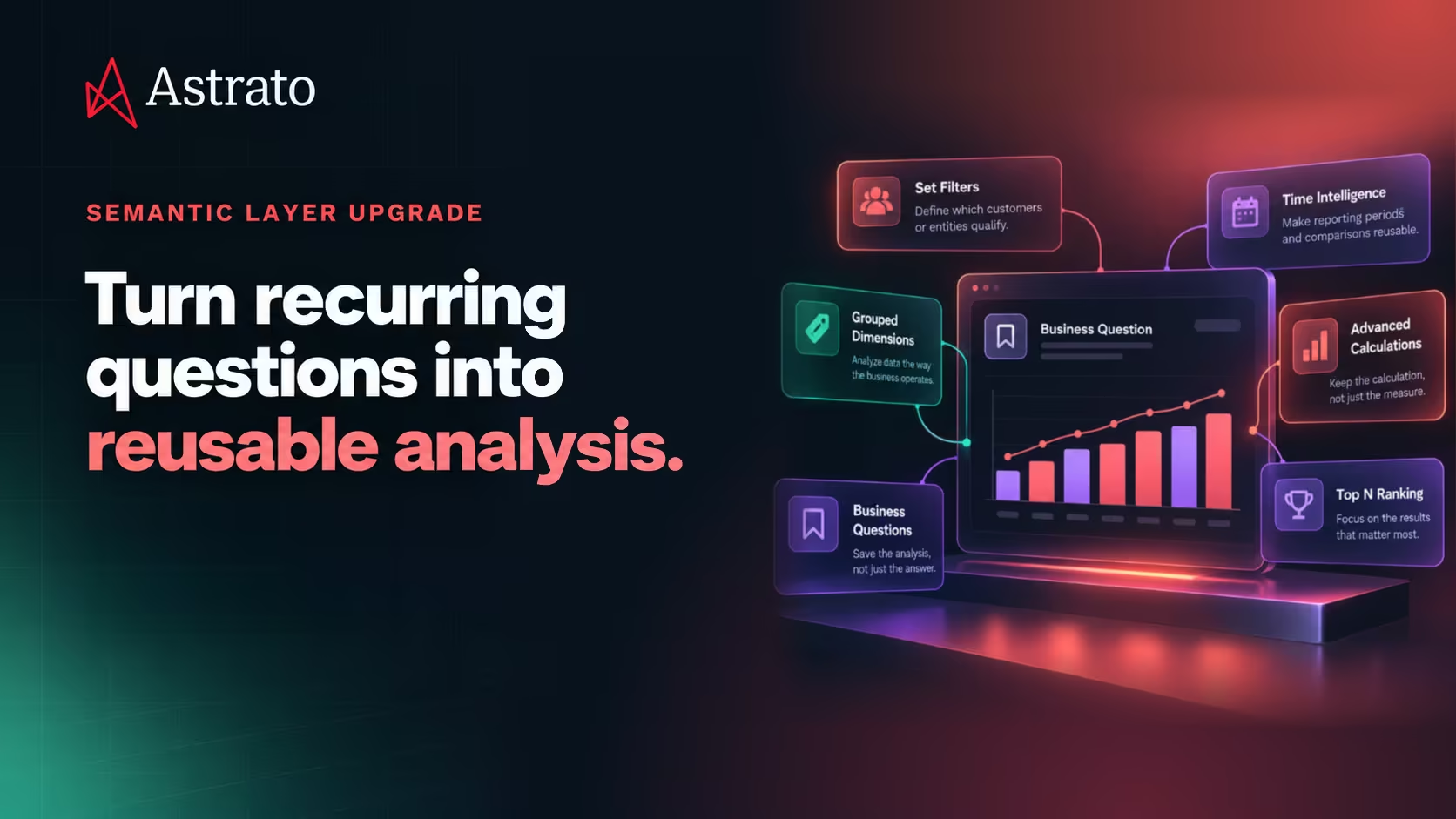
In Astrato, Business Questions retain the analytical configuration behind a recurring question, including supported measures, dimensions, filters and sorting.
Set Filters address a related but different part of the problem.
A Business Question can retain what the business wants to analyze and how the analysis is configured.
A Set Filter defines which population qualifies for that analysis.
For example:
Business Question: How much revenue did we generate from customers who bought Bikes but never Accessories?
Set Filter: Customers who purchased Bikes and have no qualifying Accessories purchases.
The Business Question can retain the revenue measure and other supported analytical settings. The Set Filter supplies the population logic.
Together, these capabilities help make recurring analysis more reusable.
Rather than rebuilding the customer qualification rules and the analytical configuration each time, teams can retain the relevant definitions and return to them as the data changes.
The distinction also matters for maintenance.
If the business changes how it defines the customer population, the underlying Set Filter definition can be reviewed and updated through the supported semantic-layer workflow.
That is more manageable than searching through individual reports to find every independently implemented version of the same logic.
From customer segmentation to business action
The ultimate goal of identifying customers who bought Bikes but never Accessories isn't to produce another customer count.
It's to understand whether those customers represent an opportunity, what kind of opportunity it might be and how the business should respond.
A commercial team might use the analysis to investigate cross-sell potential.
A marketing team might use the findings to inform campaign planning.
A category manager might examine whether certain Bike products have unusually low attachment rates for Accessories.
All of those activities depend on knowing which customers the analysis is about.
Set Filters help retain that population definition so teams can build different analyses on the same business logic.
Looking ahead, Astrato is also developing Data Apps that will bring analytical context into more decision-oriented business workflows.
Data Apps are not part of the current Set Filters release. But reusable population definitions are an important building block for applications that need to identify relevant customers, products or other business entities consistently.
The broader direction is to move from repeatedly reconstructing analytical logic toward building on definitions the business can inspect, maintain and reuse.
Better decisions start with defining the right population
A revenue figure doesn't tell the whole story.
Before trusting it, the business needs to know which customers, products or transactions contributed to it.
That becomes especially important when the population depends on relationships and activity across multiple records.
Customers who bought Bikes but never Accessories are not simply the rows left after removing Accessories transactions.
They're a population defined by purchase behavior.
Astrato Set Filters help teams retain those qualification rules as reusable semantic definitions, so recurring analyses can build on a consistent understanding of who or what qualifies.
Because when two reports claim to analyze the same customer segment, they should at least be talking about the same customers.
Explore Astrato's upgraded semantic layer to see how Set Filters, Business Questions and other reusable analytical definitions work together.
Ready to experience next-gen analytics?
See how Astrato runs natively in your warehouse.