
End Shadow Spreadsheets Without Banning Excel
Data teams can’t stop people using Excel — so bring governance to it. How to end shadow spreadsheets with row-level security, shared definitions and lineage in real Excel.


Every data team has fought this battle and lost it. You build the semantic layer, wire up row-level security, publish a catalog, and get lineage under control — and then someone exports a query to Excel, emails the file around, and every one of those controls is gone.
The instinct is to clamp down. The better move is the opposite: stop fighting Excel, and bring your governance to it. This is how you end shadow spreadsheets without telling anyone to stop using the tool they’ll never give up.
TL;DR
- You can’t ban Excel. Business users need data where they work, and a ban just pushes them to export it anyway — the shadow spreadsheet is a symptom, not the disease.
- A shadow spreadsheet is a governance blind spot: no row-level security, no shared definitions, no lineage, and no freshness the moment data leaves the warehouse as an export.
- The fix is to make governed data available inside Excel, so people don’t need to export an ungoverned copy to get their work done.
- With the Astrato Excel Add-in, Excel connects to your governed model: row-level security is inherited, definitions are shared, credentials never enter the file, and sensitivity labels carry over — so the spreadsheet stops being a blind spot.
- It’s an extension of your existing governance — the warehouse, the semantic layer, your catalog — not a second system to maintain.
- One honest limit: this governs the read-and-analyse path. Collaborative, write-back workflows belong in a governed data app.
Why banning Excel never works
Start with the uncomfortable truth: the shadow spreadsheet exists because Excel is genuinely good at something your governed tools aren’t. It gives a finance analyst, an ops manager, or a category lead the flexibility to model, reconcile, and shape a bespoke output the way their work actually needs — right now, without filing a ticket.
So when a data team responds to ungoverned copies by locking down exports or forbidding spreadsheets, two things happen. People find a workaround — a screenshot, a copy-paste, a personal database — and the data leaves anyway, now even harder to see. And the relationship between the data team and the business turns adversarial, which is the opposite of what good data governance is supposed to produce.
Banning the tool treats the symptom. The disease is that the only way to get trusted data into Excel has been to export it — and an export is where governance ends.
Where shadow spreadsheets come from
It’s worth understanding why capable, well-meaning people route around governance, because the reason points straight at the fix. Usually it isn’t defiance — it’s speed.
The dashboard answers the question they were asked yesterday, not the slightly different one they have today, and requesting a new governed view means a ticket and a wait.
Exporting is simply the fastest path to “the number I need, in the format I need it.” Any governance strategy that ignores that reality loses.
And once the exports start, they scatter. The ungoverned copies end up attached to email threads, saved to personal OneDrive or SharePoint folders, dropped into shared drives with no owner, and living on laptops that never sync.
Each carries its own edits, so a single monthly report quietly becomes five slightly different truths — which is exactly where “which number is right?” comes from, and why version control by filename (Report_v7_FINAL_v2) is the tell that the source of truth has been lost. The problem isn’t any one file; it’s that there’s no way to see, trust, or trace the estate of them.
What a shadow spreadsheet actually costs
It helps to be precise about what’s lost the moment data becomes an export sitting in a file on OneDrive, SharePoint, or someone’s laptop. Every one of these is a control your team almost certainly enforces at the source, and none of them survives the trip:
- Row-level security disappears. In the warehouse, a regional manager sees only their region. In an export, whoever holds the file sees every row in it — and can forward it to anyone.
- Definitions drift. “Net revenue” is defined once in your model. In a spreadsheet, it’s however that analyst summed a column, and it quietly diverges from every other report.
- Lineage is gone. Ask “where did this number come from?” of an exported figure and there’s no answer — no trace back to a measure, a query, or a source table. It’s just a value in a cell.
- Freshness is a guess. The export is a snapshot with no expiry. Nobody can tell whether it’s an hour old or a quarter old.
- Sensitive data leaks. A file with customer, financial, or PII data, detached from its access controls, is exactly the kind of uncontrolled copy that turns into a data breach or a failed audit.
Multiply that by every recurring report exported every cycle, and you don’t have a few stray files — you have a parallel, ungoverned data estate that your catalog can’t see and your policies don’t reach.
The real fix: govern Excel’s last mile
The controls you’ve built don’t fail because they’re weak. They fail because they stop at the warehouse door — and the last mile, the spreadsheet on someone’s desk, has been ungovernable by default. Close that last mile and the shadow-spreadsheet problem largely dissolves, because there’s no longer a reason to make an ungoverned copy.
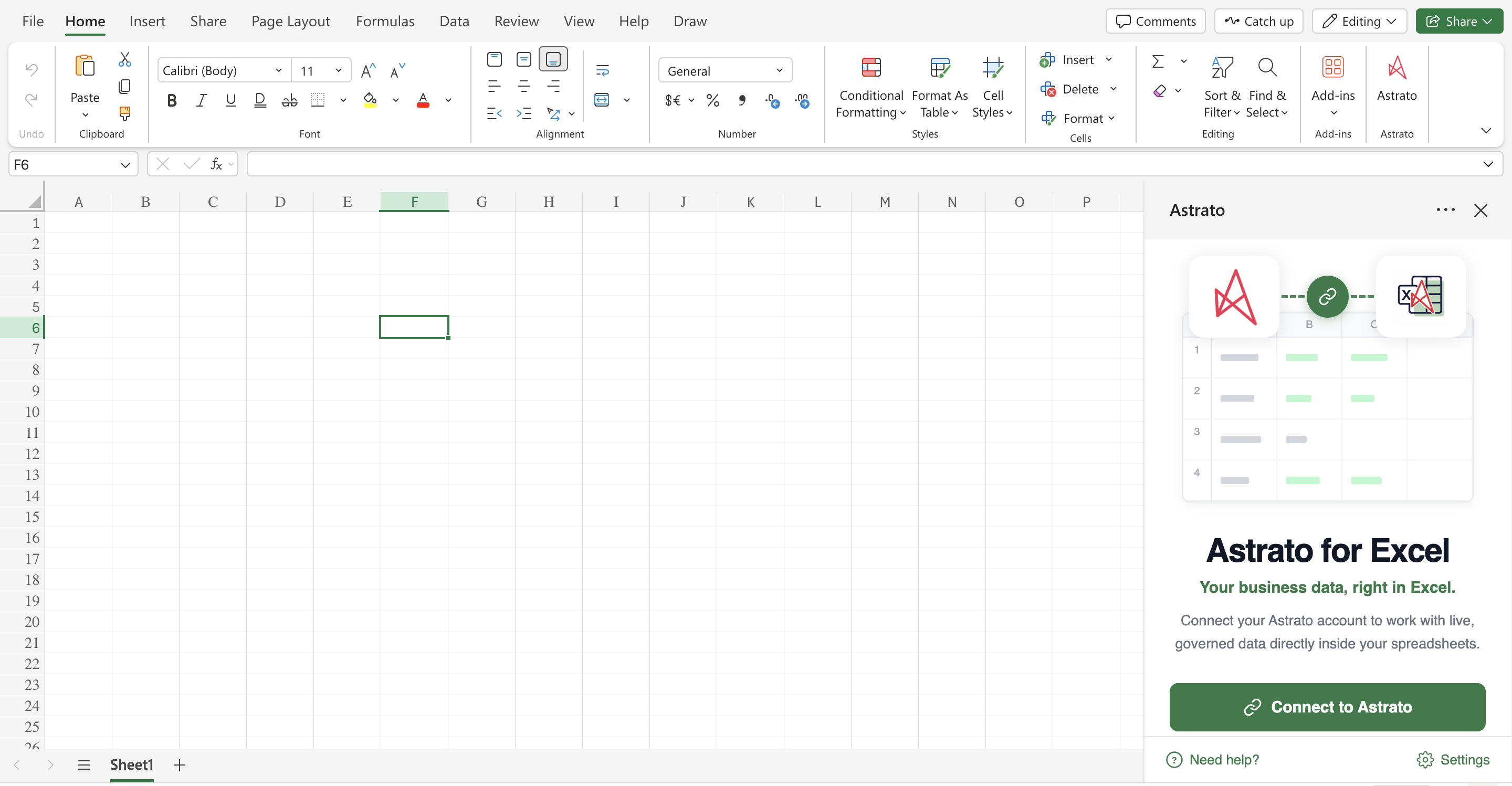
That’s what a warehouse-native BI layer does when it reaches into Excel. Instead of exporting data out of governance, the Astrato Excel Add-in brings governed data into Excel as native formulas, carrying your controls with it:
Row-level security is inherited, per user. Every refresh runs as the signed-in user, so access follows the person, not the file. A regional controller opening a shared report sees only their entities — the same row-level and object-level rules your warehouse enforces, now applying in the spreadsheet. Two people can open the same file and see different, correctly-scoped data.
Definitions are shared. Datasets are built on the same semantic layer that powers your dashboards, so a figure in Excel is the same figure everywhere else. There’s no hand-summed column to drift, and changing a definition once updates it across every surface, including the spreadsheet.
Credentials never enter the file. Connections and tokens live in the user’s own Office settings, never written into the workbook. Sharing a file never shares access — a recipient reads the last refreshed figures, and to pull live data they authenticate with their own permissions. That removes an entire class of credential-leak and data-loss risk.
Sensitivity labels carry over. When a dataset is inserted, the Microsoft Purview Information Protection sensitivity label from the semantic model is applied to the file automatically — and if the file already has a label, the stricter one wins. Your classification travels with the data instead of being stripped off at export.
Lineage and freshness come along. The data lands as a formula tied to a defined measure, and the inserted table’s header carries metadata — the semantic layer, the connection, the generated query, and when it last refreshed. “Where did this number come from?” finally has an answer inside the spreadsheet.
It extends your governance — it isn’t a second one
The worry every data team has about “governance in Excel” is that it means another policy engine to run in parallel. It’s the opposite. Because this is warehouse-native, the governance is the same governance — inherited, not duplicated.
Row-level security and permissions come from the warehouse you already administer. Definitions come from the semantic layer your team already models — the same governed logic your dashboards, reports and data apps run on, whether you maintain it directly or through tooling like dbt. Classification comes from your existing Purview labels.
There’s no second access-control system, no separate set of definitions, and no new place to keep them in sync. Excel simply becomes one more governed surface on top of the source of truth you already own, sitting alongside a data catalog rather than competing with it.
For the data steward, that’s the whole point: governance you set once, at the source, reaches all the way to the tool business users actually live in. And because nothing is duplicated, there’s no risk of the two drifting apart — the spreadsheet can only ever reflect the policies and definitions that are true at the source right now.
What changes for the data team
The practical effect is subtraction. Every recurring export you replace with a refreshable, governed dataset is one fewer ungoverned copy in circulation — one fewer place a definition can drift, sensitive data can leak, or a stale number can end up in a board pack.
Over a quarter, that’s the difference between a sprawling shadow estate and a data ecosystem where the spreadsheets are governed surfaces, not blind spots.
Picture the monthly cycle before and after.
Before: a dozen analysts each export their slice, and the data team spends the last week of the month fielding “why doesn’t my number match?” questions and hunting for which version leaked where.
After: those same reports refresh from governed datasets, the numbers tie by construction, and the questions stop — because there’s nothing to reconcile and nothing ungoverned to chase. The firefighting the shadow estate used to demand simply disappears.
It also changes the conversation with the business. Instead of policing exports, you’re handing people a faster, better way to get the exact data they were exporting — with the guardrails built in and invisible. Adoption tends to be easy precisely because you’re removing friction, not adding it.
How to roll it out
The setup is deliberately one-sided: the data team does the work once, and the business gets a governed experience with nothing to configure.
- Connect Astrato to your warehouse — Snowflake, Databricks, BigQuery or another modern platform — at the platform level. Row-level security and permissions are inherited from what you’ve already set.
- Model the semantic layer (or point at the model you already maintain). This is where definitions live, and it’s what the datasets in Excel draw on.
- Deploy the Add-in centrally. A Microsoft 365 administrator pushes it to users or groups through the admin center, so it appears on the Excel ribbon with no per-user install.
- Let people build. Analysts create datasets from governed measures and pull them into their reports as formulas. Every refresh respects their permissions; every file carries its classification.
From your side, there’s no new governance layer to operate — just the reach of the one you have, extended into Excel.
A last-mile governance checklist
If you’re closing this gap, a short checklist keeps it honest:
- Publish the measures. If the numbers people need aren’t defined and available in the model, they’ll define them in a sheet. Make the governed metric the easy choice.
- Inherit, don’t rebuild. Row-level security and permissions should flow from the warehouse you already administer, not a new access list maintained by hand.
- Make the governed path the default. Deploy the Add-in centrally so it’s already on the ribbon — not an opt-in a few power users discover.
- Keep classification attached. Ensure sensitivity labels flow from the model to the file, so protection travels with the data rather than being stripped at export.
- Measure the subtraction. Track how many recurring ungoverned exports you’ve replaced with governed datasets — it’s the cleanest signal that the shadow estate is actually shrinking, not just moving.
Common mistakes to avoid
- Don’t try to win by restriction. Every export you block without offering a governed alternative just moves the copy somewhere you can’t see. Offer the better path first.
- Keep definitions in the model, not the sheet. The moment analysts re-derive metrics in Excel, drift returns. Publish the measures and make them the easy choice.
- Deploy centrally, not per-user. Central deployment is what makes the governed path the default rather than an opt-in a few power users find.
- Set the right refresh mode for shared files. A shared report should show cached figures to a reviewer without exposing your connection; live refresh should require the reader’s own access.
- Don’t confuse read governance with workflow governance. Reporting and analysis on live data is Excel’s job; collaborative planning with write-back is a governed data app’s job. Use each for what it’s built for.
Frequently asked questions
How do I stop shadow spreadsheets?
You remove the reason they exist. People make ungoverned copies because exporting has been the only way to get trusted data into Excel. Give them governed data inside Excel — refreshable, with row-level security and shared definitions — and there’s nothing to export. Banning exports without that alternative just relocates the problem.
Does this enforce row-level security in Excel?
Yes. Every refresh runs as the signed-in user, so the row-level and object-level security you enforce in the warehouse applies in the spreadsheet. Two people open the same file and each see only what they’re permitted to.
Can I trace where a number in a spreadsheet came from?
Yes. Data lands as a formula tied to a defined measure, and the inserted table’s header carries the semantic layer, connection, generated query and last-refresh time — so an exported figure’s “no lineage” problem doesn’t apply.
What about sensitive data and classification?
Sensitivity labels from the semantic model are applied to the file automatically when a dataset is inserted, and the stricter label wins if the file already has one. Classification travels with the data instead of being stripped off at export.
Is this a separate governance system to maintain?
No — that’s the point. Permissions come from your warehouse, definitions from your semantic layer, and classification from your existing Purview labels. Excel becomes another governed surface on the source of truth you already own; there’s nothing new to keep in sync.
How does this relate to a data catalog like Microsoft Purview?
It’s complementary. A catalog documents and classifies your data estate; this makes sure the governed, classified data reaches Excel without an ungoverned export in between. The two reinforce each other — labels applied in your catalog carry through to the file.
Does this work with our existing warehouse permissions and dbt models?
Yes. It reads permissions from the warehouse you already administer and definitions from your semantic layer — including logic modelled in dbt — so it runs on the governance you already maintain rather than a copy of it. There’s nothing to re-implement.
Where’s the boundary — what shouldn’t live in Excel?
Reporting and ad-hoc analysis on live data belong in Excel. Interactive, shared workflows where people enter and commit values — budgeting, approvals, operational actions — belong in a governed data app, so the write path is audited too.
Next steps
If your team keeps discovering ungoverned exports it can’t trace, the durable fix is to make the governed path the easy one.
- See how the governed Excel experience works on the Excel Add-in product page.
- For the wider picture, read Live, governed data in Excel.
- Book a walkthrough and we’ll show it on your own warehouse and permissions.
Ready to experience next-gen analytics?
See how Astrato runs natively in your warehouse.