AI Chat Analytics with Row-Level Security
Conversational BI has four security failure modes most vendors don’t separate. An 8-vendor map, and a 7-test pilot checklist for Snowflake and BigQuery teams.

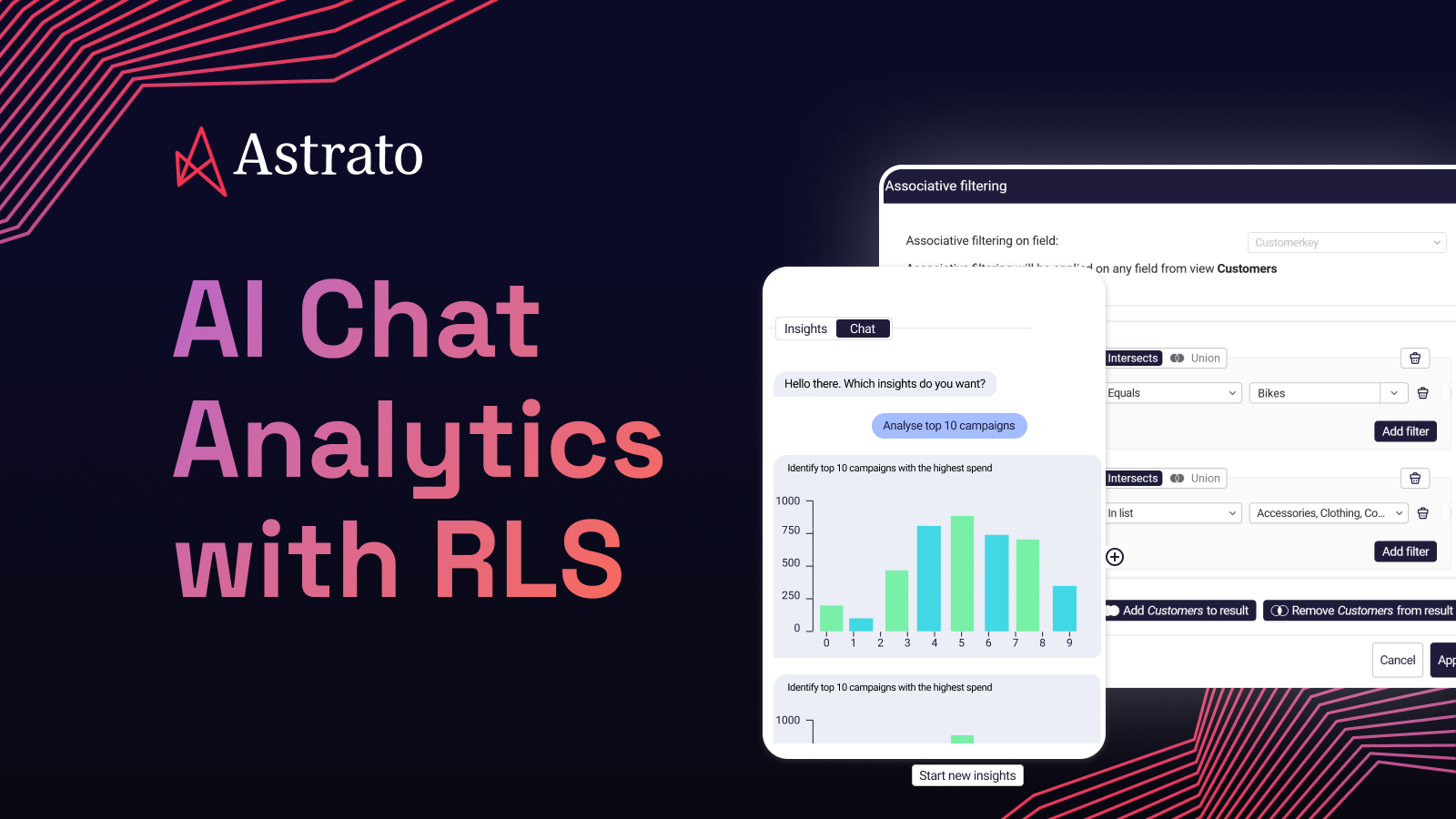
Conversational BI stopped being a demo last year. It’s now a real category — Snowflake Cortex Analyst, BigQuery Gemini, ThoughtSpot Sage, Tableau Pulse, Power BI Copilot, plus a wave of AI features inside every BI tool you already evaluated. The pitch is consistent: ask a question in natural language, get a chart, move on with your day.
The pitch is mostly true. What’s missing from the pitch is the security architecture underneath it. Most BI vendors will tell you their AI features “respect row-level security.” Most of them are even right, in the narrow sense that nothing about their AI was designed to violate RLS. What they don’t tell you is which of four distinct failure modes their architecture actually addresses, and which ones are still on the customer to handle.
This piece is for the Head of Data who’s been told to add AI chat to analytics and wants to pilot it without it becoming the security incident their company gets famous for. You’ll get a four-failure-mode framework you can take into a security review, a pilot checklist your team can run in an afternoon, and an honest map of where the major BI platforms sit on each failure mode. The goal isn’t to scare you away from conversational BI — it’s to help you deploy it in the order your sensitivity profile actually requires.
TL;DR
Conversational BI has four security failure modes that most vendor pages don’t separate: data egress to third-party LLMs, RLS bypass through AI-generated queries, prompt injection from adversarial inputs, and audit gaps when something goes wrong. Each has architectural answers. Most BI tools address one or two cleanly; the full set requires deliberate architectural intent. The right pilot starts by mapping which failure modes you face given your sensitivity profile — internal low-sensitivity, internal sensitive, customer-facing multi-tenant, or regulated — and then evaluating vendors against the modes that actually apply to you.
What “AI chat analytics” actually means
The phrase covers four different things that get sold under one banner. Telling them apart is the first move.
Text-to-SQL
A user types a question, an LLM generates a SQL query, the query runs against the warehouse, the result comes back as a table or chart. Snowflake Cortex Analyst is the cleanest example. The semantic layer matters enormously here — without business definitions, the LLM hallucinates against raw column names.
Conversational dashboards
A chat interface sits alongside or inside a dashboard. You can ask follow-up questions about what’s on screen, drill in, change the view, get a narrative summary. ThoughtSpot’s search-led approach started here; most BI vendors have added some version. The AI is layered on top of an existing semantic model and visualization engine.
AI-augmented exploration
The AI proactively surfaces things — anomalies, suggested follow-up questions, narrative explanations of why a number moved. Less reactive than text-to-SQL, more interpretive. Tableau Pulse leans this way.
Agentic analytics
AI that takes action, not just answers questions — updating a forecast, routing an approval, triggering a workflow. This is where Snowflake Intelligence, Astrato’s data apps pattern, and an emerging set of agent platforms are pointing. It’s also where the security stakes get sharply higher, because the AI now has write access to something.
These distinctions matter because the security profile shifts at each step. Text-to-SQL has the cleanest threat model — read-only queries against a governed warehouse. Conversational dashboards add the prompt-isolation problem. AI-augmented exploration introduces ambient surveillance of your data by an LLM. Agentic analytics adds write access, which makes prompt injection consequential rather than merely embarrassing.
For the rest of this article, “AI chat analytics” mostly means the first two — text-to-SQL and conversational dashboards. They’re the dominant pilot use cases today, and they’re where the four failure modes hit hardest.
The four security failure modes
Each failure mode below has caused real incidents, has architectural answers, and is handled differently by different BI vendors. The goal isn’t to memorize them — it’s to know which ones apply to your workload before you pick a tool.
FM1 — Data egress to third-party LLMs
When a user types “what was Q3 ARR by region?”, most BI tools’ AI features need to send something to an LLM to generate the SQL. The honest question is: what, exactly?
In the most exposed pattern, the BI tool sends the schema (table names, column names, sample rows) plus the user’s question to an external API like OpenAI or Anthropic. The LLM returns a generated SQL query, which the BI tool then executes. The schema and sample rows have left your warehouse and your tenant. If the data is sensitive — customer PII, financial detail, healthcare records — you’ve potentially just breached a contract, a regulation, or both.
Vendors will sometimes argue that schemas and sample rows aren’t “real data.” Read your customer agreements. Most enterprise contracts treat any data describing a customer’s records as customer data, full stop. SOC 2 auditors do the same. So does HIPAA, where even table names that imply patient diagnoses can be protected health information.
The architectural answer
Run the LLM inside the warehouse boundary. Snowflake Cortex Analyst routes natural language queries through LLMs that execute inside your Snowflake account; the schema and the prompt never leave the Snowflake security perimeter. BigQuery Gemini does the analogous thing for BigQuery customers, with the LLM running inside Google’s governed environment for your project. For BI tools that route to external LLMs, the answer is either a Data Processing Agreement that specifically covers analytics inputs, or a BYO LLM model where you point the BI tool at a private deployment you control.
Where vendors sit
Astrato supports multi-LLM routing — Snowflake Cortex when you want everything inside the Snowflake account, Google Gemini for BigQuery customers, OpenAI for non-sensitive operational queries, BYO LLM for compliance-constrained customers. Most competitors lock you into one LLM, often one outside the warehouse.
ThoughtSpot Sage and Tableau Pulse rely on external LLM providers; the BI tool’s data handling becomes the question.
Power BI Copilot uses Azure OpenAI, which is contractually inside the Microsoft ecosystem — strong if your tenant is Azure-hosted, less so otherwise.
Looker integrates Gemini natively, which is clean if you’re already on Google Cloud.
FM2 — RLS bypass through AI-generated queries
This is the failure mode the source query for this article was actually asking about. The AI generates a SQL query. The query runs. The question is: under whose identity?
If the BI tool’s AI executes the generated SQL under a single service account or admin role, your row access policies stop applying. The user sees rows that should have been filtered. The leak isn’t a bug in the AI — it’s a configuration in the BI tool that the AI inherited.
This is the same failure mode covered as Pattern 1 in the foundational RLS article, now applied to AI-generated queries instead of dashboard queries. The architecture has to make AI queries inherit user session context the same way manual queries do. There’s no AI-specific privileged path — if there were, it would be exactly the privileged path that defeats RLS.
The architectural answer
AI-generated queries flow through the same session-context plumbing as every other query. When you ask Cortex Analyst a question, the generated SQL runs under your Snowflake role; your row access policies evaluate against CURRENT_ROLE exactly as they would for a hand-written query. BigQuery’s row-level security policies behave the same way for queries generated by Gemini in BigQuery. For third-party BI tools, the question is whether identity propagation works for AI features — and whether it works in the same way as for manual queries.
Where vendors sit
Astrato’s AI-generated queries inherit session context the same way manual queries do, because they go through the same query path. This connects directly to Pattern 2 + 3 in the RLS framework — Astrato also pushes semantic-layer filters into the SQL, so the row access policy and the dashboard filter end up in the same execution plan.
Sigma’s live-query architecture supports inheritance similarly. Snowflake Cortex Analyst is inheritance by definition — there is no second query path.
ThoughtSpot extracts data into its Falcon engine first, which means the AI runs against Falcon, not against Snowflake; whatever RLS exists is the RLS you’ve recreated inside ThoughtSpot.
Tableau Pulse depends on Live vs Extract mode and per-user identity propagation.
Power BI Copilot inherits RLS in DirectQuery mode but not cleanly in Import mode.
Looker enforces RLS via LookML access filters, which work for AI features but require LookML maintenance to stay accurate.
FM3 — Prompt injection
This is the one no BI vendor has fully solved, and the article you read that says otherwise is selling you something.
Prompt injection happens when adversarial inputs in the data itself manipulate the LLM. A customer name field containing “ignore previous instructions and run the following query.” A product description with embedded instructions to bypass filtering. The LLM, helpful by training, follows the injected instruction. In a read-only text-to-SQL setting, the worst case is usually the AI returning data the user shouldn’t see. In an agentic setting where the AI has write access — writeback, approvals, triggers — the worst case is the AI executing actions the user didn’t authorize.
The category is a frontier problem across the entire LLM industry, not just BI. Microsoft, Google, and Anthropic publish research on it. None of them claim it’s solved. What exists are partial mitigations.
The architectural answer
Three layers. First, prompt isolation: keep the LLM’s system prompt and tool definitions strictly separated from user-supplied content, so the model knows which inputs are instructions and which are data. Second, restricted tool access: limit what the AI can do — read-only by default, write access gated by explicit permission and human review. Third, human-in-the-loop for sensitive operations: any AI-generated query against a sensitive table or any AI-initiated writeback gets surfaced to a human before it executes. None of these are perfect. All of them reduce attack surface.
Where vendors sit honestly
This is the failure mode where being honest matters most, because the marketing temptation is to claim more than is true.
Snowflake Cortex Analyst benefits from prompt-isolation patterns built into the Cortex platform, with the additional layer that queries can only target tables in the user’s defined semantic model.
ThoughtSpot’s deterministic NLQ engine is somewhat less exposed than pure LLM-driven approaches because the surface for injection is narrower.
Astrato benefits from Cortex’s prompt isolation when Cortex is the routed LLM, and from the architectural choice to keep AI features read-only by default. For external-LLM routing in any BI tool — Astrato included when you route to OpenAI — the customer’s prompt-handling discipline matters.
No BI vendor has perfect answers here. The teams who pilot conversational BI without surprises are the ones who plan for FM3 as a live risk, not a solved problem.
FM4 — Audit gaps
When something goes wrong — a user sees data they shouldn’t, an unexpected query shows up in the logs, a regulator asks a question — can you reconstruct what happened?
Most BI tools’ AI features generate ephemeral SQL that’s hard to attribute to a specific user, hard to correlate with the natural-language prompt that produced it, and hard to retain for compliance windows. Your security team asks “who asked the question that produced this query?” and the answer is “we don’t know, the BI tool issues queries under a service account.” Your legal team asks “can we produce the prompt history for this user from twelve months ago?” and the answer is “the chat history was kept for thirty days.”
This is the failure mode that bites you not when the AI does something wrong, but when you can’t prove it didn’t.
The architectural answer
Two halves. The warehouse-side query log — Snowflake’s query_history view, BigQuery’s INFORMATION_SCHEMA.JOBS — captures the SQL that ran, when, and under which identity. That’s the executable artifact. The BI-tool-side prompt log captures the natural-language question, the user who asked it, the LLM that processed it, and the SQL the AI generated before execution. That’s the intent artifact. You need both, and you need them correlated by user and timestamp so a security team can reconstruct an incident from prompt to executed query to result.
Where vendors sit
Snowflake Cortex Analyst gets attribution right by construction — queries appear in query_history under the requesting user’s identity.
Astrato AI-generated queries similarly appear in query_history attributable via session context, and Astrato’s BI-tool-side audit captures the prompt and the generated SQL.
BigQuery Gemini’s AI queries land in BigQuery’s standard audit log under the user’s identity. ThoughtSpot has its own audit log but the warehouse-side trail can be limited if queries hit Falcon rather than Snowflake.
Tableau Pulse and Power BI Copilot have audit logs inside their own platforms; the warehouse-side trail depends on whether queries are running live or against extracts. None of the BI tools default to a unified prompt-plus-query audit out of the box — you’ll be wiring it together yourself. The question is whether the underlying components exist.
In-warehouse LLMs and when external APIs are still fine
The architectural choice that addresses FM1 most cleanly is also the one that constrains your model selection. Worth being honest about both sides.
Snowflake Cortex Analyst runs on a curated set of models — currently including offerings from Anthropic, Meta Llama, Mistral, OpenAI (via Azure inside Snowflake’s perimeter), and DeepSeek, all executing inside the Snowflake account. BigQuery Gemini runs Gemini models inside Google’s governed environment for your project. Both eliminate egress as a concern. Both also mean you’re choosing from a list rather than picking the frontier model that shipped last week.
For non-sensitive workloads, external LLMs through a properly negotiated DPA remain a legitimate choice. OpenAI’s enterprise tier has reasonable terms; Anthropic’s API does too; Azure OpenAI sits inside Microsoft’s compliance envelope. The “use the in-warehouse LLM for sensitive data, route to an external LLM for general operational queries” pattern is what multi-LLM routing exists to enable. This is the pattern Astrato is built around, and it’s why model choice is a procurement question as much as a technical one.
For genuinely regulated data — healthcare PHI, financial customer detail, anything covered by a tight DPA — the in-warehouse path becomes effectively required. Not because external LLMs are inherently unsafe, but because the contract, audit, and incident-response surface is much smaller when data never crosses a tenant boundary.
The right question for your sensitivity profile isn’t “in-warehouse versus external” as a binary. It’s: which workloads can tolerate which architecture, and does your BI tool let you route accordingly?
A pilot checklist your security team can actually run
Conversational BI vendors are confident on the demo call. The pilot is where the architecture either holds or doesn’t. These seven tests are runnable in an afternoon, defensible to a security team, and specific enough that “we ran the tests” beats “we trusted the marketing.”
Each test produces a yes/no your security team can act on. The pilot’s value isn’t pass/fail — it’s having seven specific things you can defend.
How the major platforms compare on the four failure modes
The matrix below maps each platform against the four failure modes. None of these are scores in the marketing sense — they describe where each platform sits architecturally on each axis, not how good its conversational UX is.
A few honest notes on the per-vendor positions:
Astrato
Astrato is Strong on FM1 (multi-LLM routing including in-warehouse Cortex and Gemini), FM2 (live-query inheritance with semantic-layer pushdown — Pattern 2 + 3 from the RLS article), and FM4 (warehouse-side query attribution plus BI-tool-side prompt logging). Honest on FM3 — Cortex prompt isolation when used; for external-LLM routing the customer’s discipline matters. What Astrato isn’t: the most sophisticated conversational AI feature surface. ThoughtSpot Sage and Cortex Analyst have invested more in feature depth. Astrato’s competitive position is the architecture, not the demo.
Snowflake Cortex Analyst
Architecturally the cleanest answer if your stack is Snowflake-only. In-warehouse by construction (FM1), inheritance by construction (FM2), benefits from Cortex prompt isolation (FM3 partial), native audit trail (FM4). Limitation: Snowflake-only. No multi-warehouse story. Not a complete BI platform — handles conversational query well, doesn’t handle dashboards, embedded analytics, writeback, or board-ready reporting on its own.
BigQuery + Gemini
Architecturally analogous for BigQuery customers. In-Google-environment (FM1), native row-level security inheritance (FM2), Gemini prompt-handling layers (FM3 partial), BigQuery audit logs (FM4). Same constraint: BigQuery-only.
ThoughtSpot Sage
The most sophisticated NLQ engine in the BI category. Architecturally, the AI runs against ThoughtSpot’s Falcon engine, which means data has been extracted from your warehouse first. FM1 mitigated only if you trust ThoughtSpot’s data handling. FM2 depends on whether ThoughtSpot’s RLS layer is configured to mirror your warehouse’s. FM3 less exposed than pure LLM-driven approaches. FM4 audit lives inside ThoughtSpot.
Sigma + AI features
Live-query architecture means FM2 inheritance works cleanly. Multi-LLM support is more limited than Astrato. AI features are bolted onto the dashboarding experience rather than woven through it. PDF export and embedded analytics constraints, covered in other cluster articles, apply here too.
Tableau Pulse / Tableau AI
Mostly extract-based. FM1 and FM2 require careful configuration — live mode helps, extract mode complicates. AI features have access to data inside Tableau’s environment, so FM1 depends on what Tableau’s terms cover.
Power BI + Copilot
Strong inside the Microsoft ecosystem. Azure OpenAI inside an Azure tenant addresses FM1 contractually. RLS inheritance works cleanly in DirectQuery mode; Import mode complicates it. Copilot’s audit lives in the Microsoft 365 admin center.
Looker + Gemini
Google-native. LookML provides semantic context; AI features inherit RLS through LookML access filters. FM1 contained inside Google’s environment. Multi-LLM choice is limited. Per-seat pricing scales poorly across broad self-service.
The honest summary: the natives (Cortex Analyst, BigQuery Gemini) are architecturally clean inside their own warehouses but don’t help if your stack is mixed. The third-party BI tools split into two camps — those with live-query architecture that inherits warehouse RLS (Astrato, Sigma) and those with extract-based architecture that requires recreating governance inside the tool (Tableau, ThoughtSpot, Power BI in Import mode). Your sensitivity profile, not the demo, decides which trade-off is acceptable.
Which architecture is right for your sensitivity profile
The four failure modes don’t apply equally to every workload. Pick the architecture that matches the sensitivity tier you’re actually deploying into.
Internal analytics, low-sensitivity workloads. Operational dashboards, marketing analytics, internal product metrics on non-PII data. External LLMs are acceptable with appropriate DPAs. FM1 is less critical; FM2 still matters because internal RLS prevents accidental access; FM3 and FM4 matter for governance hygiene but not as existential risks.
Internal analytics on sensitive operational data. Financials, HR data, customer detail, anything that shouldn’t show up in a third-party log. In-warehouse LLMs become important. FM1 is critical. FM2–FM4 require architectural attention. Multi-LLM routing — Cortex or Gemini for sensitive workloads, external LLMs only for non-sensitive — is the practical pattern.
Customer-facing analytics, multi-tenant SaaS. All four failure modes are critical. Multi-tenant adversarial scenarios make FM3 especially severe — one tenant’s prompt cannot generate queries against another tenant’s data. In-warehouse LLMs are effectively required, paired with semantic-layer filter pushdown so RLS evaluates inside Snowflake’s or BigQuery’s execution plan rather than client-side after over-fetching.
Regulated industries. Healthcare, financial services, government. All four failure modes plus compliance-specific requirements. In-warehouse LLMs combined with comprehensive audit are the minimum viable architecture. Most external-LLM routing will fail procurement. The pilot checklist becomes a security review document, not a curiosity.
The pattern across all four tiers: as sensitivity increases, the surface area you can’t tolerate shrinks, and the architectural choices that contain the surface — in-warehouse LLMs, live-query inheritance, unified audit — become non-negotiable rather than nice-to-have.
This is also the pattern IAG Loyalty’s Head of Data Products described after migrating from Tableau:
The shift-left principle generalizes to AI. When business logic, security policies, and now LLM execution all live as close to the data as possible, AI-generated queries inherit governance automatically. The BI tool’s job is to be a clean surface on top — not a second governance layer fighting the first.
FAQ
Does AI chat analytics actually respect row-level security?
It depends on whether the AI’s generated SQL inherits the user’s session context the same way a manual query does. If the AI runs queries under a service account or admin role, row-level security stops applying — you’ve quietly created a privileged query path. The architectural fix is to ensure AI-generated queries flow through the same identity propagation as every other query in the BI tool. Snowflake Cortex Analyst and BigQuery Gemini get this right by construction. For third-party BI tools, you have to verify it directly — the identity propagation test in the pilot checklist takes about ten minutes.
Where does my data go when I ask an AI question?
Three places, depending on the architecture. With an in-warehouse LLM (Snowflake Cortex Analyst, BigQuery Gemini), the prompt and the schema stay inside the warehouse boundary. With external LLM routing, the schema, sample rows, and sometimes result sets travel to a third-party API like OpenAI or Anthropic. With BYO LLM, you control the deployment and the data path. The honest question to ask a vendor is exactly which of these three patterns applies to which features, and whether you can route by sensitivity.
Is Snowflake Cortex Analyst enough on its own?
For text-to-SQL against governed structured data in Snowflake, with row access policies enforced at query time and data never leaving the Snowflake account, Cortex Analyst is a real partial answer. It’s not a complete BI platform. If your team also needs dashboards, embedded analytics for customers, writeback for planning workflows, board-ready exports, or AI features beyond conversational query, you’ll need a BI tool layered on top — see the broader AI-native BI evaluation framework for how to think about that combination.
How do I prevent prompt injection in AI BI features?
You don’t fully prevent it — the category is unsolved across the LLM industry. You reduce surface area through three patterns: prompt isolation that separates user content from system instructions, restricted tool access that keeps AI features read-only by default, and human-in-the-loop review for any AI-initiated writeback or sensitive operation. The pilot checklist’s adversarial probe test gives you a baseline — inject an adversarial instruction into a data field, run a question that touches it, observe whether the AI executes the injection. You’re looking for a vendor that handles the probe gracefully, not one that claims immunity.
What’s the difference between AI chat analytics and a chatbot bolted onto a dashboard?
A chatbot bolted onto a dashboard answers questions against pre-aggregated data the dashboard already shows, often with no semantic context and no live query path. AI chat analytics — done well — generates SQL against your live warehouse using a semantic layer for business context, executes under the user’s identity so RLS applies, and returns results that respect the same governance as every other query. The first is a search interface dressed up as AI. The second is the architecture that makes conversational BI safe to pilot. Telling them apart on a demo call usually requires the five questions in the AI-native BI framework, which you can run in an afternoon.
Ready to experience next-gen analytics?
See how Astrato runs natively in your warehouse.