7 Best Qlik Sense Competitors and Alternatives for 2026
Compare the 7 best Qlik Sense competitors and alternatives for 2026 — Astrato, Power BI, Tableau, ThoughtSpot, Sigma, Looker, and Metabase.

Qlik Sense spent a decade earning its reputation. The associative engine was genuinely differentiated — the ability to explore data from any direction, with every field linked to every other, made it the thinking analyst's BI tool. Enterprise buyers paid the premium because the product was focused, opinionated, and coherent. QlikView customers migrated to Qlik Sense knowing they were staying inside a product philosophy they trusted.
Something changed between 2023 and Qlik Connect 2026. Qlik isn't a BI company anymore. The $2.3B Talend acquisition added data integration. Upsolver added real-time data lakes. Qlik Answers added conversational AI. Qlik Automate added workflow automation. In April 2026, Qlik consolidated its positioning around "The Agentic Enterprise" — a full data-and-AI platform where Qlik Sense is one workload inside a broader bundle. Add the $10B valuation from the November 2024 ADIA transaction, Thoma Bravo's decade of ownership, and the widely expected IPO within 24 months, and renewal conversations now carry pricing pressure that didn't exist two years ago.
This article is for teams whose Qlik Sense renewal now includes Qlik Talend Cloud, Qlik Answers, and bundle economics they didn't sign up for. It's also for Microsoft-first shops comparing $30/$70 per-user pricing against Power BI at $14, for organizations modernizing onto Snowflake or BigQuery and questioning whether an in-memory associative engine still fits, and for teams where Qlik Answers hasn't delivered the AI outcomes promised. Below: seven real qlik sense alternatives, what each threatens Qlik on, and which one fits your specific situation.
Why Teams Look for Qlik Sense Alternatives
Comparison at a Glance
Before the deep dives, here's how each qlik sense alternative compares on the dimensions that matter most for the renewal decision: architecture, ease of use, embedded analytics, writeback, AI features, and pricing. Use this table to narrow the field quickly, then read the deep dives for the two or three tools that fit your situation.
The deep dives below follow a simple principle. Astrato comes first with the fullest treatment because it's the most direct architectural answer to Qlik Sense's in-memory model. Power BI, Tableau, and ThoughtSpot follow as the three largest direct competitors to Qlik in the enterprise segment. Sigma, Looker, and Metabase round out the list as specialist picks for spreadsheet-native teams, Google Cloud shops, and budget-conscious departments.
1. Astrato — Best for warehouse-native BI without the platform bundle
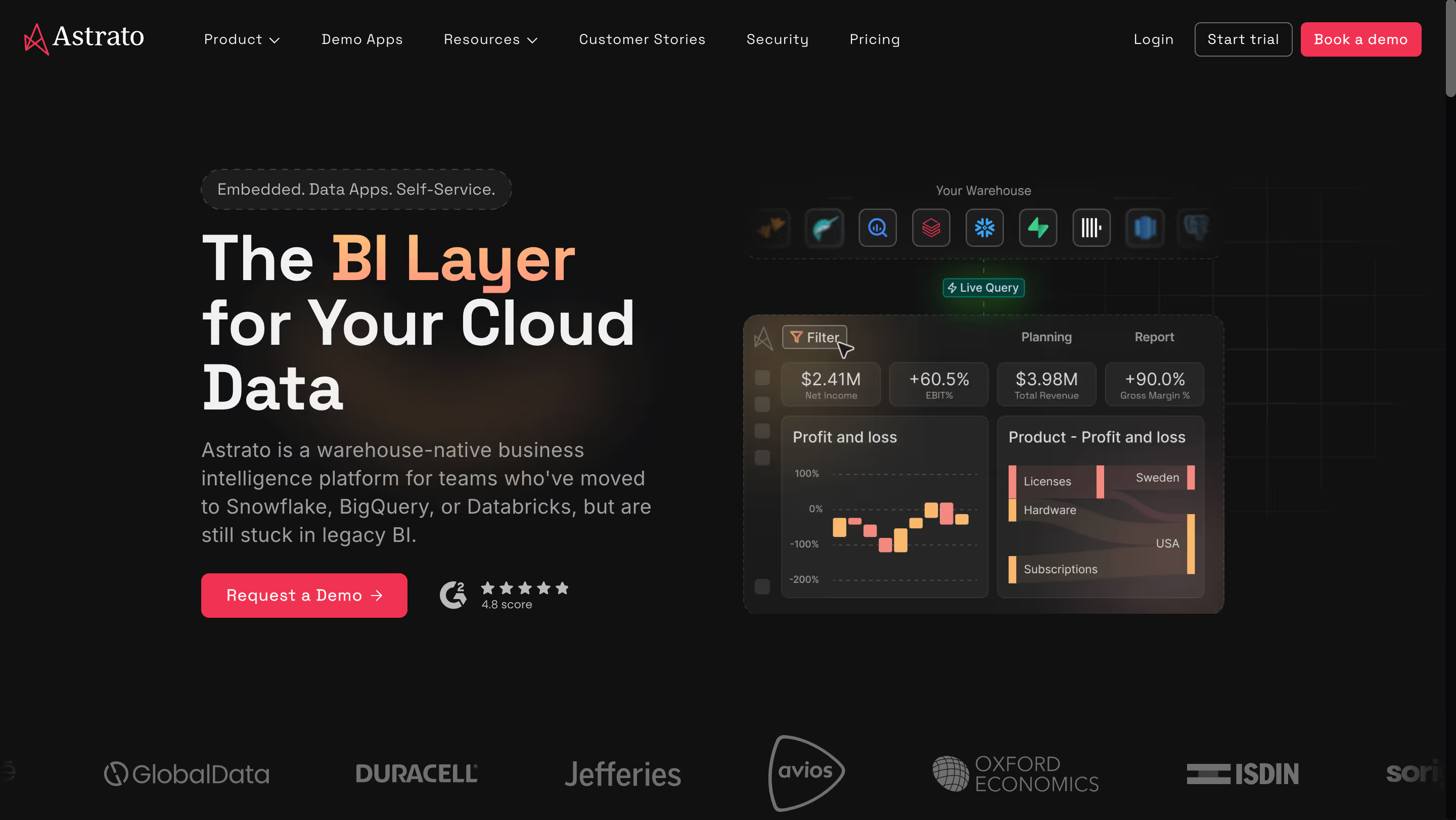
Astrato is a warehouse-native business intelligence platform that queries your cloud data warehouse directly — no QVDs, no RAM provisioning, no in-memory extracts. It's purpose-built for teams on Snowflake, BigQuery, Databricks, ClickHouse, Redshift, or PostgreSQL who want modern BI without the platform bundle-pricing pressure and architectural overhead of Qlik Sense. Where Qlik's trajectory is selling you a bigger stack, Astrato is the focused alternative to qlik sense that does one job — live-query BI against your existing warehouse — and does it without the bundle conversation.
Why Astrato?
- Warehouse-native live query — no QVDs, no RAM planning. Every Astrato dashboard executes live against your warehouse. Qlik Sense's associative data engine is powerful, but it requires loading data into proprietary QVD files and provisioning RAM at the server level. Large datasets mean aggressive hardware scaling and careful reload scheduling. Astrato keeps your warehouse as the single source of truth, with no parallel data universe to maintain.
- Focused BI product, not a platform bundle. Qlik's trajectory is expansion — Talend data integration, Qlik Answers, Qlik Automate, Data Integration — all sold increasingly as a bundle. Astrato is a focused BI product with clear pricing, clear scope, and no bundle upsell pressure. For organizations that want to fix their BI layer without being sold a data platform migration, this architectural focus matters.
- Single license type, no feature gating. Qlik Sense has Professional, Analyzer, Analyzer Capacity, and other user types with different pricing and capabilities. Astrato has one license type. No distinction between viewers, creators, and developers. For organizations tired of managing multiple Qlik license SKUs and auditing who has which tier, this simplification removes real operational cost.
- Pixel-perfect embedded analytics with usage-based pricing. Qlik Sense's embedded offering is mature but enterprise-licensed and expensive at scale. Astrato's usage-based pricing was built for embedded deployments serving thousands of end users — full white-labeling included, no premium upsell for logo removal, multi-tenant security from day one.
- Native writeback for operational workflows. Qlik Sense has limited native writeback — workflow actions typically require extensions or Qlik Automate integration. Astrato turns dashboards into operational applications natively: users update forecasts, approve budgets, or enter data corrections directly, with changes syncing back to the warehouse under full governance.
- AI grounded in your warehouse, not another platform acquisition. Qlik Answers requires Qlik's platform investment and additional licensing. Astrato's Gen AI connects to Snowflake Cortex, Google Gemini, OpenAI, or bring-your-own LLM — AI features work against your governed semantic layer without requiring a separate AI product acquisition. For organizations whose AI strategy is "use the LLM we already pay for," Astrato's approach aligns.
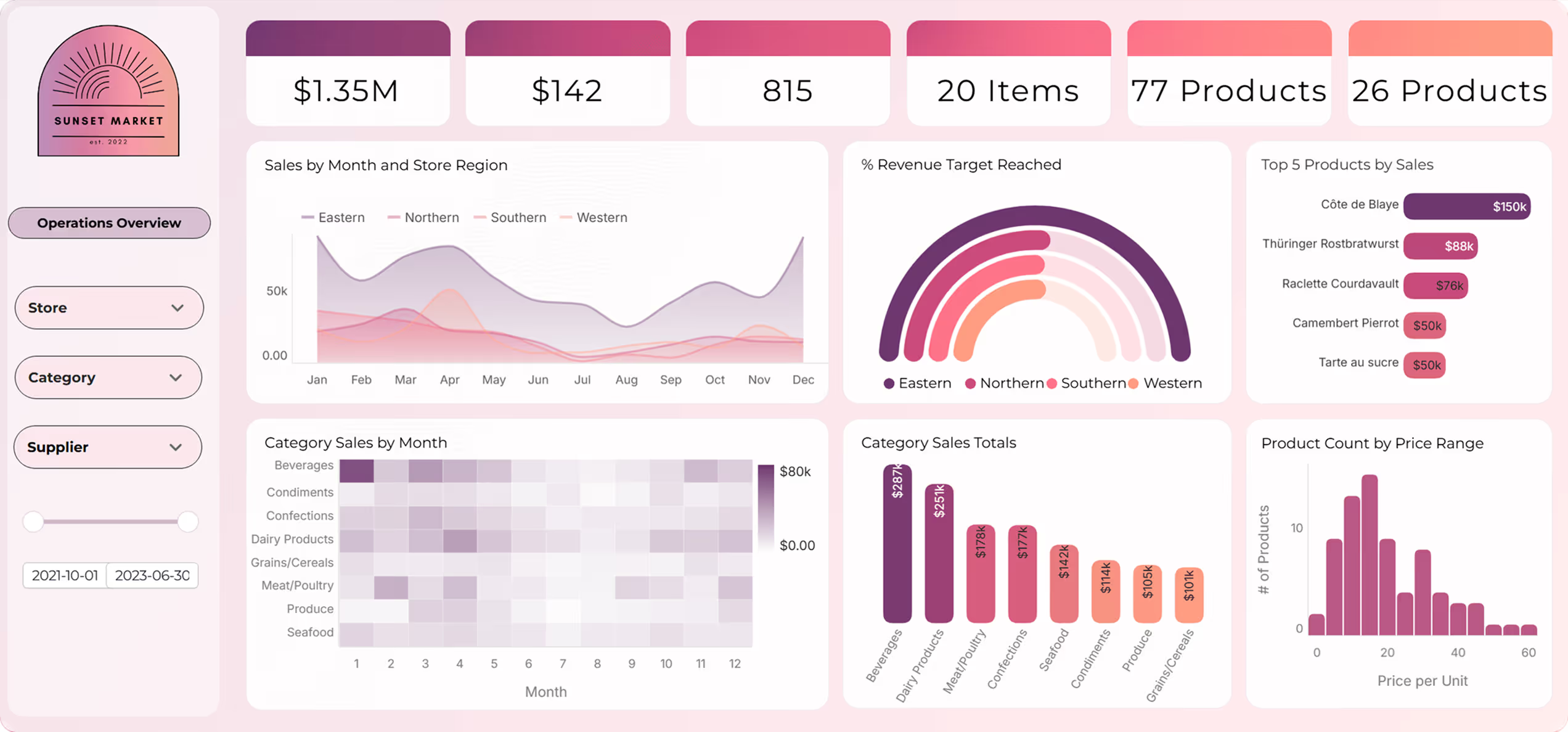
Astrato's Edge Over Qlik Sense
Astrato attacks four specific gaps Qlik Sense's platform expansion has opened. The first is focus. Qlik's renewal conversation now includes Talend, Qlik Answers, and Qlik Automate — the BI seat is one line in a larger bundle. Astrato is purpose-built as a BI tool, with no Talend upsell, no Qlik Answers bundle, no cross-sell pressure. For organizations that want to solve their BI layer without becoming part of a platform migration, that focus is a structural product advantage.
The second gap is architectural. Qlik Sense's associative data engine was revolutionary when warehouses were expensive and slow. In 2026, Snowflake and BigQuery have made live queries against large data volumes fast and affordable — removing the original justification for QVD-based architecture. Astrato aligns with where modern cloud data warehouses actually are.
The third and fourth are economics and AI lock-in. On Snowflake, BigQuery, or Databricks, Astrato's usage-based model means you pay for analytics work, not dormant seats — a structural difference from Qlik's per-user compounding. And Astrato's native LLM integration works with whatever AI foundation you've already chosen, instead of tying your AI story to Qlik's roadmap.
- Focused BI vs. platform bundle: Astrato doesn't come with a data integration product you didn't ask for. Qlik increasingly does.
- Warehouse-native vs. in-memory associative: Live pushdown to Snowflake or BigQuery replaces QVDs and RAM provisioning.
- Usage-based vs. per-seat compounding: Large viewer populations and embedded deployments get dramatically different economics.
- AI without platform lock-in: Cortex, Gemini, or OpenAI against your semantic layer — no Qlik Answers dependency.
What Users Are Saying
Organizations migrating from Qlik Sense, QlikView, Tableau, and Power BI consistently highlight Astrato's warehouse-native architecture, speed of dashboard deployment, and the quality of live-query performance against cloud data warehouses. Customers report 50–75% cost savings compared to legacy BI tools and 25–50% faster dashboard development. Former Qlik Sense customers specifically cite the removal of in-memory RAM provisioning and QVD maintenance as structural operational simplifications.
"Astrato also goes beyond reporting by supporting interactive and embedded analytics, making it well suited for both internal teams and customer-facing applications. Overall, it's an incredibly strong choice for organizations looking for fast, reliable, and actionable analytics at scale."
Giuseppe L. — Enterprise Customer Success Manager
"The ability to write back to Snowflake and Databricks, and to change the semantic layer on the fly. Additionally, built in version control for dashboards saves so much time and work and allows us to quickly rollback to previous versions as needed."
Christopher A. — Founder
"Very flexible tool with a lot of potential to create new tools beyond simple dashboards. Application customization opens the possibility of building different types of data application allowing a new type of interactive analytics. Semantic layers are always useful and powerful in most cases. The team behind it is always available to help and improve the product as well as being very capable."
Jose V. — Data Analytics Manager
Pricing
Usage-based, tied directly to warehouse compute consumption. One license type — no distinction between viewers, creators, and developers, and no feature gating across tiers. For organizations moving from Qlik Sense's Professional / Analyzer / Analyzer Capacity SKU complexity, this simplification removes real operational overhead. Warehouse compute costs (Snowflake, BigQuery, Databricks) are separate.
Astrato Is Best For
Astrato is best for Qlik Sense teams modernizing onto a cloud data warehouse and wanting a focused BI product without platform bundle pressure — particularly organizations needing customer-facing analytics, teams requiring native writeback for operational workflows, and companies seeking AI-powered analytics without committing to Qlik's broader platform direction.
Watch Out For
Astrato is purpose-built for cloud data warehouses, so if you require on-premises deployment (a common Qlik Sense Client-Managed scenario) or your primary data sources aren't Snowflake, BigQuery, Databricks, ClickHouse, Redshift, or PostgreSQL, it won't be the right fit.
For a more comprehensive side-by-side comparison, here's our Astrato vs. QlikSense review.
2. Microsoft Power BI — Best for Microsoft-first teams wanting dramatic licensing savings
Microsoft Power BI is the Microsoft-ecosystem BI platform, tightly integrated with Azure, Excel, Teams, and Microsoft 365. It offers dramatically lower per-user pricing than Qlik Sense at $14/month — though real costs escalate through Fabric capacity requirements for Copilot AI and premium features. For Microsoft-first shops, the procurement question writes itself: why pay Qlik's premium when Microsoft Power BI is already half-bundled into your E5 licensing?
Why Power BI?
- Massive cost advantage vs. Qlik Sense. Power BI Pro at $14/user/month is less than half of Qlik Sense Business at $30/user and one-fifth of Enterprise SaaS at $70/user. For large internal BI deployments, the licensing delta at scale often exceeds $100,000 annually. For Microsoft 365 E5 customers, Power BI Pro is effectively bundled into existing licensing — making the procurement question "why are we paying Qlik when Power BI is already included?"
- Deep Microsoft ecosystem integration. Power BI plugs natively into Excel, Teams, SharePoint, and Azure. For enterprise Microsoft shops — which is most of the enterprise BI buyer base — this integration depth reduces adoption friction, enables native data sharing through familiar Microsoft tools, and gives access insights through channels employees already use. Qlik Sense integrations exist, but the friction is higher.
- Copilot AI integration. Microsoft's Copilot generates DAX measures, builds report pages, and produces narrative summaries from plain English prompts. Copilot is included within Fabric F64+ capacity or Premium Per User licensing — competitive with Qlik Answers for Microsoft-first organizations willing to invest in Fabric.
Power BI's Edge Over Qlik Sense
Power BI's edge is cost economics and ecosystem gravity. Where Qlik Sense's pricing assumes the buyer values associative exploration enough to pay a premium, Power BI's pricing assumes Microsoft ecosystem lock-in and offers dramatic cost savings as the reward. For enterprise Qlik Sense shops doing budget reviews, "we could cut our BI spend by 50% by moving to Power BI" is a hard question to avoid.
The Microsoft community and talent market is also structurally larger than Qlik's. DAX developers are more available than Qlik scripters at comparable cost, Microsoft AppSource has more third-party extensions, and the broader learning ecosystem has far more Power BI content. For organizations planning BI team hiring over a 5-year horizon, Power BI has meaningful structural advantages.
The risk against Power BI is ecosystem dependency. For non-Microsoft organizations, Windows-only Desktop, Azure AD authentication assumptions, and Fabric capacity requirements for AI create a different kind of lock-in. For Mac-first orgs or those on AWS or Google Cloud, Power BI swaps one walled garden for another — and if buyers pick it instead of Qlik, Qlik loses the deal on economics alone.
What Users Are Saying
Power BI reviews consistently praise the integration depth with Microsoft 365 and the breadth of connectors. The honest tradeoffs come up around DAX complexity, the per-user licensing model for both creators and viewers, and the steep learning curve for non-technical users trying to build anything beyond a basic dashboard.
"I like power BI because I use Power Automate to link MS List so it can show real time dashboards. What's critical for me is the ease of integration. Sometimes it's slow to load. Also, everyone should have license to view and edit, it's quite expensive."
"For people who are just starting to use this tool for business reporting or who have little experience in data analysis, there may be a very slow learning curve associated with mastering Power BI. At first I found it a little difficult to handle."
Aneurys Nicanor A. — Project Manager
"There is nothing that I dislike, but managing user permissions can be complex and then unintentionally denies access to embedded reports for authorized team members."
Ramy S. — Analytics Team Manager
Pricing
Power BI Pro: $14/user/month (raised from $10 in April 2025). Premium Per User: $24/user/month (raised from $20). Microsoft Fabric capacity starts at F2 (~$263/month) and scales to F64+ (~$5,258/month) — required for full Copilot functionality. Gotcha: both creators and viewers need paid licenses unless you invest in Premium capacity, and DAX has a learning curve comparable to Qlik scripting.
Power BI Is Best For
Power BI is best for Microsoft-first Qlik Sense shops where the organization already has Microsoft 365 E5 licensing and where migrating off Qlik's platform expansion in favor of Microsoft's ecosystem is strategically aligned with broader IT direction.
Watch Out For
Power BI's import mode duplicates warehouse data into a separate engine by default, Copilot requires expensive Fabric F64+ capacity for full functionality, Power BI Desktop remains Windows-only, and DAX has a learning curve comparable to Qlik scripting.
3. Tableau — Best for visualization-heavy teams prioritizing dashboard polish
Salesforce-owned and now pitched as "the world's first agentic analytics platform" via Tableau Next, Tableau is built on Salesforce Hyperforce with Agentforce AI integration. It offers cross-platform authoring including Mac, industry-leading visualization depth, and the largest BI community in the market via DataFam. For Qlik Sense customers where dashboard aesthetics directly influence stakeholder adoption, Tableau remains the visualization benchmark.
Why Tableau?
- Industry-leading visualization quality. Tableau remains the benchmark for visual polish — custom chart types, design flexibility, and dashboard aesthetics other bi tools still struggle to match. Where Qlik Sense's native charts are functional but feel dated by 2026 standards, Tableau produces presentation-ready interactive dashboards that drive executive adoption.
- Cross-platform authoring, including Mac. Tableau Desktop runs natively on both Windows and macOS. Qlik Sense's client-managed authoring remains Windows-centric. For organizations with mixed endpoint environments — creative industries, Mac-first analysts, consulting firms — Tableau removes a structural constraint.
- Massive community and DataFam ecosystem. Tableau Public hosts thousands of community-shared dashboards, and DataFam is the largest active BI community globally. Qlik's community is strong but substantially smaller. For organizations hiring BI talent, Tableau expertise is more abundant at comparable cost.
Tableau's Edge Over Qlik Sense
Tableau's edge is visualization depth and cross-platform flexibility. Where Qlik Sense's differentiator is the associative data engine for deep data exploration, Tableau's differentiator is visual output quality for dashboard consumption. These target different buyer priorities — but for Qlik Sense customers where dashboard polish drives stakeholder adoption, Tableau's output quality justifies the similar licensing premium.
The agentic analytics story also changes the competitive frame. Qlik counters Qlik Answers against Tableau Next's Agentforce integration. Both are credible, production-mature agentic AI offerings. For non-Salesforce organizations, neither is a clear winner on pure AI capability — the choice comes down to broader ecosystem alignment. For Salesforce customers, Tableau Next's Agentforce integration creates structural alignment that Qlik Answers cannot match.
The risk against Tableau is cost and Salesforce ecosystem drift. Tableau Creator at $75/user is comparable to Qlik Sense Enterprise SaaS at $70/user — there's no licensing advantage. And Tableau's post-2023 Salesforce pivot is aligning the roadmap with Salesforce ecosystems in ways that may not serve non-Salesforce customers. If a Qlik buyer picks Tableau, it's usually for the visualization quality or the Mac authoring — not the price.
What Users Are Saying
Tableau reviews reliably highlight the drag-and-drop interface, the quality of custom visualizations, and how quickly non-developers can produce presentation-ready work. The tradeoffs surface around advanced table calculations, the cost for small teams, and the steep learning curve for deeper analytics beyond the basics.
"I like Tableau's drag-and-drop feature, which is very convenient for creating visualizations. It helps me directly create visualizations by allowing me to just pull and place charts."
Sivakumar N. — Reviewer
"One thing that could be improved is the learning curve for advanced features. While basic charts are easy to make, trying to learn complex calculations or Level of Detail (LOD) expressions can be really overwhelming. It feels like there is a huge jump in difficulty between 'beginner' and 'intermediate' tasks."
Saurabh S. — Reviewer
"Tableau was fantastic pre Salesforce takeover. The community was thriving and the product was accelerating at a rate you would expect. However despite a promise during the takeover that Tableau would remain untouched the inevitable happened and it became diversified, lost its identity and ultimately lost its user base / community."
Gartner Peer Insights reviewer — Verified Reviewer
Pricing
Creator: $75/user/month (billed annually). Explorer: $42/user/month. Viewer: $15/user/month. Enterprise Creator up to $115/user/month. Tableau+, which includes Tableau Next and Agentforce Tableau capabilities, is licensed separately. Tableau Cloud adds hosting; Tableau Server requires separate server licensing.
Tableau Is Best For
Tableau is best for Qlik Sense organizations with trained analyst teams prioritizing visualization depth and cross-platform authoring — particularly creative industries, consulting firms, and companies where dashboard aesthetics directly influence stakeholder adoption of the analytics platform.
Watch Out For
Tableau's per-user pricing is comparable to Qlik Sense's Enterprise SaaS tier with no licensing advantage, 60–80% of analyst time still gets spent on data prep outside Tableau, and the post-Salesforce Tableau Next pivot is aligning the roadmap with Salesforce ecosystems in ways that may not serve non-Salesforce organizations.
4. ThoughtSpot — Best for AI-first natural-language analytics

Built around natural-language search from day one, ThoughtSpot is the AI-first BI platform with Spotter 3 agentic analytics that interpret business questions in plain English and return instant, governed answers. It's the most production-mature agentic BI in the market in 2026, and a direct counter to Qlik Answers' agentic positioning — especially for buyers who want a focused AI-first product rather than AI as one workload inside a broader platform.
Why ThoughtSpot?
- Spotter 3 AI Agent — production-mature since before Qlik Answers. Users type business questions in plain English and Spotter translates them into optimized sql queries against live warehouse data. Spotter 3 handles multi-step analysis, pulls context from Slack and Confluence via MCP, and uses human-in-the-loop governance. ThoughtSpot has been shipping agentic natural-language analytics in production for years — Qlik Answers is newer to market with less deployment maturity.
- Focused AI-first product, not a bundled platform. Where Qlik's agentic story is part of a broader pitch spanning Qlik Talend, Qlik Sense, and Qlik Answers, ThoughtSpot is focused on AI-powered analytics as the core product. For organizations whose mandate is "we need AI-first analytics," ThoughtSpot's focused story is clearer than Qlik's multi-product bundle.
- Warehouse-native live querying. ThoughtSpot connects directly to Snowflake, BigQuery, Databricks, Redshift, and Azure Synapse with live queries — no in-memory engine, no QVD files, no data duplication. For Qlik Sense customers modernizing onto cloud data warehouses, ThoughtSpot's architecture aligns with where data stacks are going.
ThoughtSpot's Edge Over Qlik Sense
ThoughtSpot's edge is AI focus and production maturity. Qlik Answers is a legitimate agentic analytics offering, but it's one product in Qlik's broader platform bundle — messaging shared across conversational BI, data marketplace, Qlik Talend integration, and Qlik Automate workflows. ThoughtSpot's product focus is narrower and sharper: natural-language search over warehouse data, powered by Spotter 3's agentic AI. For buyers where "AI-first BI" is the specific mandate, ThoughtSpot's focused story is structurally clearer.
The architectural story also favors ThoughtSpot for warehouse-first organizations. Qlik Sense's in-memory associative engine requires RAM provisioning and QVD management; ThoughtSpot pushes computation to the warehouse. For organizations that have invested in Snowflake or BigQuery and want their BI layer to match, ThoughtSpot aligns naturally while Qlik Sense requires maintaining a parallel in-memory universe.
The risk against ThoughtSpot is visualization depth and data-modeling overhead. ThoughtSpot requires significant upfront data modeling for natural language search to work accurately — more analytics-engineering discipline than Qlik's scripting approach. Visualization customization lags Qlik Sense's chart flexibility. And consumption-based pricing at enterprise scale can create unpredictable costs that Qlik Sense's per-user model avoids. If a buyer picks ThoughtSpot, Qlik loses on AI story and architectural fit — not on visualization.
What Users Are Saying
ThoughtSpot reviews converge on the AI capability — Spotter and Sage are cited as transformative for teams doing ad-hoc analysis on large datasets. The honest friction shows up around access-management workflows, dashboard build complexity, and visualization quality compared to visualization-first bi platforms.
"I like the fact that ThoughtSpot has evolved impressively throughout our journey with it. Its introduction of GenAI tools like Spotter and Sage have revolutionized our manual searches and build visualizations. For example, I can simply ask plain-language questions about causes that have resulted in changes in data and get insightful answers along with visual explanations."
Maayan B. — Data Analyst
"Adding users to dashboards and granting access also feels unnecessarily drawn out. Users request access, it comes through via email, and when you click 'grant' it takes you to the dashboard—where you then have to remember the user's name and manually add them yourself. On top of that, if someone needs to use the dashboard filters, you're required to give them access to the underlying sources. Why? Overall, there are just too many steps."
Isabelle N. — Associate Data Engineer
"ThoughtSpot's auto-generated visuals often appear basic and can feel sluggish during in-depth analysis. The user interface can be tedious, making it less suitable for presentation-ready reports when compared to the pixel-perfect designs offered by competitors."
Verified User in Entertainment
Pricing
Essentials: $25/user/month (up to 25M rows, 5–50 users, billed annually). Pro: $50/user/month (Spotter AI with 25 queries/user/month cap, up to 250M rows). Enterprise: custom. Embedded plans priced separately. Third-party data (Toucan) suggests average annual contracts around $140,000. Gotcha: Spotter Pro's 25-queries-per-user-per-month cap creates overage costs for heavy AI users.
ThoughtSpot Is Best For
ThoughtSpot is best for Qlik Sense organizations where modernization is driven by AI capability requirements, and where a focused AI-first product is preferable to Qlik's broader platform expansion across Qlik Talend, Qlik Sense, and Qlik Answers.
Watch Out For
ThoughtSpot requires significant upfront data modeling for natural language search to work accurately, visualization customization lags Qlik Sense's chart flexibility, and consumption-based pricing can create unpredictable costs at scale — particularly for embedded deployments with high query volumes.
5. Sigma Computing — Best for spreadsheet-native analysts on cloud data warehouses
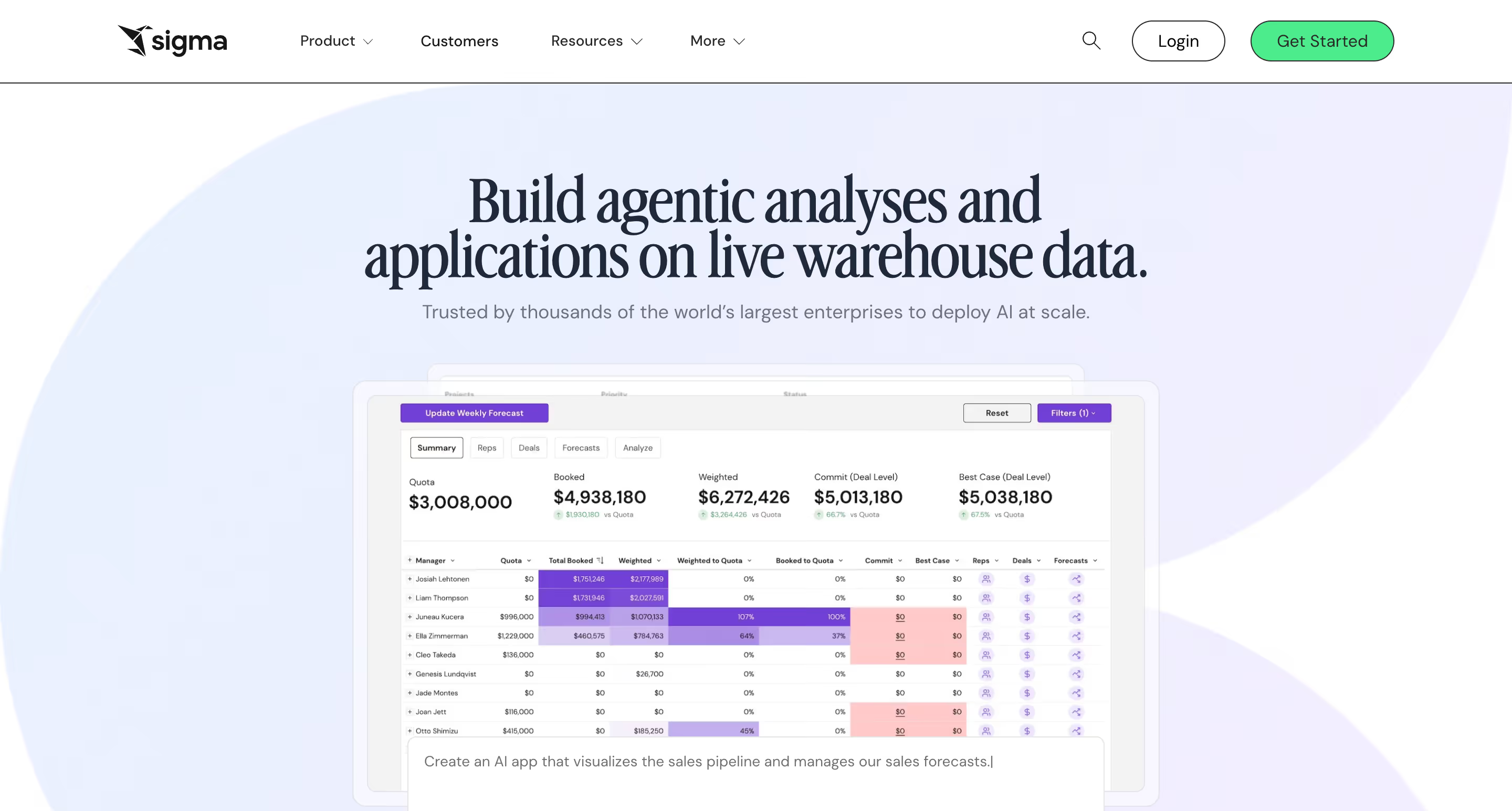
A warehouse-native bi platform with a spreadsheet-first interface, Sigma Computing lets business analysts explore live cloud warehouse data using Excel-style formulas — no Qlik scripting, no set analysis, no in-memory QVDs. It's a fundamentally different architectural choice from Qlik Sense's associative model, and an answer to the specialist-developer bottleneck that Qlik deployments often create.
Why Sigma?
- Excel-style formulas on live warehouse data. Sigma's core differentiator is the spreadsheet UI that auto-generates SQL against Snowflake, BigQuery, Databricks, and Redshift. Business analysts who know Excel can analyze large-scale data without learning Qlik's expression syntax, set analysis, or scripting. For Qlik Sense shops trying to expand BI beyond the specialist developer bottleneck, this UX-first approach is adoption-changing.
- Input tables enable native writeback. Users can edit data directly in dashboards via input tables, with changes syncing back to the warehouse. Qlik Sense's native writeback is limited — most workflow actions require extensions or Qlik Automate integration. Sigma's input tables make writeback a first-class capability without requiring a separate product.
- Warehouse-native architecture, no in-memory engine. Qlik Sense's associative engine requires QVD files and RAM provisioning — a meaningful operational burden at scale. Sigma queries your warehouse directly, pushing compute to where you've already invested. For organizations modernizing data stacks onto Snowflake or BigQuery, Sigma's architecture aligns naturally.
Sigma's Edge Over Qlik Sense
Sigma wins the Qlik Sense buyer who wants to escape the specialist-developer model. Qlik Sense's power comes from scripting — expressions, set analysis, QVDs — which creates a dependency on Qlik-trained developers. Sigma's spreadsheet UX targets business users directly. For organizations where "our Qlik team is a bottleneck on every new dashboard" is the actual pain point, Sigma is a structural answer, not a marginal improvement.
The warehouse-native architecture is the second major edge. Qlik Sense's in-memory model was designed for an era when warehouses were slow and expensive. In 2026, cloud warehouses have made that architecture's original justification weaker — Snowflake and BigQuery can serve live queries against large data volumes at costs that weren't possible a decade ago. Sigma's architecture aligns with where data stacks actually are.
The risk against Sigma is feature depth and maturity. Qlik Sense's associative engine can handle genuinely complex data patterns Sigma's spreadsheet UX isn't designed for. For Qlik power users doing multidimensional set analysis, Sigma will feel like losing capability — even if the broader user base gains accessibility. And Sigma's "AI Apps Platform" pivot has created some product ambiguity about whether it's a BI tool, an app builder, or an analytics platform. If a buyer picks Sigma, Qlik loses on UX accessibility and architectural fit.
What Users Are Saying
Sigma reviewers reliably cite the spreadsheet familiarity and live Snowflake querying as the moments the tool clicks. The tradeoffs are performance lag on heavy workbooks, the advanced-feature learning curve, and compute costs that can spike unpredictably on complex queries.
"I like how user-friendly Sigma is. I'm not a data analyst but work with data, and it makes it really easy to pull in data and work with it in complicated ways that don't require coding. "
"Sometimes I run into errors with certain code during updates, and I’ve had a few update-related issues overall. I’ve also noticed that performance can slow down when working with large datasets."
Nicola M. — Business Data Analyst
"Sigma's literal data handling approach can lead to substantially higher cloud warehouse costs if not managed carefully. The platform requires more compute resources to execute operations compared to alternatives."
Cooper S. — Data Analyst
Pricing
Essentials tier starts at $300/month base with unlimited viewers. Pro and Enterprise tiers are custom-priced by user licenses, features, and embedded deployment. Third-party data (Vendr) shows typical annual contracts range $15,000–$250,000+. Gotcha: live queries push compute costs to your warehouse — Snowflake or BigQuery bills can spike with heavy usage, a cost Qlik Sense's in-memory architecture avoids (at the cost of RAM provisioning and QVD maintenance).
Sigma Computing Is Best For
Sigma Computing is best for Qlik Sense teams modernizing onto cloud data warehouses who want to escape the specialist-Qlik-developer bottleneck and enable spreadsheet-native business analysts to work directly with live warehouse data.
Watch Out For
Sigma requires a cloud data warehouse to function, which rules out regulated Qlik Sense Client-Managed scenarios, and power users who rely on Qlik Sense's set analysis and associative-expression depth may find Sigma's spreadsheet approach limiting for complex multidimensional analytical patterns.
6. Looker — Best for Google Cloud teams needing governed metric modeling
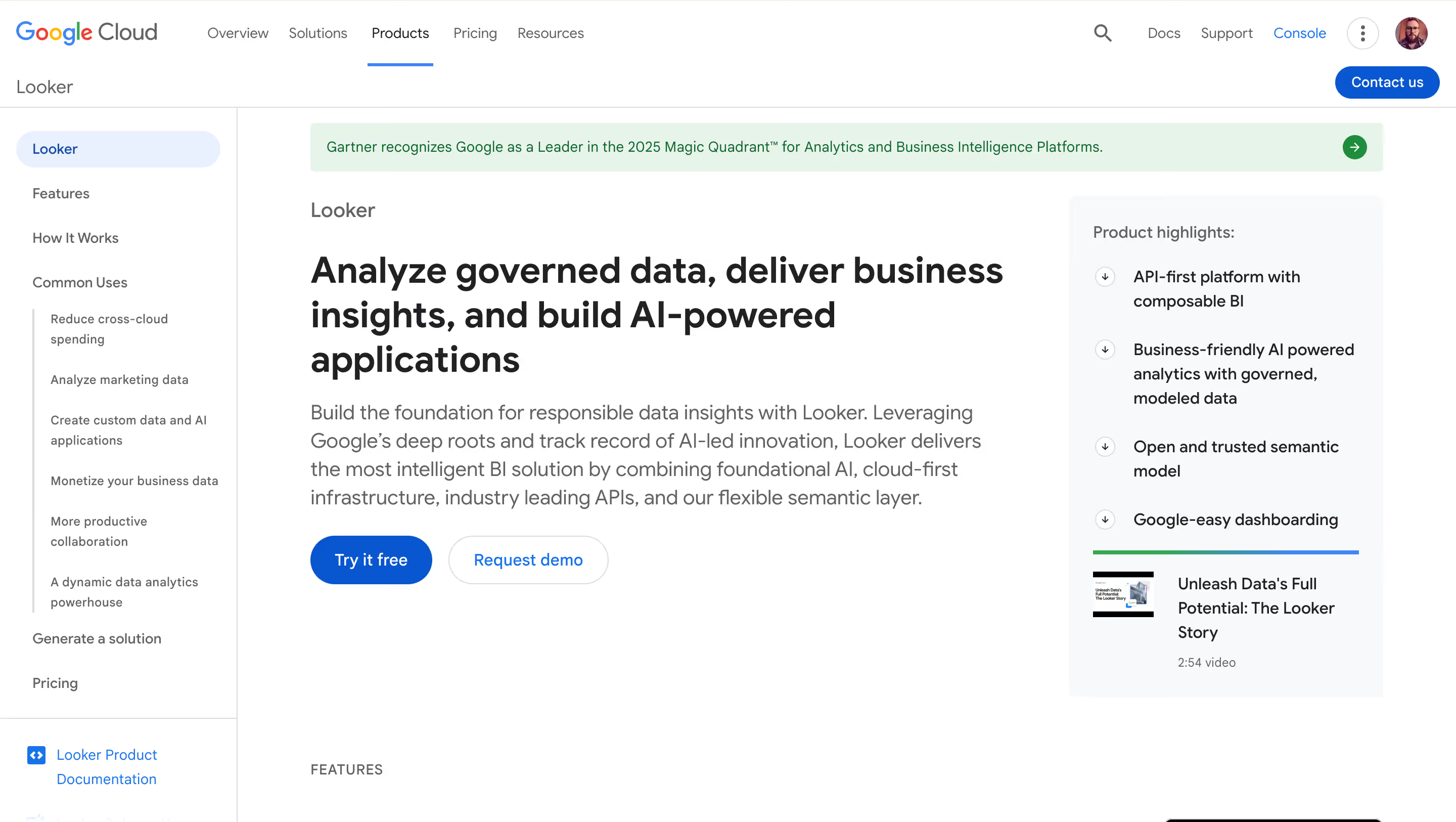
Google Cloud's enterprise BI platform, Looker is built around LookML — a proprietary modeling language that creates a centralized semantic layer — and delivers Gemini AI for conversational analytics. Deep BigQuery integration and governance-first architecture make it the natural pick for data-mature organizations on Google Cloud, and a direct counter to the metric drift problem many mature Qlik Sense deployments run into.
Why Looker?
- LookML semantic layer for metric governance. LookML is the gold standard for metric consistency. Define metrics, relationships, and custom logic once in code, reuse them across every dashboard and report. For Qlik Sense shops where metric drift across apps and expressions has become a recurring problem, LookML's version-controlled approach is a structural answer.
- In-database architecture against BigQuery. Looker queries BigQuery (and other supported warehouses) directly — no in-memory engine, no QVDs, no extracts. For Qlik Sense customers migrating to Google Cloud as part of broader modernization, Looker is the natural first-party BI choice.
- Gemini in Looker for AI-powered BI. Conversational Analytics, LookML Assistant, Formula Assistant, and Visualization Assistant — all grounded in Looker's semantic model. For Google Cloud customers, Gemini in Looker is the natural AI-BI path, directly comparable to Qlik Answers but with GCP ecosystem alignment.
Looker's Edge Over Qlik Sense
Looker's edge is governance depth and cloud-ecosystem alignment. Where Qlik Sense's scripting-based modeling leaves metric definitions scattered across hundreds of apps and expressions, LookML centralizes business logic in version-controlled code. For data-mature organizations where "we have 47 definitions of revenue across our Qlik Sense apps" is the migration driver, Looker solves that problem structurally.
The Google Cloud ecosystem alignment gives Looker distinct positioning. Same way Microsoft shops default to Power BI, GCP shops default to Looker. For Qlik Sense customers whose broader infrastructure is migrating to Google Cloud — a common pattern for organizations modernizing off legacy Qlik deployments — Looker is the natural destination and Qlik Sense becomes the outside vendor fighting against ecosystem gravity.
The risk against Looker is the specialist-developer problem, in a different form. LookML requires dedicated analytics engineering expertise, just as Qlik Sense scripting does. Organizations trading Qlik scripters for LookML developers are swapping one specialist skill for another, not solving the underlying talent-scarcity problem. And Looker's pricing makes embedded analytics economically unfeasible for most customer-facing SaaS scenarios. If a Qlik buyer picks Looker, Qlik loses on governance architecture and GCP alignment.
What Users Are Saying
Looker reviews reliably praise the visual exploration once a dashboard exists and the governance discipline LookML enforces. The consistent friction shows up in LookML's learning curve and how abstract views, explores, and joins feel to business users who just want to answer a question.
"What I like most about Looker is how flexible it feels once you're inside a dashboard. Creating charts, applying filters, and adjusting dimensions happens visually, which makes experimentation easy. I can quickly compare metrics like sales, quantity, and cost without rebuilding reports from scratch."
Priyanka T. — Software Engineer
"While self-service aspect is strong onboarding non-technical users still required training: concepts like 'views', 'explores', 'joins' are slightly abstract and some stakeholders got frustrated with what does this drop-down actually mean, moments."
Avyan S. — Software Developer
"While Looker is powerful, its reliance on LookML can have a steep learning curve for new users, especially those without a technical background. Customizing complex dashboards sometimes requires developer support, which can slow down quick changes."
Karthik K. — Application Engineer
Pricing
Custom enterprise pricing, contact sales. Third-party data indicates starting costs of $35,000–$60,000/year for small deployments, scaling well into six figures for enterprise. Viewer, Standard, and Developer user types range roughly $30 to $125/user/month. Viewer licenses cited at ~$400/year. Looker does not publish pricing publicly.
Looker Is Best For
Looker is best for Qlik Sense organizations migrating to Google Cloud with dedicated analytics engineering resources that prioritize centralized metric governance and LookML-based semantic modeling over Qlik's broader platform expansion.
Watch Out For
Looker's LookML learning curve rivals Qlik Sense scripting in complexity and requires specialist analytics-engineering staffing, viewer licensing around $400/year makes embedded analytics economically unfeasible for most customer-facing SaaS scenarios, and Google Cloud dependency deepens with every Gemini-in-Looker release.
7. Metabase — Best for budget-conscious teams and developer-led organizations
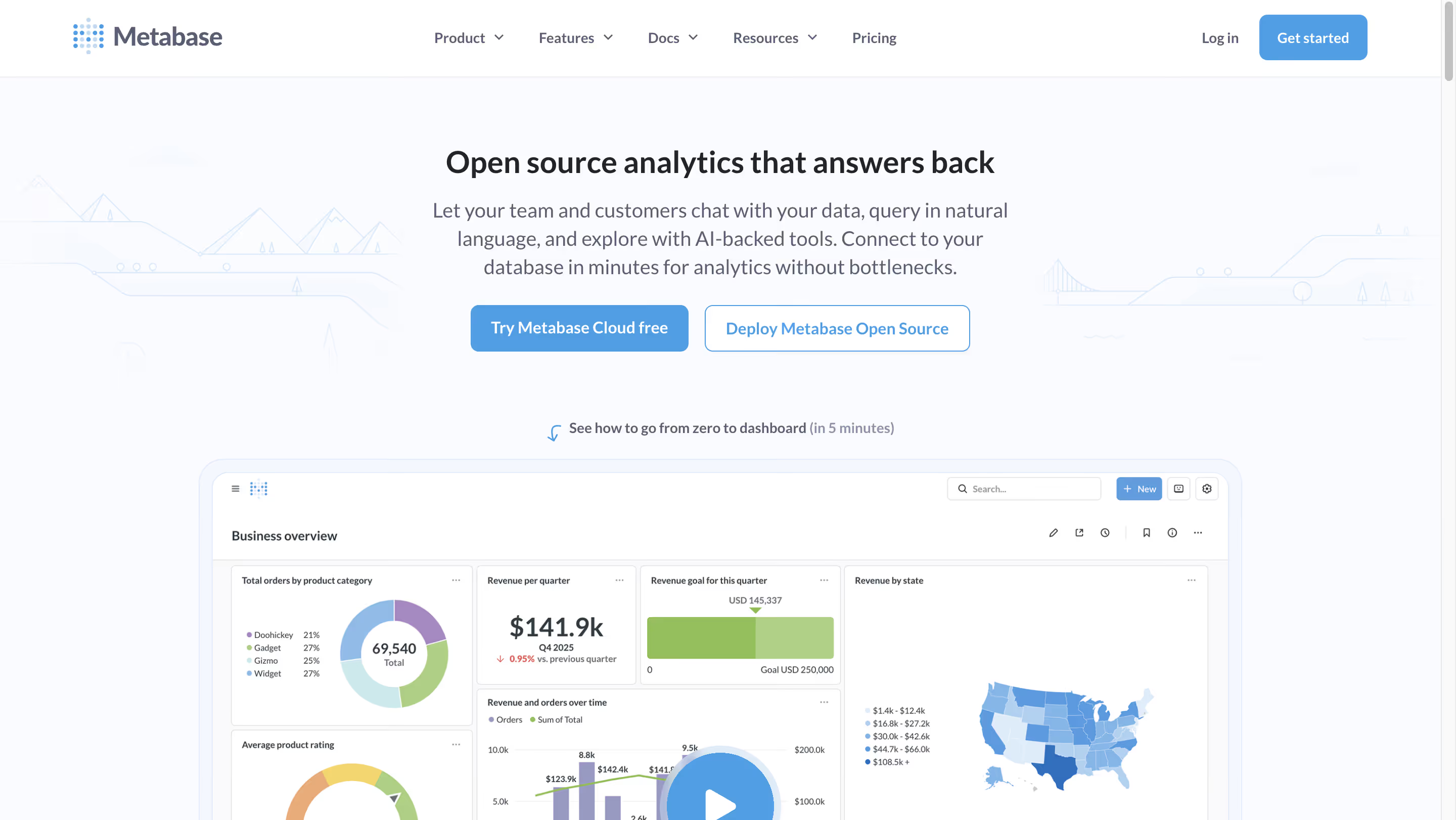
The open-source business intelligence platform that prioritizes simplicity and accessibility, Metabase offers a free self-hosted edition alongside managed cloud tiers. It's the natural "what if we just migrated to something much simpler and cheaper?" option for Qlik Sense departmental deployments where sophistication isn't the priority and the licensing premium is hard to justify.
Why Metabase?
- Free open-source edition. Self-host Metabase for free under AGPL v3 with full core BI functionality — no artificial limits on dashboards, charts, or connections. For Qlik Sense shops where $30/user Business or $70/user Enterprise SaaS pricing is hard to justify for smaller departmental deployments, Metabase's $0 software cost is a structural change in the cost equation.
- Intuitive visual query builder for non-technical users. Metabase's Question feature lets non-SQL users explore data and build dashboards through a point-and-click intuitive interface. Power users can drop into raw SQL anytime. For Qlik Sense users frustrated with the scripting-heavy authoring model, Metabase is simpler to learn and deploy — though with dramatically reduced analytical capability at the power-user end.
- 60+ database connectors. Metabase connects to PostgreSQL, MySQL, BigQuery, Snowflake, Redshift, and most production databases. For organizations where Qlik Sense's connector breadth exceeds actual needs and the licensing premium isn't justified, Metabase covers common data sources without enterprise pricing.
Metabase's Edge Over Qlik Sense
Metabase and Qlik Sense sit at opposite ends of the BI sophistication and cost spectrum, and that's precisely Metabase's angle. Qlik Sense's pricing assumes the buyer values the associative engine and is willing to pay enterprise prices for it. Metabase inverts that: the $0 self-hosted tier is the simplest counter for organizations where "we don't actually need associative exploration, we just need basic dashboards and charts" is the underlying reality.
For departmental Qlik Sense deployments where per-user licensing is hard to justify — 10-person teams where the analytical sophistication is "Excel-in-a-browser" level — Metabase's economics are decisive. Free self-hosted edition or $100/month Cloud Starter replaces Qlik Sense licensing that would cost thousands of dollars annually for equivalent functional coverage.
The risk against Metabase is the capability ceiling. Metabase is deliberately simple — no associative engine, no scripting, no complex multidimensional analysis. For Qlik Sense power users doing set analysis and expression-based calculations, Metabase will feel like losing 80% of the capability, even if 80% of the user base never used those features. It's a legitimate fit for simple internal BI, not a replacement for sophisticated enterprise Qlik Sense deployments. If a buyer picks Metabase, Qlik loses on pure cost math.
What Users Are Saying
Metabase reviews come back to the same theme: an intuitive interface that non-technical users pick up without significant training. The limitations show up at scale, around access controls, and in the gap where an AI assistant for query building would help.
"I love the Question feature of Metabase, which allows for the creation of no-code SQL queries that can be easily and intuitively answered even by non-technical users."
Tobias S. — Sr. BI Manager
"Working with bigger teams might be difficult due to the absence of fine-grained access constraints. If you don't optimize at the database level, performance may suffer while searching massive datasets."
Sampath K. — Security IAM Engineer II
"I find that Metabase could benefit from having an AI assistant that understands the databases and assists in building queries. This feature would significantly ease the process of creating data consultations without any SQL knowledge."
matias d. — CRM & Lifecycle Manager
Pricing
Open Source: Free (self-hosted under AGPL v3). Cloud Starter: $100/month + $6/user (5 users included). Cloud Pro: $575/month + $12/user (10 users included; adds SSO, row-level security, interactive embedding). Enterprise: custom, approximately $20,000+/year. Metabot AI add-on: $100/month for 500 requests. Gotcha: the jump from Starter ($100) to Pro ($575) is steep — if you need SSO or row-level security, there's no intermediate tier.
Metabase Is Best For
Metabase is best for small teams, departmental Qlik Sense deployments, and developer-led organizations that want simple BI without enterprise complexity or Qlik's licensing premium — particularly engineering teams comfortable with self-hosting and smaller Qlik Sense footprints where sophistication isn't the priority.
Watch Out For
Metabase hits real walls for sophisticated analytical patterns Qlik Sense power users rely on (no associative engine, no scripting), the free version requires engineering maintenance time for self-hosting, and the jump from Starter ($100/month) to Pro ($575/month) is steep for organizations needing SSO or row-level security.
Key Takeaways: Which Qlik Sense Alternative Fits?
Six scenarios, six recommendations — map your situation to the pick that fits.
Frequently Asked Questions
What is the best Qlik Sense alternative in 2026?
The best qlik sense alternative depends on your priority: for warehouse-native BI without platform bundle pressure, Astrato and Sigma lead; for dramatic cost savings in Microsoft ecosystems, Power BI; for AI-first analytics, ThoughtSpot; for visualization depth and Mac authoring, Tableau; for Google Cloud teams, Looker; for budget-conscious smaller deployments, Metabase. There's no universal winner. The right bi tool depends on your data architecture, cloud ecosystem, and how Qlik Sense's platform expansion (Talend, Qlik Answers, Data Integration) fits your strategy.
Is Qlik Sense worth the price in 2026?
Qlik Sense is worth the price for organizations that value the associative engine's deep data exploration capability and benefit from Qlik's expanding platform (Qlik Talend, Qlik Answers). However, for organizations doing simple internal BI, working on cloud data warehouses, or under cost pressure, Qlik Sense's $30/user Business or $70/user Enterprise SaaS pricing is hard to justify against alternatives starting at $14/user (Power BI) or warehouse-native architectures that remove the in-memory overhead entirely.
How does Qlik Sense compare to Power BI in 2026?
Power BI is significantly cheaper ($14/user/month vs. Qlik Sense's $30/$70), tightly integrated with Microsoft 365, and benefits from Copilot AI when paired with Fabric capacity. Qlik Sense offers the differentiated associative data engine, a stronger product focus on BI specifically (vs. Power BI's workload-in-Fabric positioning), and more deployment flexibility including on-premises options. The choice typically comes down to cloud ecosystem (Microsoft vs. neutral or multi-cloud), budget sensitivity, and whether Qlik's platform expansion into Talend and Qlik Answers fits your data strategy.
What's the best Qlik Sense alternative for embedded analytics?
For customer-facing embedded analytics, Astrato is the strongest alternative — usage-based pricing avoids per-seat compounding, full white-labeling is included without premium upsell, multi-tenant security is built in, and writeback enables automated workflows. Sigma Computing is the second-strongest option for spreadsheet-native embedded scenarios, and Looker's Embed SDK is mature for API-first implementations willing to absorb the LookML modeling overhead. Qlik Sense's embedded offering is functional but enterprise-licensed and expensive at scale.
Is Qlik still a BI company?
Qlik's positioning in 2026 has shifted from pure BI vendor to "unified data and AI platform." The 2023 Talend acquisition added data integration and quality; the Upsolver acquisition added real-time data lake capabilities; Qlik Answers added conversational AI. Qlik Sense is now one workload within Qlik's broader platform bundle. For buyers who wanted a focused BI product, this platform expansion is a genuine strategic shift — and the primary reason some Qlik Sense customers are evaluating alternatives that haven't pivoted away from focused BI.
What's happening with Qlik and its IPO?
Qlik was acquired by Thoma Bravo in 2016 for ~$3 billion and filed a draft S-1 in January 2022, but the IPO was delayed. In November 2024, Thoma Bravo sold a minority stake to ADIA (Abu Dhabi Investment Authority) at a $10 billion valuation, with Thoma Bravo remaining majority shareholder. Thoma Bravo's typical investment horizon is 5–7 years (they've owned Qlik nearly 10), so an IPO within 24 months is widely expected. Historical precedent suggests pricing increases and bundle-shifting tend to accompany PE-to-public transitions.
Can Qlik Sense do natural language AI?
Yes, through Qlik Answers, Qlik's agentic AI-powered knowledge assistant launched in 2024, and Insight Advisor, which provides ai driven insights over structured data. Qlik Answers specifically handles unstructured data queries and acts as the unified conversational interface across Qlik's platform. These capabilities are legitimately competitive with ThoughtSpot Spotter, Power BI Copilot, Gemini in Looker, and Tableau Next Agentforce — though AI is no longer a Qlik differentiator in 2026 as much as it's table stakes across all major bi platforms.
How difficult is it to migrate off Qlik Sense?
Qlik Sense migration complexity depends on the destination platform. Moving to warehouse-native alternatives like Astrato or Sigma requires rebuilding the data model to use live warehouse queries instead of QVDs — typically 3–9 months for significant deployments, but simplifies ongoing operations. Moving to Power BI or Tableau requires rebuilding apps and data modeling from scratch — typically 6–12 months. Moving to ThoughtSpot requires significant upfront data modeling for natural language search to work accurately. Plan for parallel running during transition, user retraining, and rebuild of complex apps that don't translate cleanly between architectures.
Ready to See What Focused, Warehouse-Native BI Looks Like?
Picking a Qlik Sense alternative isn't about the cheapest option or the longest feature list. It's about fit — fit with how your team actually works, fit with where your data architecture is heading, and fit with what you're willing to take on at renewal. For some Qlik Sense customers, staying with the expanding Qlik platform is the right call. For others, the renewal conversation that now includes Talend, Qlik Answers, and bundle economics is the signal it's time to evaluate elsewhere.
Astrato's pitch is narrower and sharper than Qlik's 2026 platform story: focused BI, warehouse-native by design, usage-based pricing, embedded-first from day one, and AI grounded in your existing warehouse rather than a separate product you have to buy. No QVDs, no RAM provisioning, no Talend upsell, no license-type matrix to audit. If your Qlik Sense renewal conversation has started to feel like a platform migration conversation, there's a simpler architectural answer.
Book a demo with the Astrato team and see how warehouse-native BI works with your actual data.
Ready to experience next-gen analytics?
See how Astrato runs natively in your warehouse.