8 Best Looker Competitors and Alternatives for 2026
Looking for Looker competitors in 2026? Compare the 8 best Looker alternatives including Astrato, Omni, Tableau, and Metabase for warehouse-native BI.

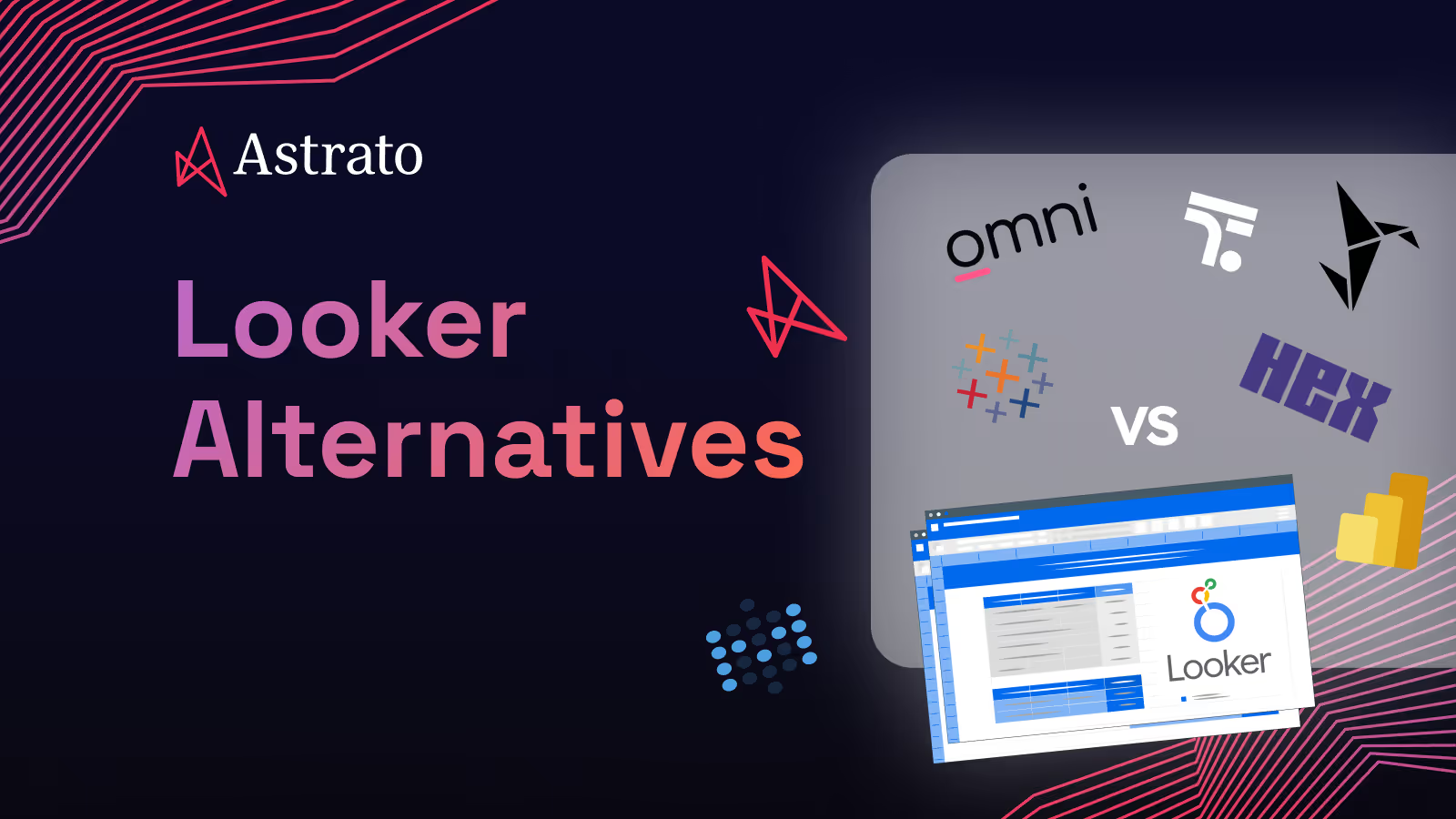
Looker was built on a sharp, opinionated bet. BI is broken because everyone defines metrics differently, so force every team to define them once, in a single semantic layer, using a proprietary modeling language called LookML. Analysts would stop arguing about what "active user" means. Executives would stop seeing three different numbers for the same KPI. Governance would win. The bet worked well enough that Google paid $2.6 billion for it in 2019.
Something has shifted since then. Looker is no longer one product — it's three, loosely stitched together. The original LookML-driven platform. Looker Studio, the free self-service tool formerly known as Google Data Studio. And Looker Reports, the 2025 unification layer bringing Studio's drag-and-drop interface into the core product. Gemini AI now sits across all of it. The original governance pitch is still there, but the LookML overhead, the Google Cloud gravity, and the viewer pricing that lands near $400 per user per year have opened real space for warehouse-native alternatives.
This article is for teams who chose Looker for governed analytics and are now feeling the weight of LookML maintenance, the pinch of embedded pricing, or the friction of business users who never adopted Explore. The question isn't whether Looker is a good product — it is, for the right buyer. The question is which of the current Looker alternatives actually fits how your team works and where your architecture is heading.
Why Teams Look for Looker Alternatives
Comparison at a Glance
Eight Looker alternatives, compared across the dimensions that decide most BI evaluations. Use this to shortlist two or three before reading the deep dives below.
The deep dives below run in order of relevance to the Looker buyer. Astrato opens the list as the warehouse-native choice most often evaluated against Looker for embedded analytics and data apps. Omni follows because it's the most direct philosophical successor — built by ex-Looker engineers. Then the large legacy players, the AI-first specialists, and finally the open-source option for budget-conscious teams.
1. Astrato — Warehouse-native BI and embedded analytics without LookML overhead
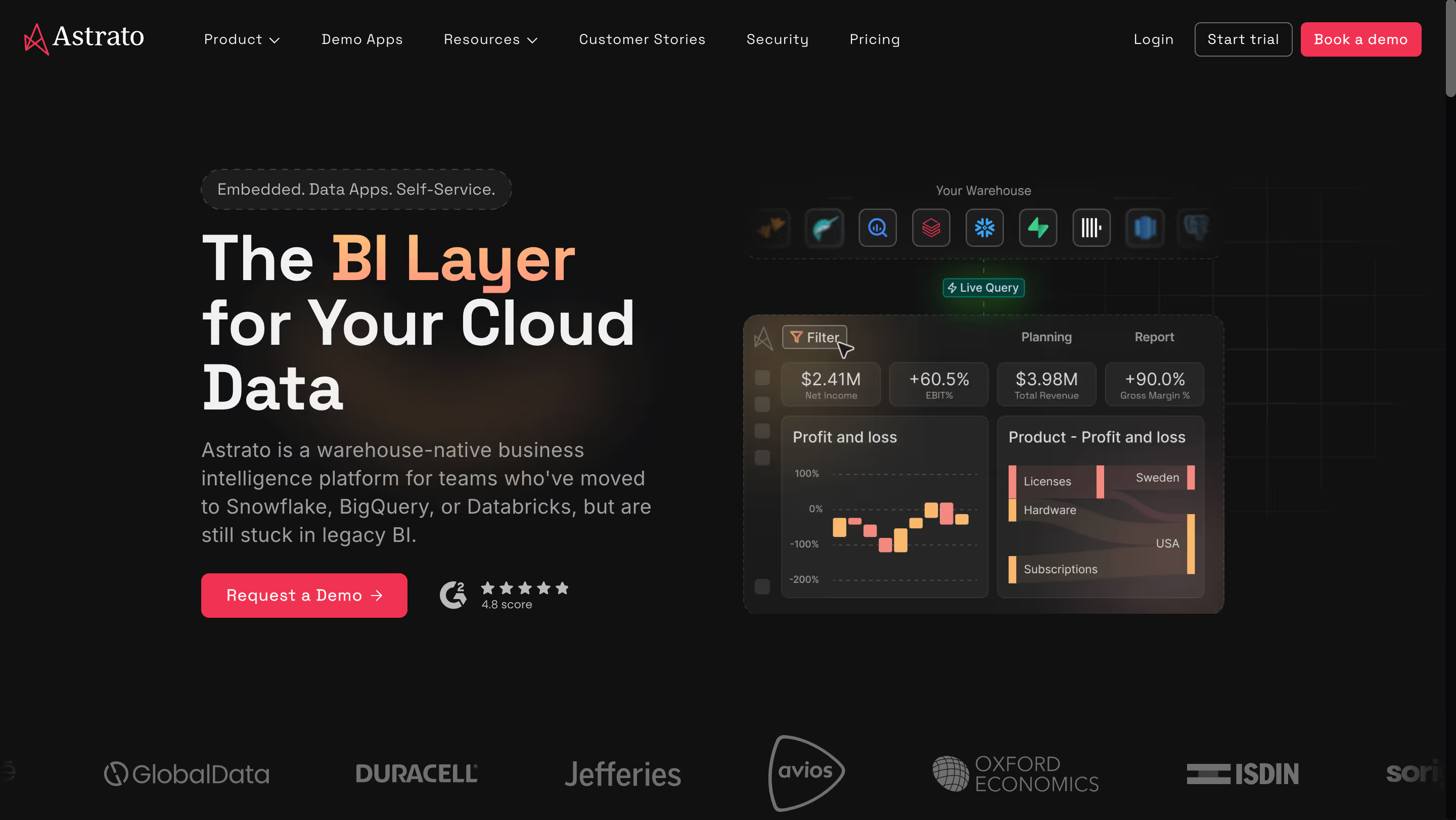
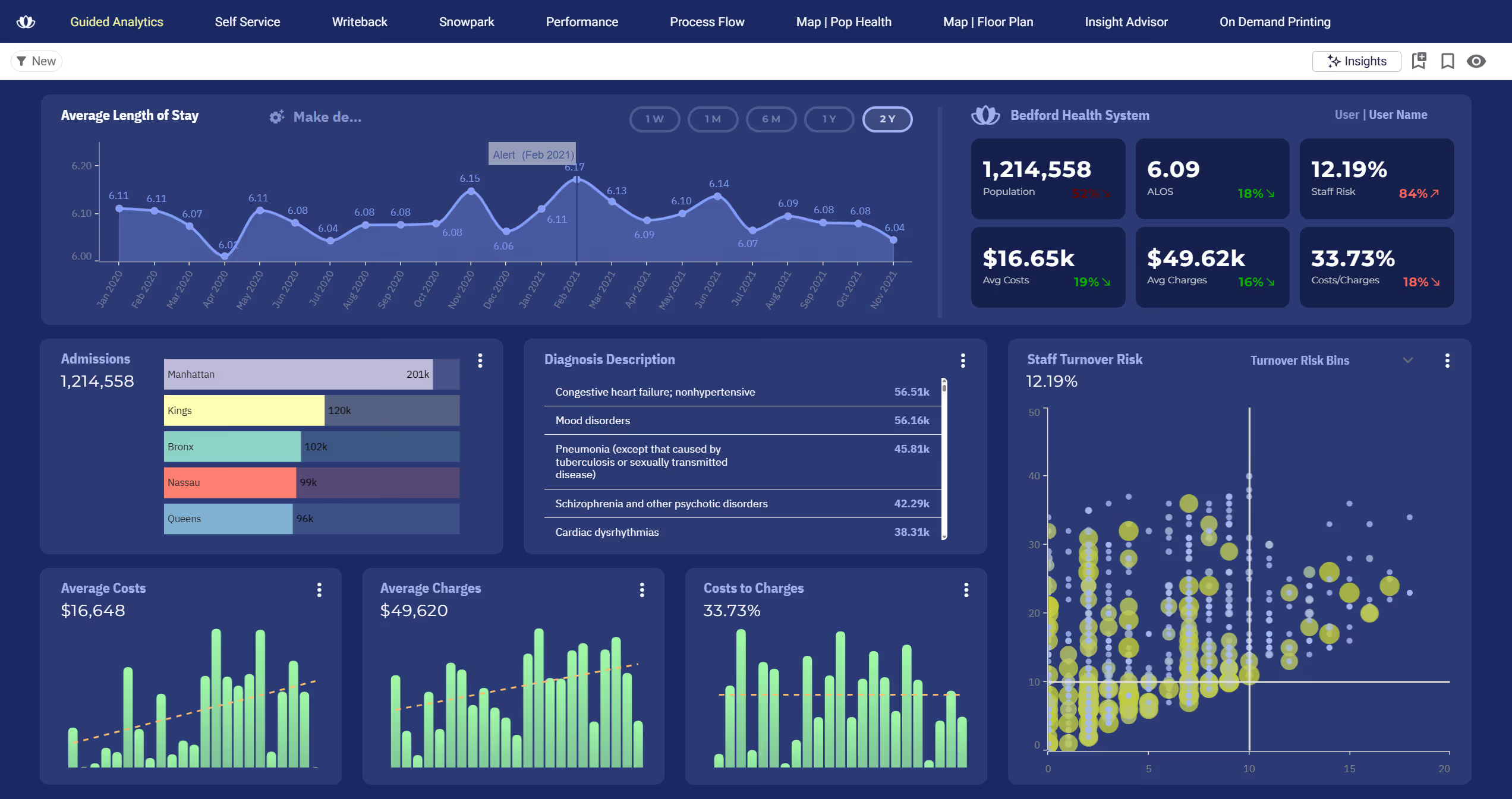
Astrato is a warehouse-native business intelligence platform that queries your cloud data warehouse directly. No extracts. No refresh schedules. No data copies. It's purpose-built for teams running on Snowflake, BigQuery, Databricks, ClickHouse, Redshift, or PostgreSQL — and for the scenarios Looker struggles with most: embedded customer-facing analytics, operational data apps with writeback, and self-service for business users who'll never learn LookML.
Why Astrato?
- Live-query, pure pushdown architecture. Every dashboard executes against your warehouse in real time. No extracts to schedule, no stale reports to explain, no separate analytics engine to maintain. You see exactly what queries cost, and you only pay for what users actually run. Where Looker's semantic model compiles LookML into SQL before execution, Astrato stays closer to the warehouse: your compute does the work, Astrato makes it accessible.
- No-code semantic layer without a proprietary language. Metrics and dimensions are defined once in a central semantic layer and reused across every dashboard, report, and embedded application. There's no LookML, no YAML-like modeling language, no requirement to hire specialized developers. Business users build dashboards without writing SQL or learning a new syntax. This is the governance story Looker sold, without the analytics-engineering bottleneck Looker created.
- Pixel-perfect embedded analytics. Astrato supports full white-labeling with no-code customization — fonts, colors, layout, interactions — and no premium upsell for removing a vendor logo. Multi-tenant data security is built in from day one. Usage-based pricing means scaling an embedded product to thousands of end users doesn't destroy unit economics the way Looker's ~$400-per-viewer model does.
- Native writeback and operational workflows. Dashboards aren't read-only surfaces. Users update forecasts, approve budgets, or correct data entries directly inside a dashboard, and changes sync back to the warehouse under full governance. Built-in conflict handling prevents two users from stepping on each other's updates. This turns analytics into data apps — production-grade, not a demo feature.
- AI-powered insights with native LLM integration. Astrato connects to Snowflake Cortex, Google Gemini, OpenAI, or your own LLM of choice. Users ask natural language questions and get answers grounded in the semantic layer, which means AI generates accurate queries instead of hallucinating plausible-sounding numbers. Gen AI features ship in production today, not in preview.
- Scheduled production reports. Export pixel-perfect reports as PDF, PowerPoint, or Excel on a schedule. Design a template once, populate with live data, and deliver automatically to stakeholders or external clients. No manual exports, no spreadsheet gymnastics, no parallel reporting system to maintain alongside the BI tool.
Astrato's Edge Over Looker
Astrato attacks the exact gaps Looker's enterprise positioning has created. Where Looker charges roughly $400 per viewer per year and makes embedded analytics economically unfeasible for most SaaS scenarios, Astrato's usage-based pricing makes customer-facing analytics viable at any scale. Where LookML requires dedicated analytics engineers, Astrato's no-code semantic layer gives business users the governance benefits without the developer gate.
The threat isn't abstract. Astrato competes with Looker on four specific fronts, each one a place where Looker's architecture has become a liability rather than an advantage.
- Embedded analytics and OEM economics. Looker's ~$400/viewer annual fee is the single most common reason SaaS companies skip Looker for customer-facing analytics. Astrato's usage-based pricing is built for scenarios that scale to thousands of end users, not ten internal analysts.
- No proprietary language. Astrato delivers the metric consistency Looker sells without asking you to learn LookML, hire LookML developers, or maintain a dbt-to-LookML sync. The semantic layer is native.
- Warehouse flexibility over GCP lock-in. Astrato connects equally well to Snowflake, BigQuery, Databricks, Redshift, ClickHouse, and PostgreSQL. Looker is BigQuery-optimized and increasingly tied to Google Cloud's roadmap.
- Writeback and data apps. Looker is read-only. Astrato turns dashboards into operational applications where users enter data, approve workflows, and sync changes back to the warehouse. For buyers who want dashboards that do things, this is a structural gap Looker cannot close.
What Users Are Saying
G2 reviews for Astrato cluster around three themes: warehouse-native speed without extracts, the ability to build data apps with writeback rather than just dashboards, and the flexibility of changing the semantic layer without rebuilding the model from scratch. Reviewers migrating from Tableau, Looker, and Power BI repeatedly call out the version control, the embedded analytics polish, and the simplicity of scaling to customer-facing use cases.
What users are saying on G2:
"Astrato also goes beyond reporting by supporting interactive and embedded analytics, making it well suited for both internal teams and customer-facing applications. Overall, it's an incredibly strong choice for organizations looking for fast, reliable, and actionable analytics at scale."
Giuseppe L. — Enterprise Customer Success Manager
"The ability to write back to Snowflake and Databricks, and to change the semantic layer on the fly. Additionally, built in version control for dashboards saves so much time and work and allows us to quickly rollback to previous versions as needed."
Christopher A. — Founder
"Very flexible tool with a lot of potential to create new tools beyond simple dashboards. Application customization opens the possibility of building different types of data application allowing a new type of interactive analytics. Semantic layers are always useful and powerful in most cases."
Jose V. — Data Analytics Manager
Pricing
Astrato uses usage-based pricing tied to warehouse compute consumption. There's one license type — no split between viewers, creators, and developers — and no feature gating by tier. Costs stay predictable whether you're serving ten internal analysts or ten thousand embedded end users. Warehouse compute (Snowflake, BigQuery, Databricks) is billed separately by your cloud provider.
Astrato Is Best For
Astrato is best for teams that have committed to a modern cloud data warehouse and want their BI layer to match — particularly organizations needing embedded customer-facing analytics, operational workflows with writeback, or a cost-effective replacement for a legacy BI tool without LookML overhead.
Watch Out For
Astrato is purpose-built for cloud warehouses, so if your primary data sources aren't Snowflake, BigQuery, Databricks, ClickHouse, Redshift, or PostgreSQL, it won't be the right fit. As a newer platform, it also doesn't yet match the brand recognition of Tableau or Power BI inside large procurement processes.
For a more comprehensive side-by-side comparison, here's our Astrato vs. Looker review.
2. Omni Analytics — Data teams escaping LookML without abandoning the semantic layer

Founded by former Looker engineers with a specific thesis — build the BI tool Looker should have become — Omni Analytics is a warehouse-native platform that delivers semantic-layer governance without the LookML learning curve. The company raised $69M Series B in March 2025 at a reported $650M valuation, with backing from both Snowflake Ventures and Databricks Ventures.
Why Omni?
- Three-layer modeling architecture. A shared model governed by the data team. A workbook layer for ad-hoc exploration. A presentation layer for end users. Each workbook acts like a Git branch off the shared model — you define metrics locally without editing the company-wide model, then promote changes upstream when ready. You get Looker's governance philosophy with flexibility Looker never had.
- Best-in-class dbt integration. Omni's dbt Semantic Layer integration offers bidirectional sync, so schema changes propagate automatically between the transformation layer and the BI layer. Looker integrates with dbt too, but its sync is one-directional — which leaves teams maintaining two versions of their business logic. Omni eliminates the duplication.
- Semantic-layer-grounded AI with Excel-style calculations. Omni's AI (built on Claude via AWS Bedrock and OpenAI) uses the same governed metrics your dashboards use, so answers stay consistent across users. On top of that, Omni's calculation syntax matches Excel formulas exactly. If you know spreadsheets, you already know how to model in Omni.
Omni's Edge Over Looker
Omni was founded specifically to compete with Looker. The pitch is explicit: the founding team came directly from Looker, and they're rebuilding the semantic-layer BI category with the benefit of knowing exactly what the original product got wrong. The mid-market data teams that would have chosen Looker five years ago are now choosing Omni.
Where Looker locks you into LookML as a proprietary language that requires specialized developers, Omni gives you a semantic layer without the barrier. Where Looker's dbt integration imports documentation but keeps the models separate, Omni syncs bidirectionally — a capability Looker cannot currently match. And where Looker implementations stretch into months of analytics engineering time, Omni deployments are measured in weeks.
The risk to Looker is direct and generational: teams migrating off Looker cite the same reasons repeatedly — LookML overhead, slow iteration cycles, the cost of maintaining two semantic layers (one in dbt, one in LookML). For dbt-first teams, Omni is the obvious upgrade path.
What Users Are Saying
Reviewers describe Omni as the first BI tool that combines the rigor of a semantic layer with the flexibility of a point-and-click exploration tool. The most common comparison is explicit: reviewers list Tableau, Looker, Power BI, and Superset by name before saying Omni is their favorite. The most common caveat is that Omni is newer, so occasional bugs show up more frequently than in mature platforms.
What users are saying on G2:
"Hard to speak to one thing. Omni Analytics is by far the best BI tool I have used and I have used many from Tableau, Looker, Power BI, Superset, etc. The list goes on. Being able to have data modeled into topics within the Semantic Layer, have git branch like dev and prod releases, connect multiple data sources (within one connection), flexibility when working with data, separation of concerns with model layer and workbook layer, great customer support, straightforward implementation and integrations, etcard to speak to one thing."
DJ V. — Business Intelligence Analyst
"Since Omni is still a relatively new tool, there are occasional bugs that pop up more frequently than in other, more mature BI tools. And I think there are some features that are still under development or missing such as better organization for saved reports and dashboards... BI tools usually either have a semantic layer, which is great for data governance but can be slow, or connect directly to the data, making them fast but difficult to govern. Omni manages to combine the best of both."
Carolina A. — Data Analyst
Pricing
Custom pricing, contact sales. Omni does not publish tier information publicly. Reviewers describe it as more affordable than Looker and Sigma at comparable deployment sizes, but exact figures require a sales conversation.
Omni Is Best For
Omni Analytics is best for data teams that run on dbt, think in semantic layers, and want a BI tool that works with their analytics engineering workflow rather than around it — particularly teams migrating from Looker who want the same governance philosophy with a gentler learning curve and a bidirectional dbt integration.
Watch Out For
Omni is newer and smaller than Looker, so some advanced capabilities are still catching up — users report occasional bugs, missing dashboard organization features, and the fact that enterprise pricing still requires a sales call, which is the same "legacy BI" friction Omni positions against elsewhere.
3. Tableau — Visualization-heavy analytics with trained analyst teams
Owned by Salesforce since its 2019 acquisition, Tableau remains the industry benchmark for visualization quality and analyst-friendly exploration. It's built around drag-and-drop dashboard authoring, backed by the largest BI community in the world, and priced at a premium that reflects both.
Why Tableau?
- Industry-leading visualization quality. Tableau still produces the most polished interactive dashboards on the market. For executive reports, marketing analytics, or any scenario where dashboard aesthetics directly influence adoption, Tableau's chart library and design flexibility stay ahead of most competitors. Tableau Pulse (2026) adds contextual AI-surfaced metric tracking without forcing users to hunt through dashboards.
- Massive community and talent pool. The "DataFam" community hosts thousands of shared dashboards on Tableau Public, along with extensive training resources, certifications, and conference content. Finding someone who knows Tableau is straightforward — a real advantage for hiring that LookML cannot match, since LookML developers command premium salaries precisely because the skill is rare.
- Deep Salesforce and Einstein integration. Post-acquisition, Tableau integrates tightly with Salesforce CRM, Einstein AI for natural language querying, and the broader Salesforce ecosystem. Tableau Enhanced Q&A (part of Tableau+) delivers KPI-focused natural language queries for go-to-market teams.
Tableau's Edge Over Looker
Tableau's advantage is visual and exploratory. Looker buyers who prioritized governance often regret the visualization tradeoff — Looker dashboards work, but they look dated next to Tableau. For customer-facing scenarios, executive presentations, or any context where the dashboard itself is the product, Tableau wins on polish.
Tableau also has a distribution and talent advantage Looker can't match. The DataFam produces a steady stream of templates, training content, and troubleshooting answers that Looker's smaller community cannot equal. And Tableau sits more neutrally on top of any warehouse — Snowflake, BigQuery, Databricks, Redshift, or on-premises — where Looker is increasingly shaped by its GCP gravity.
The risk to Looker is in cross-cloud enterprise deployments: for buyers who don't want their BI decision dictated by their cloud decision, Tableau stays in the conversation while Looker increasingly does not.
What Users Are Saying
Reviewers praise Tableau's drag-and-drop authoring and visualization power. The most consistent criticisms are cost, the learning curve on calculated fields, and a sentiment among long-time users that the post-Salesforce era has diluted Tableau's original identity and community focus.
What users are saying on G2:
"I like Tableau's drag-and-drop feature, which is very convenient for creating visualizations. It helps me directly create visualizations by allowing me to just pull and place charts."
Sivakumar N. — Reviewer
"One thing that could be improved is the learning curve for advanced features. While basic charts are easy to make, trying to learn complex calculations or Level of Detail (LOD) expressions can be really overwhelming. It feels like there is a huge jump in difficulty between 'beginner' and 'intermediate' tasks."
Saurabh S. — Reviewer
"Tableau was fantastic pre Salesforce takeover. The community was thriving and the product was accelerating at a rate you would expect. However despite a promise during the takeover that Tableau would remain untouched the inevitable happened and it became diversified, lost its identity and ultimately lost its user base / community."
Gartner Peer Insights reviewer — Verified Reviewer
Pricing
Creator licenses run $75/user/month, Explorer $42/user/month, Viewer $15/user/month, all billed annually. Enterprise Creator runs up to $115/user/month. Tableau Cloud and Tableau Server licensing are separate. A common gotcha: teams expecting to pay for three Creator licenses end up paying significantly more once Explorer and Viewer licenses are added for wider distribution.
Tableau Is Best For
Tableau is best for organizations with trained analyst teams that prioritize visualization quality, dashboard polish, and deep exploratory analysis — particularly Salesforce-ecosystem companies needing CRM-integrated analytics and teams where dashboard aesthetics directly shape adoption.
Watch Out For
Tableau's per-user licensing becomes expensive fast as you scale, a large share of analyst time still goes to external data prep before Tableau can use the data, and the post-Salesforce era has introduced feature changes that longtime users describe as platform identity drift.
4. Microsoft Power BI — Microsoft-first teams with existing Azure and 365 investments
The dominant BI platform by installed base, Microsoft Power BI is tightly integrated with Azure, Excel, Teams, and Microsoft 365. Its $14/user/month Pro tier is the lowest entry price of any serious BI platform, though real costs escalate through Fabric capacity requirements for AI and premium features.
Why Power BI?
- Deep Microsoft ecosystem integration. If your team already runs on Excel, Teams, SharePoint, and Azure, Power BI plugs into existing workflows with minimal friction. Power Query handles data preparation in M language, which most Excel power users can learn fast. For organizations already paying for Microsoft 365 E5, Power BI Pro is effectively bundled — a structural advantage no independent vendor can match.
- Copilot AI integration via Fabric. Microsoft's AI assistant generates DAX measures, builds report pages, and produces narrative summaries from plain English prompts. Copilot is included within Fabric F64+ capacity or Premium Per User licensing, with no separate Copilot fee. Since April 2025, Copilot has been available at F2 capacity (~$263/month) for lighter usage scenarios.
- Massive community and Microsoft-scale support. Finding Power BI talent is easier than finding expertise for nearly any other BI tool. Documentation, community forums, monthly product updates, and enterprise support channels are extensive. DAX expertise is widely available, though the learning curve is real.
Power BI's Edge Over Looker
Power BI's advantage over Looker is distribution and price. Where Looker runs $35,000–$60,000+ annually for mid-size deployments, Power BI Pro starts at $14/user/month. For a CFO comparing a Looker quote to Power BI licenses already bundled into Microsoft 365, the hurdle for Looker is enormous. Microsoft doesn't need Power BI to be better than Looker — Power BI just needs to be present and familiar.
DirectQuery mode increasingly mimics warehouse-native behavior, which chips away at Looker's live-query differentiator. Copilot in Power BI competes directly with Gemini in Looker on AI-powered BI, with the practical advantage of being bundled into Fabric rather than requiring separate Looker Studio Pro licensing on top of core Looker plus GCP infrastructure.
The danger to Looker is structural: Microsoft ecosystems default to Power BI rather than evaluate Looker seriously, and for any non-GCP organization, "we already pay Microsoft for everything else" is gravity that's hard to overcome.
What Users Are Saying
Reviewers praise Power BI's Microsoft integration and real-time dashboarding capabilities when paired with Power Automate and MS Lists. The most consistent complaints are the DAX learning curve for newer users, permission management complexity for embedded scenarios, and slow load times on larger datasets.
What users are saying on G2:
"I like power BI because I use Power Automate to link MS List so it can show real time dashboards. What's critical for me is the ease of integration. Sometimes it's slow to load. Also, everyone should have license to view and edit, it's quite expensive."
Verified User — Insurance
"For people who are just starting to use this tool for business reporting or who have little experience in data analysis, there may be a very slow learning curve associated with mastering Power BI. At first I found it a little difficult to handle."
Aneurys Nicanor A. — Project Manager
"There is nothing that I dislike, but managing user permissions can be complex and then unintentionally denies access to embedded reports for authorized team members."
Ramy S. — Analytics Team Manager
Pricing
Power BI Pro costs $14/user/month (raised from $10 in April 2025). Premium Per User is $24/user/month (raised from $20). Microsoft Fabric capacity starts at F2 (~$263/month) and scales to F64+ (~$5,258/month), which is required for the full Copilot experience. The notable gotcha: both creators and viewers need paid licenses unless you invest in Premium capacity, which is where the sticker price disconnects from TCO.
Power BI Is Best For
Power BI is best for organizations already standardized on Microsoft 365, Azure, Excel, and Teams that need affordable per-user licensing for internal reporting and are willing to navigate the DAX learning curve and Fabric capacity model to unlock AI features.
Watch Out For
Power BI's import-mode architecture duplicates data into a separate engine rather than querying warehouses natively, Copilot and premium AI features require expensive Fabric or PPU capacity, the DAX learning curve rivals LookML's for non-technical users, and Power BI Desktop remains Windows-only, which is a non-starter for Mac-first teams.
5. ThoughtSpot — Natural-language analytics and search-driven self-service

Built around natural language search long before "AI for BI" became an industry tagline, ThoughtSpot is the AI-first alternative to Looker. Its Spotter 3 agentic analytics interpret business questions in plain English and return instant, governed answers against live cloud warehouse data.
Why ThoughtSpot?
- Spotter AI Agent with a patented search model. Users type business questions in plain English and Spotter translates them into optimized SQL. Spotter 3 handles multi-step analysis, pulls context from Slack and Confluence via MCP, and uses human-in-the-loop governance so users approve or refine AI-generated answers before they propagate. This is agentic BI, not a chatbot wrapper on a dashboard.
- SpotIQ automated insights. Machine learning detects anomalies, trends, and patterns automatically, surfacing questions users might not have thought to ask. It shifts analytics from "build dashboards to answer known questions" to "let the system surface the questions worth asking."
- Warehouse-native live querying. ThoughtSpot connects directly to Snowflake, BigQuery, Databricks, Redshift, and Azure Synapse with live queries — no extracts, no data duplication. Performance scales with warehouse compute, not with a separate engine.
ThoughtSpot's Edge Over Looker
ThoughtSpot held the AI-first BI position long before Looker pivoted there. Spotter 3 is more mature in production than Gemini in Looker. Gemini's most advanced features (Conversational Analytics API, Code Interpreter) are still in preview or require Looker Studio Pro licensing, while Spotter has been shipping to production customers for years. ThoughtSpot sits in Gartner's Magic Quadrant "Visionary" position specifically because of this AI-first approach.
The direct threat: if a buyer is evaluating Looker for the Gemini AI story, ThoughtSpot has a more coherent, more proven, and more focused narrative in the same lane. Where Gemini requires stacking Looker Studio Pro on top of core Looker, Spotter AI is the product, not an add-on.
ThoughtSpot has also been aggressive in embedded analytics with a mature SDK that competes directly with Looker's Embed SDK. For AI-powered customer-facing analytics, the combination of Spotter plus embedded SDK is more purpose-built than cobbling together Gemini and Looker Embed.
What Users Are Saying
Reviewers describe dramatic reductions in dashboard request volume after deploying ThoughtSpot, with the natural language interface cited as the main driver. The most consistent caveats are the upfront data modeling work required for search to return accurate results and basic visualization quality relative to Tableau or Power BI.
What users are saying on G2:
"ThoughtSpot is addressing the 'last-mile' challenge in business intelligence. Previously, our business users often had to wait days or even weeks to get the answers they needed. With the introduction of natural language search, they can now simply ask questions in plain English or use a point-and-click interface to receive answers within seconds, even when working with hundreds of billions of rows. Since deploying ThoughtSpot, the number of analysis requests has dropped by 800%."
Verified User — Enterprise
"I like the fact that ThoughtSpot has evolved impressively throughout our journey with it. Its introduction of GenAI tools like Spotter and Sage have revolutionized our manual searches and build visualizations... The learning curve around the AI tools can be a bit steep for users with less technical expertise."
Verified User — Data Analyst
"ThoughtSpot's auto-generated visuals often appear basic and can feel sluggish during in-depth analysis. The user interface can be tedious, making it less suitable for presentation-ready reports when compared to the pixel-perfect designs offered by competitors."
Verified User — Entertainment
Pricing
Essentials is $25/user/month (up to 25M rows, 5–50 users). Pro is $50/user/month and includes Spotter AI with 25 queries per user per month, against 250M rows. Enterprise is custom-priced. Embedded plans are separate. Third-party data places average annual contracts near $140,000. The gotcha: Spotter AI caps queries at 25/user/month on Pro — every additional query incurs cost.
ThoughtSpot Is Best For
ThoughtSpot is best for organizations where empowering non-technical users to ask ad-hoc questions against existing data is the top priority, particularly teams that want to shift from "dashboard-first" to "question-first" analytics and have the data modeling discipline to make AI answers reliable.
Watch Out For
ThoughtSpot requires significant upfront data modeling for natural language search to work accurately, visualization customization lags Tableau and Power BI, and consumption-based pricing can create unpredictable costs at scale — particularly for embedded analytics deployments with high query volumes.
6. Sigma Computing — Spreadsheet-native analysts on cloud data warehouses
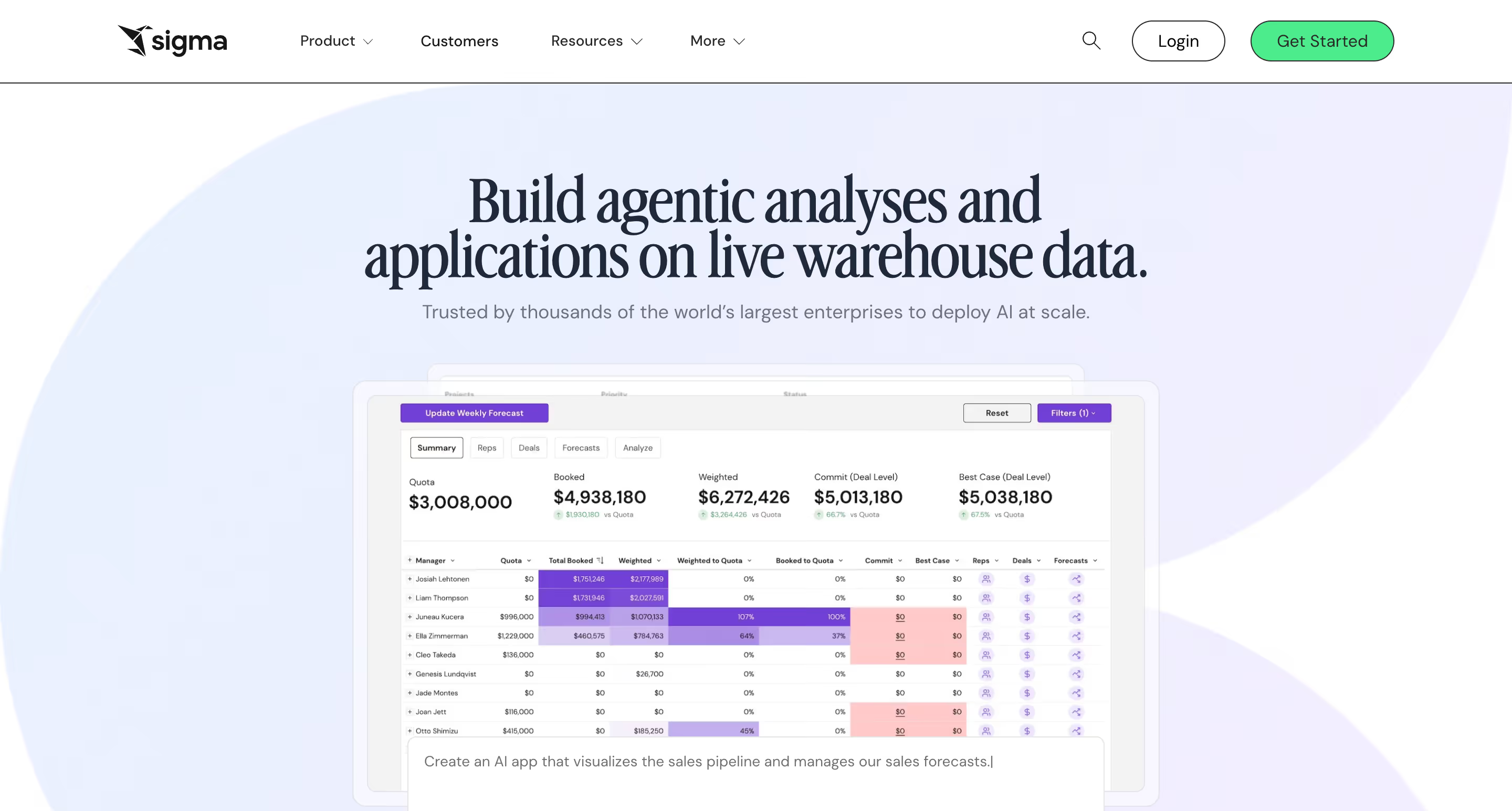
Sigma Computing is a warehouse-native BI platform built around a spreadsheet-first interface. Business analysts explore live cloud warehouse data using Excel-style formulas — no SQL required, no extracts, no data copies — which has made Sigma a common alternative for Looker buyers whose self-service adoption stalled.
Why Sigma?
- Spreadsheet interface on live warehouse data. Sigma's differentiator is the Excel-like UI that auto-generates SQL against Snowflake, BigQuery, Databricks, and Redshift. Analysts who think in spreadsheets explore billion-row datasets without writing code. Companies that adopt Sigma report high BI adoption rates precisely because the interface is already familiar.
- Input tables enable native writeback. Sigma lets users edit data directly inside workbooks via input tables, with changes syncing back to the warehouse. This makes Sigma one of the few BI platforms that supports operational workflows and what-if scenarios without third-party extensions.
- Strong embedded analytics with full white-labeling. Sigma's embedded offering includes full white-label customization, multi-tenant architecture, and usage-based pricing for high-volume deployments — addressing the per-viewer cost problem that makes Looker economically unfeasible for customer-facing scenarios.
Sigma's Edge Over Looker
Sigma wins the buyer Looker never served well: the business analyst who thinks in spreadsheets and refuses to learn a proprietary modeling language. Where Looker's Explore interface feels abstract — views, explores, joins, pivots — Sigma's spreadsheet UI is already familiar to anyone who's opened Excel. Which is most of the business world.
Sigma's warehouse-native architecture also matches Looker on the live-query story without the LookML overhead. And Sigma's recent AI Apps Platform pivot puts it in direct competition with Looker on the "what's next for BI" narrative, with Sigma betting on embedded workflows and AI applications rather than pure governed reporting.
The risk to Looker is the buyer who evaluated Looker, found LookML too technical, and walked away. Sigma captures that buyer, and for spreadsheet-heavy organizations — finance, operations, retail — it's often the natural alternative once Looker's complexity becomes the blocker.
What Users Are Saying
Reviewers consistently cite Sigma's ease of use relative to Looker, Tableau, and Power BI. The most common critique is performance lag on complex workbooks with many elements, and some advanced features feel undocumented. One pattern that shows up repeatedly: reviewers describing switching from Looker specifically because Sigma gave them the flexibility to do ad-hoc calculations without opening a data request.
What users are saying on G2:
"It's honestly the easiest BI tool I've used. Feels like a spreadsheet but it's pulling live data straight from Snowflake no extracts, no stale data. Setting up the connection with Snowflake is dead simple too, works with key pair or OAuth so it's quick and secure. We use it for a bunch of things client project dashboards, migration trackers, internal trackers and it handles all of it without any hassle. Anyone can pick it up quickly, no SQL needed."
Verified User — Consultant
"Gets a bit laggy when workbooks have a lot going on lots of elements, big datasets, that kind of thing. Some of the advanced features aren't super intuitive at first, you kind of have to figure them out on your own. Not a dealbreaker but could be smoother."
Verified User — Analyst
"Wanted more flexibility than we had with Looker at the time... I am obsessed with Sigma, by far my favorite BI tool I've used. It let me do calculations myself that would usually require whole cycles of data requests, and affords me much more flexibility."
Capterra reviewer — Reviewer
Pricing
Essentials tier starts at $300/month base with unlimited users. Pro and Enterprise are custom-priced and scale with user licenses, features, and embedded deployments. Third-party data shows typical annual contracts between $15,000 and $250,000+. The gotcha: live queries push compute costs to your warehouse, so Snowflake or BigQuery bills can spike under heavy use.
Sigma Is Best For
Sigma Computing is best for teams with a pristine cloud data warehouse and business users who live in spreadsheets, particularly finance, operations, and retail analytics teams that need self-service exploration without SQL.
Watch Out For
Sigma requires a cloud data warehouse to function (no on-premises option), live queries can inflate warehouse compute bills under heavy load, and the platform's "AI Apps Platform" positioning has created some ambiguity about whether Sigma is a BI tool, an app builder, or an analytics platform.
7. Hex — Collaborative analytics combining SQL, Python, and dashboards
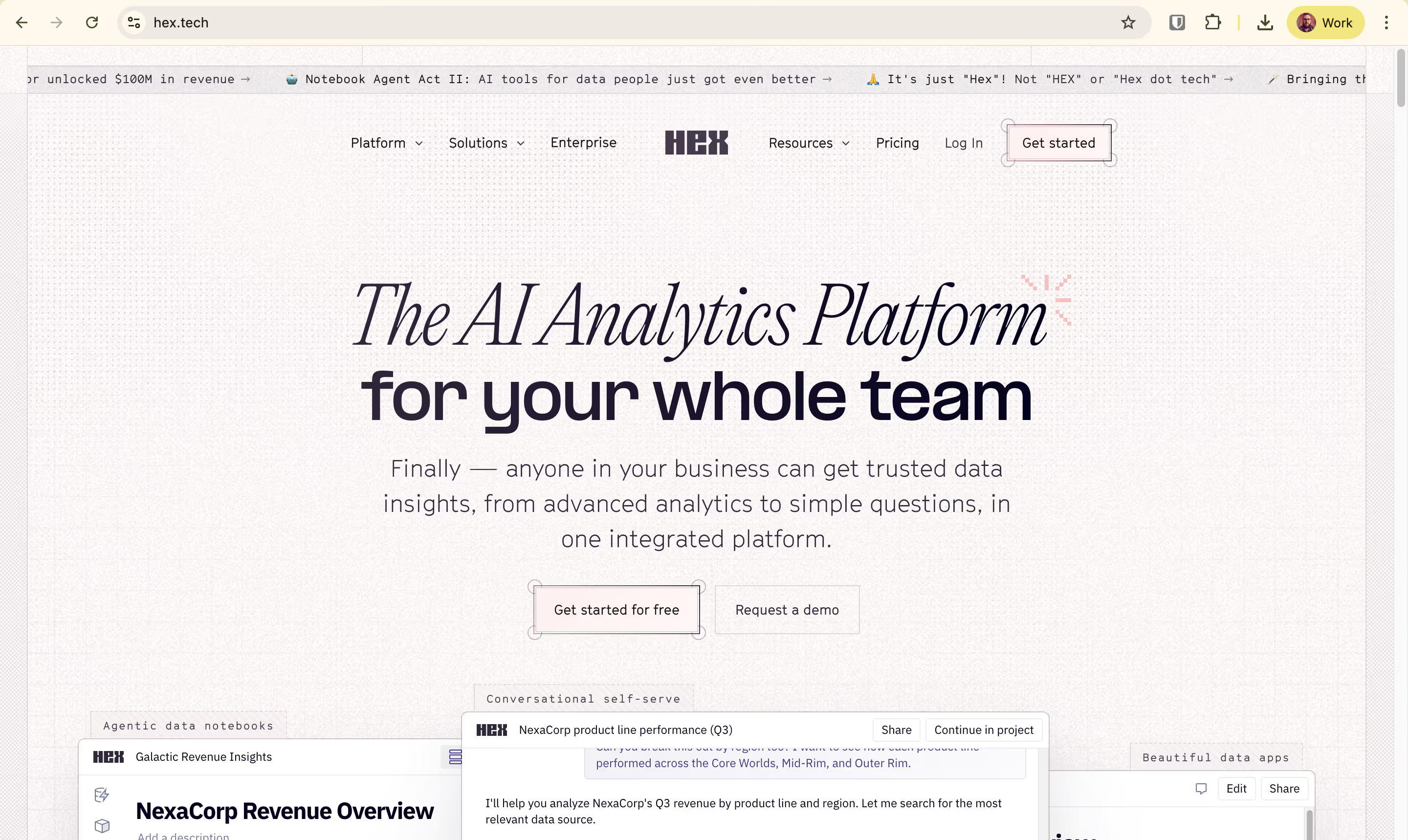
Purpose-built for data teams that outgrew the Jupyter-plus-BI-tool workflow, Hex is a collaborative AI-powered analytics workspace. It combines SQL, Python, R, and no-code tools in a single notebook-style canvas — designed for exploratory analysis, reproducible workflows, and publishable data apps in one tool.
Why Hex?
- Polyglot workflow in a single canvas. Mix SQL, Python, R, and no-code visualizations in a modular cell-based notebook. Pull data with a SQL cell, transform with pandas in a Python cell, visualize with a no-code chart block — all chained with reactive compute that updates downstream cells when upstream variables change. This replaces the Jupyter plus BI tool plus SQL editor workflow entirely.
- Notebook Agent with deeply integrated AI. Hex's AI agent generates SQL, writes Python, builds charts, and runs entire analyses from natural language prompts, grounded in your data connections and backed by top-tier LLMs. Customers like Doximity have transitioned completely off Jupyter notebooks after adopting Hex.
- Data Apps publishing for stakeholders. Hide backend code and publish interactive apps for business users. Non-technical stakeholders interact with dropdowns, filters, and inputs without seeing the SQL or Python. A data scientist's exploratory notebook becomes a self-serve tool for the rest of the company.
Hex's Edge Over Looker
Hex captures the analyst persona Looker never fit. The data scientist or analytics engineer who needs Python alongside SQL, exploratory analysis that becomes a shareable app, and collaborative notebooks that handle both ad-hoc investigation and production reporting.
Where Looker forces every analysis through LookML's modeling layer, Hex lets analysts work in their native tools — SQL, Python, notebooks — while still publishing governed outputs for stakeholders. For the modern data team structure, where analytics engineers use dbt upstream and data scientists explore downstream, Hex fits the workflow better than Looker, which was designed for a different era of centralized BI.
The risk to Looker is generational. Hex is increasingly the first analytics tool for modern data teams, particularly those working with ML models, data science workflows, or product analytics. Teams that might have grown into Looker customers five years ago now standardize on Hex and never evaluate Looker seriously.
What Users Are Saying
Reviewers describe Hex as workflow consolidation — replacing a fragmented toolchain of SQL editor, Python notebook, and BI dashboarding tool with one environment. The AI and polyglot capabilities come up most often as standout features. Honest tradeoffs include performance on large datasets and notebooks, along with occasional lag compared to running Python locally.
What users are saying on G2:
"Hex solves the fragmentation between querying data, analyzing it, and presenting it. Instead of switching between a SQL editor, a Python notebook, and a BI dashboarding tool, everything lives in one place. This significantly reduces repetitive tasks. It improves collaboration between data and non-technical teams by making work transparent and interactive."
Verified User — Data role
"I really like how Hex integrates SQL, Python, and AI, as it helps us work faster and smarter across different workflows. Python is a powerful tool for both analysis and data visualization, making it possible to accomplish almost anything necessary. I appreciate being able to pull, clean, analyze, and display data in an exec-ready format, which speeds up the process to valuable insights."
Verified User — Reviewer
"It can be slower than a local python platform, where we still have to run some larger data analysis models... performance can occasionally lag with very large datasets or complex notebooks, especially when multiple queries are chained together."
Verified User — Reviewer
Pricing
Community is free for individuals and small teams (public projects only). Professional is $36 per editor/month with scheduled runs, alerts, and small-team collaboration. Team is $75 per editor/month with unlimited version history, enhanced security, and a 14-day trial. Enterprise is custom-priced. Medium compute is included on paid plans. The gotcha: per-editor pricing can be a barrier to broad organizational access — Hex is optimized for builders, not large viewer populations.
Hex Is Best For
Hex is best for modern data teams that combine SQL, Python, and exploratory analysis — particularly teams with data scientists, analytics engineers, and analysts who want a single collaborative workspace for ad-hoc investigation, ML workflows, and shareable data apps.
Watch Out For
Hex requires technical users to get the most value, so non-technical stakeholders face a learning curve even with Data Apps, per-editor pricing can limit organizational access, and performance drops on heavy notebooks exceeding roughly 70 cells.
8. Metabase — Budget-conscious teams and developer-led organizations
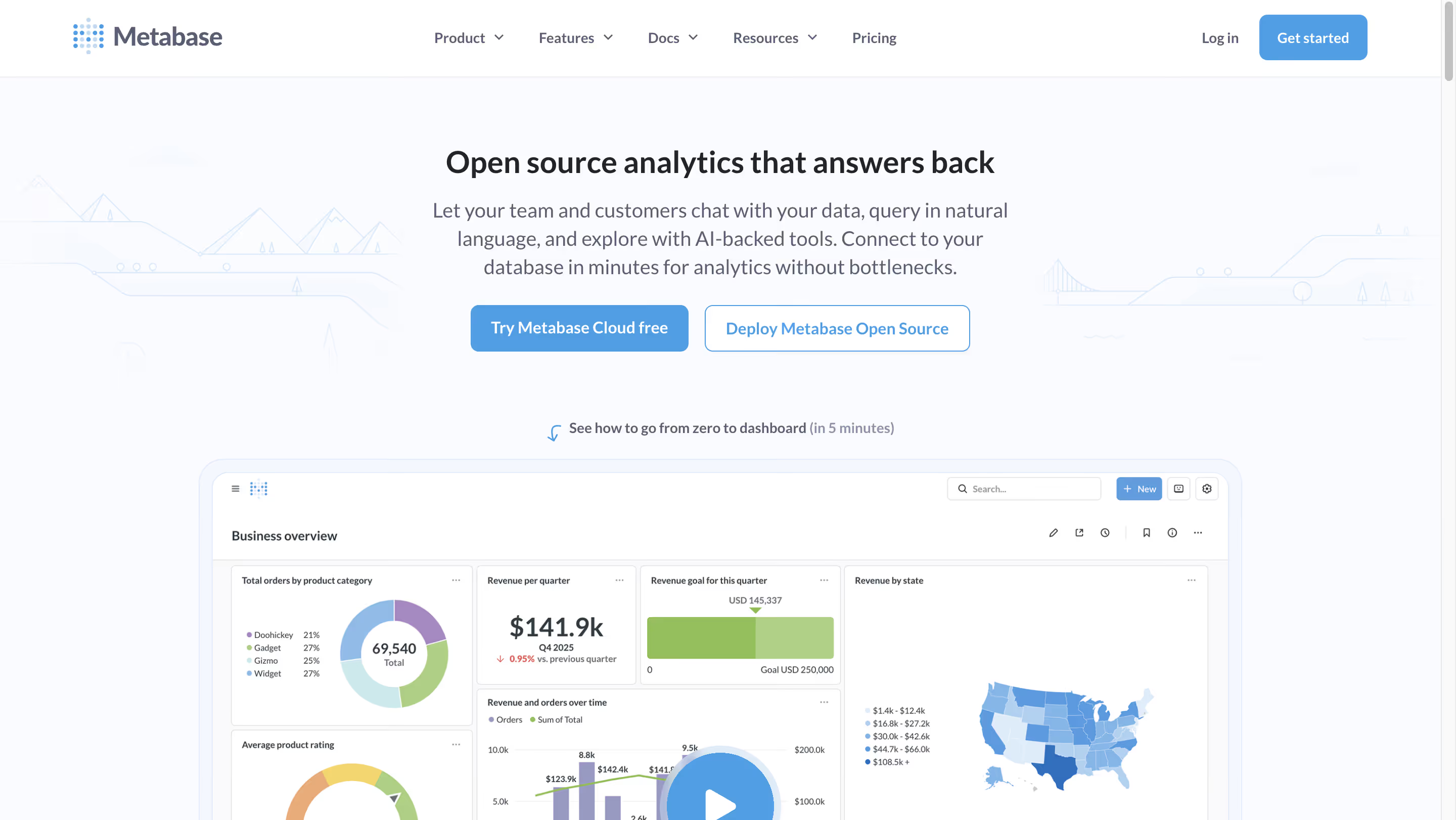
Metabase is the open-source BI platform that prioritizes simplicity and accessibility over enterprise depth. It offers a free self-hosted edition alongside managed cloud tiers — a developer-friendly alternative for teams that want basic BI capability without enterprise licensing costs.
Why Metabase?
- Free open-source edition. Self-host Metabase for free under AGPL v3 license with full core BI functionality and no artificial limits on dashboards, charts, or connections. For startups and engineering-led teams watching every dollar, this is the ultimate cost-effective starting point. The free tier includes the visual query builder, SQL editor, and 60+ database connectors.
- Intuitive visual query builder for non-technical users. Metabase's Question feature lets non-SQL users explore data and build dashboards through a point-and-click interface. Power users can drop into raw SQL anytime. Onboarding is genuinely fast — you can connect Metabase to Postgres and have your first chart in under ten minutes.
- Embedding options for SaaS startups. Static and interactive embedding are available on paid tiers, making Metabase a popular choice for startups shipping customer-facing analytics on a tight budget. Metabot AI (2026, $100/month add-on) adds natural language querying and SQL generation.
Metabase's Edge Over Looker
Metabase and Looker sit at opposite ends of the BI spectrum on every dimension — pricing, complexity, governance, target user. Metabase's advantage over Looker isn't feature parity. It's the conversation Metabase prevents from ever starting. Teams that might grow into Looker customers start with Metabase for $0, find it sufficient for internal BI, and never evaluate Looker seriously.
For developer-led startups and small data teams, Metabase's free tier plus easy self-hosting is a decisive cost advantage. Looker's $35,000+ annual minimum is a non-starter for pre-Series B companies. For basic dashboards, ad-hoc queries, and internal reporting, Metabase delivers most of what a small team needs at a fraction of the cost.
The risk to Looker is at the top of the funnel. Every startup that begins with Metabase and grows to a point where it might have considered Looker now has other options — Omni, Astrato, Hex — that don't require abandoning a working setup. Looker loses the developer evangelism battle, and developer evangelism shapes enterprise BI decisions five years later.
What Users Are Saying
Reviewers love the Question feature and no-code SQL accessibility for non-technical users. The most consistent limitations are around scaling: performance drops on large datasets, fine-grained access controls are missing, and advanced features (calculated fields, row-level security without workarounds) lag enterprise tools.
What users are saying on G2:
"I love the Question feature of Metabase, which allows for the creation of no-code SQL queries that can be easily and intuitively answered even by non-technical users. It's great that you can access joinable fields in Questions without an active join, provided the table documentation is well utilized. This makes it a breeze to create entire dashboards in a short amount of time."
Verified User — Sr. BI Manager
"Working with bigger teams might be difficult due to the absence of fine-grained access constraints. If you don't optimize at the database level, performance may suffer while searching massive datasets. Although the visuals are good, they may seem constrained in comparison to programs like Looker or Tableau."
Verified User — Security/IAM role
"Metabase, while user-friendly, lacks some of the more advanced features found in enterprise BI tools like Tableau or Power BI. For example, it doesn't support very complex calculated fields or row-level security without workarounds. Additionally, performance tends to degrade when dealing with very large datasets or high query volumes. Customizing visuals is also somewhat limited."
Verified User — Reviewer
Pricing
Open Source is free (self-hosted under AGPL v3). Cloud Starter is $100/month plus $6/user with 5 users included. Cloud Pro is $575/month plus $12/user with 10 users included, adding SSO, row-level security, and interactive embedding. Enterprise is custom-priced, approximately $20,000+/year. Metabot AI is a $100/month add-on for 500 requests. The gotcha: the jump from Starter ($100) to Pro ($575) is steep — if you need SSO or row-level security, there's no intermediate tier.
Metabase Is Best For
Metabase is best for small teams, startups, and developer-led organizations that want simple BI without enterprise complexity, particularly engineering teams comfortable with self-hosting and early-stage companies where cost and speed-to-deployment matter more than advanced governance.
Watch Out For
Metabase hits real walls when you need enterprise governance, sophisticated visualizations, or production-grade multi-tenant embedding — the free version requires engineering maintenance time, and the $575/month Pro tier is the minimum for even basic security features like SSO and row-level security.
Key Takeaways: Which Looker Alternative Fits?
Use this as a quick decision map. Your answer depends on which friction point from Looker pushed you here in the first place.
Frequently Asked Questions
What is the best Looker alternative in 2026?
The best Looker alternative depends on your priority. For warehouse-native BI without LookML overhead, Astrato and Omni Analytics lead. For Microsoft-first teams, Power BI. For AI-first analytics, ThoughtSpot. For budget-conscious startups, Metabase. There's no single winner — the right choice maps to your cloud stack, your team's skills, and whether your use case is internal BI or embedded customer-facing analytics.
Is Looker worth the price?
Looker is worth the price for Series B+ SaaS companies already on Google Cloud with dedicated analytics engineering resources that need governed embedded analytics and strict metric consistency. For mid-market teams, smaller organizations, or anyone outside the Google Cloud ecosystem, the $35,000–$60,000 annual minimum and LookML maintenance overhead typically exceed the value delivered.
Why are companies moving away from Looker?
The most common reasons teams migrate from Looker are LookML maintenance overhead requiring dedicated analytics engineers, the ~$400/year per viewer cost that makes embedded analytics economically unfeasible, Google Cloud lock-in and BigQuery-first optimization, stalled self-service adoption because Explore feels too technical for business users, and product identity drift across Looker, Looker Studio, and Looker Reports.
What's the best Looker alternative for embedded analytics?
For embedded analytics specifically, Astrato is the strongest alternative to Looker. Its usage-based pricing avoids the per-viewer cost problem, full white-labeling is included without a premium upsell, multi-tenant security is built in from day one, and native writeback enables operational workflows Looker cannot support. Sigma Computing and ThoughtSpot are also strong options, depending on whether spreadsheet UX or AI search is your priority.
Is Omni Analytics really built by former Looker employees?
Yes. Omni Analytics was founded by former Looker engineers specifically to build "the BI tool Looker should have become" — addressing the LookML learning curve, the one-directional dbt sync, and the rigidity of Looker's Explore interface. Omni raised $69M Series B in March 2025 with investment from both Snowflake Ventures and Databricks Ventures.
Can I migrate from Looker to another BI tool without rebuilding everything?
Migration complexity depends primarily on the size of your LookML model and dashboard count. Teams moving to warehouse-native alternatives like Astrato, Omni, or Sigma typically see first production dashboards within weeks, though recreating a complex LookML semantic layer in a new tool can take months. Omni's bidirectional dbt sync and Astrato's code-free semantic layer make migration faster than LookML-to-LookML-clone migrations.
How does Gemini in Looker compare to other AI BI features?
Gemini in Looker offers Conversational Analytics, LookML Assistant, Formula Assistant, and Visualization Assistant — all grounded in Looker's semantic model. However, ThoughtSpot's Spotter 3 is more mature in production, Omni's AI (Claude + OpenAI) is grounded in a simpler semantic layer, Astrato supports bring-your-own-LLM including Snowflake Cortex, and Microsoft's Copilot is bundled into Fabric capacity. Gemini is competitive but no longer the leader on the AI-BI dimension.
Is Looker Studio the same as Looker?
No. Looker Studio (formerly Google Data Studio) is a separate, simpler self-service reporting tool that was renamed and folded into Google's BI portfolio in 2022. Looker is the enterprise BI platform with LookML semantic modeling. Google introduced "Looker Reports" in 2025 as a unification layer bringing Looker Studio's drag-and-drop UI into the core Looker platform, which has created confusion about which product does what.
Ready to See What Focused, Warehouse-Native BI Looks Like?
Picking a Looker alternative isn't about the cheapest option or the longest feature list. It's about fit — fit with how your team actually works, fit with where your architecture is heading, and fit with the specific pain that pushed you to evaluate alternatives in the first place. The eight tools above each win different buyers. None wins every buyer.
If what pushed you here was LookML overhead, embedded analytics pricing that doesn't scale, or Google Cloud gravity you don't want deepening, Astrato is the most direct answer. Warehouse-native live querying across Snowflake, BigQuery, Databricks, ClickHouse, Redshift, and PostgreSQL. A no-code semantic layer that business users can actually use. Native writeback that turns dashboards into operational data apps. Usage-based pricing that makes customer-facing analytics viable at scale. And AI features — native LLM integration with Snowflake Cortex, Gemini, and OpenAI — that ship in production today, not in preview.
See Astrato run on your actual warehouse, with your actual data. Book a demo with the Astrato team and see how warehouse-native BI works when it's built for your stack, not a cloud vendor's roadmap.
Ready to experience next-gen analytics?
See how Astrato runs natively in your warehouse.