9 Best QlikView Competitors and Alternatives for 2026
Looking for QlikView competitors in 2026? Compare the 9 best QlikView alternatives including Astrato, Qlik Sense, Power BI, and Tableau for modern BI.

QlikView was, for a long time, a genuinely great product. Released in 1993, its associative engine was ahead of its time: click any data point, and every other value in the model instantly reshaped around it — no predefined drill paths, no pre-aggregated cubes, just fluid exploration across multi-source data. A generation of enterprise BI was built on this model, and a generation of QlikView developers built careers on its scripting, QVDs, and set analysis.
But sometime in the last five years, QlikView quietly stopped being a product Qlik sells and started being a product Qlik manages. Qlik discontinued stand-alone QlikView perpetual licenses in 2021 — existing customers can add CALs to existing sites, but new customers cannot buy the product. Qlik's own product description classifies QlikView as "an Add On to Qlik Sense Enterprise SaaS or Qlik Sense Enterprise Client-Managed." Gartner Peer Insights labels it "QlikView (Legacy)." Qlik ships a formal Analytics Migration Tool specifically to move QlikView apps into Qlik Sense. Publicly, Qlik maintains it has "no plans to end-of-life QlikView." The underlying signals say something else.
For the teams still running QlikView in 2026, the question isn't whether to move — it's where. Qlik's obvious answer is Qlik Sense. But Qlik Sense is one of eight credible QlikView alternatives, and for organizations modernizing onto cloud data warehouses, Microsoft ecosystems, or AI-first business intelligence tools, it isn't always the best one.
This is a guide for enterprise IT teams, finance and operations leads, and data architects evaluating QlikView competitors and alternatives in a 2026–2028 migration window — and deciding whether the right path forward is deeper Qlik investment, a different business intelligence platform entirely, or a full shift to a warehouse-native model with live data exploration, native data visualization, and modern drag and drop authoring built for business users rather than specialist developers.
Why Teams Look for QlikView Alternatives
The ordering of the tool reviews below follows a principle: Astrato first (because warehouse-native architecture most directly addresses the structural gaps QlikView leaves behind), then Qlik's own successor and the mainstream enterprise options, then the specialist and budget tools. Read the sections that match your data stack and ecosystem — not every tool on this list is a serious candidate for every QlikView buyer.
1. Astrato — Best for QlikView teams modernizing onto a cloud data warehouse
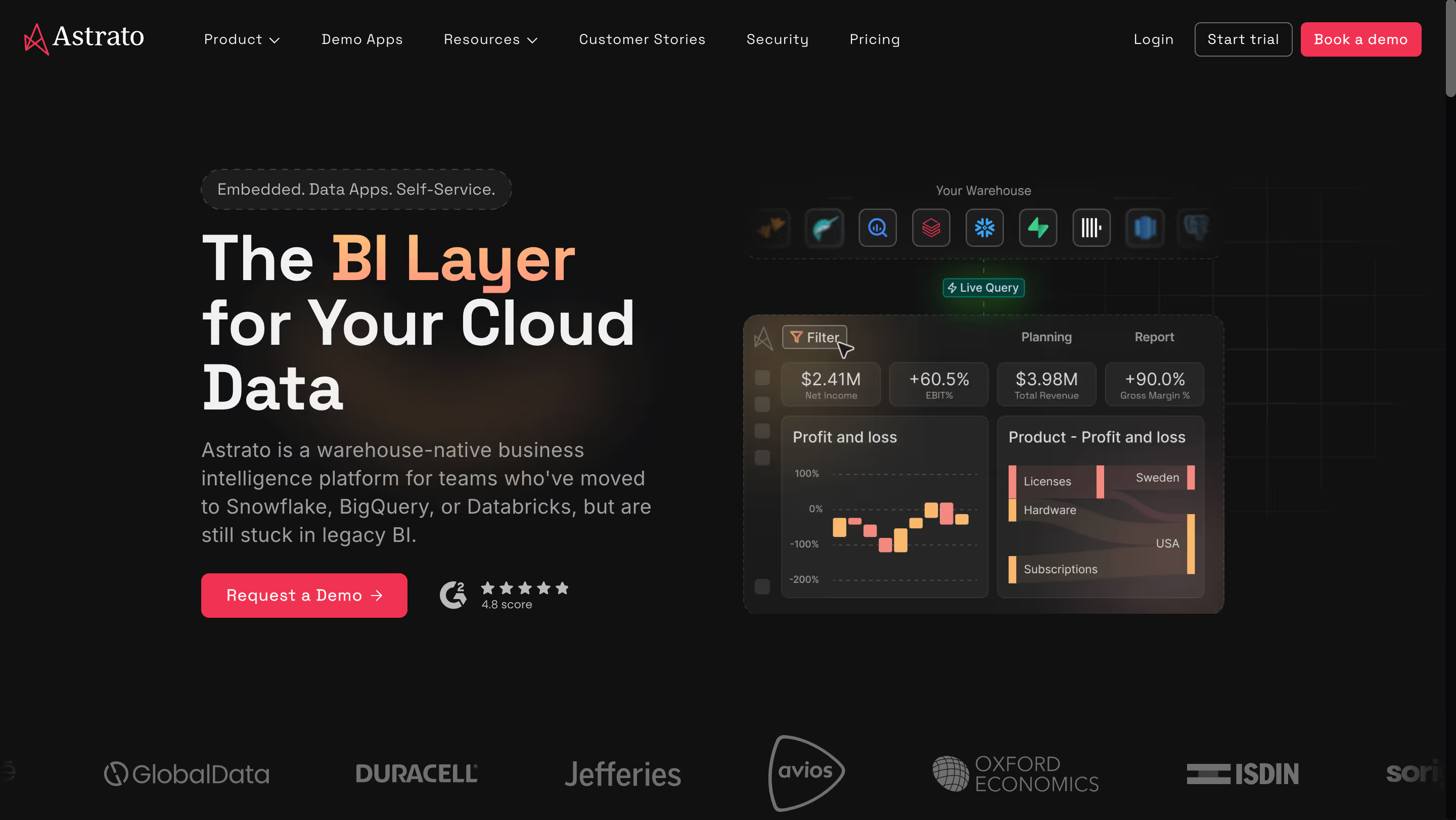
Astrato is a warehouse-native business intelligence platform that queries your cloud data warehouse directly. There are no extracts, no QVD files to maintain, no on-premises servers to patch. It is purpose-built for teams running on Snowflake, BigQuery, Databricks, ClickHouse, Redshift, or PostgreSQL who are migrating off legacy BI tools and want to modernize their analytics architecture at the same time. The platform enables users to analyze data from multiple sources in real time — blending warehouse tables, streaming feeds, and governed semantic models into a single live view. For QlikView customers whose migration is partly a cloud modernization project, and whose dashboards now need to handle complex data from multiple sources, Astrato's architecture aligns with where the broader data stack is actually heading.
Why Astrato?
- Warehouse-native live query — no QVDs, no extracts, no data copies. Every Astrato dashboard executes live against your warehouse, giving you real time insights and real time data exploration without the QVD reload cycle. Where QlikView's associative engine requires loading data into proprietary QVD files and provisioning RAM for in-memory execution, Astrato keeps your warehouse as the source of truth and pushes queries there. No QVD maintenance, no reload scheduling, no memory ceiling to plan around — and real time data integration happens at the warehouse layer rather than through brittle scheduled extracts.
- Browser-based, no on-premises server to maintain. QlikView requires Windows Server infrastructure, QVS and Publisher installations, and dedicated on-premises IT resources. Astrato is fully cloud-native and browser-based — no server procurement, no patching cycles, no hardware scaling as data grows. For organizations migrating off QlikView's Windows-on-prem footprint, this removes an entire category of infrastructure cost.
- Modern semantic layer without proprietary scripting. QlikView's load scripts are a specialist skill, and the developer pool is shrinking. Astrato's semantic layer is defined once as a set of reusable data models in a modern interface — no proprietary scripting language required, and business logic lives in one place rather than scattered across hundreds of QVD files. It addresses the talent-scarcity problem that keeps QlikView customers locked in, and makes advanced data modeling approachable for business users rather than only technical users.
- Embedded analytics with usage-based pricing. QlikView's embedded story was expensive at scale. Astrato's usage-based pricing is purpose-built for customer-facing analytics serving thousands of end users — full white-labeling included, no premium upsell for logo removal, multi-tenant security built in from day one. The intuitive interface means non technical users can build and interact with dashboards without engineering support, and dynamic dashboards update live as the underlying warehouse data changes.
- Native writeback for operational workflows. QlikView is read-only by design. Astrato turns dashboards into operational applications: users update forecasts, approve budgets, or enter data corrections directly in the interface, with changes syncing back to the warehouse under full governance. For teams whose QlikView dashboards currently kick off workflows through CSV exports and manual processes, native writeback collapses that operational overhead.
- AI-powered insights grounded in the semantic layer. QlikView's AI story in 2026 is essentially non-existent — Qlik's modern AI investment (Qlik Answers, Insight Advisor) is going into Qlik Sense, not QlikView. Astrato connects to Snowflake Cortex, Google Gemini, OpenAI, or bring-your-own LLM, with AI driven insights that run against your governed semantic layer rather than raw data. This produces meaningful insights and actionable insights grounded in real business context — not generic outputs from an artificial intelligence assistant disconnected from your data model. For buyers whose migration is partly driven by "we need AI our current tool can't deliver," Astrato is a direct answer.
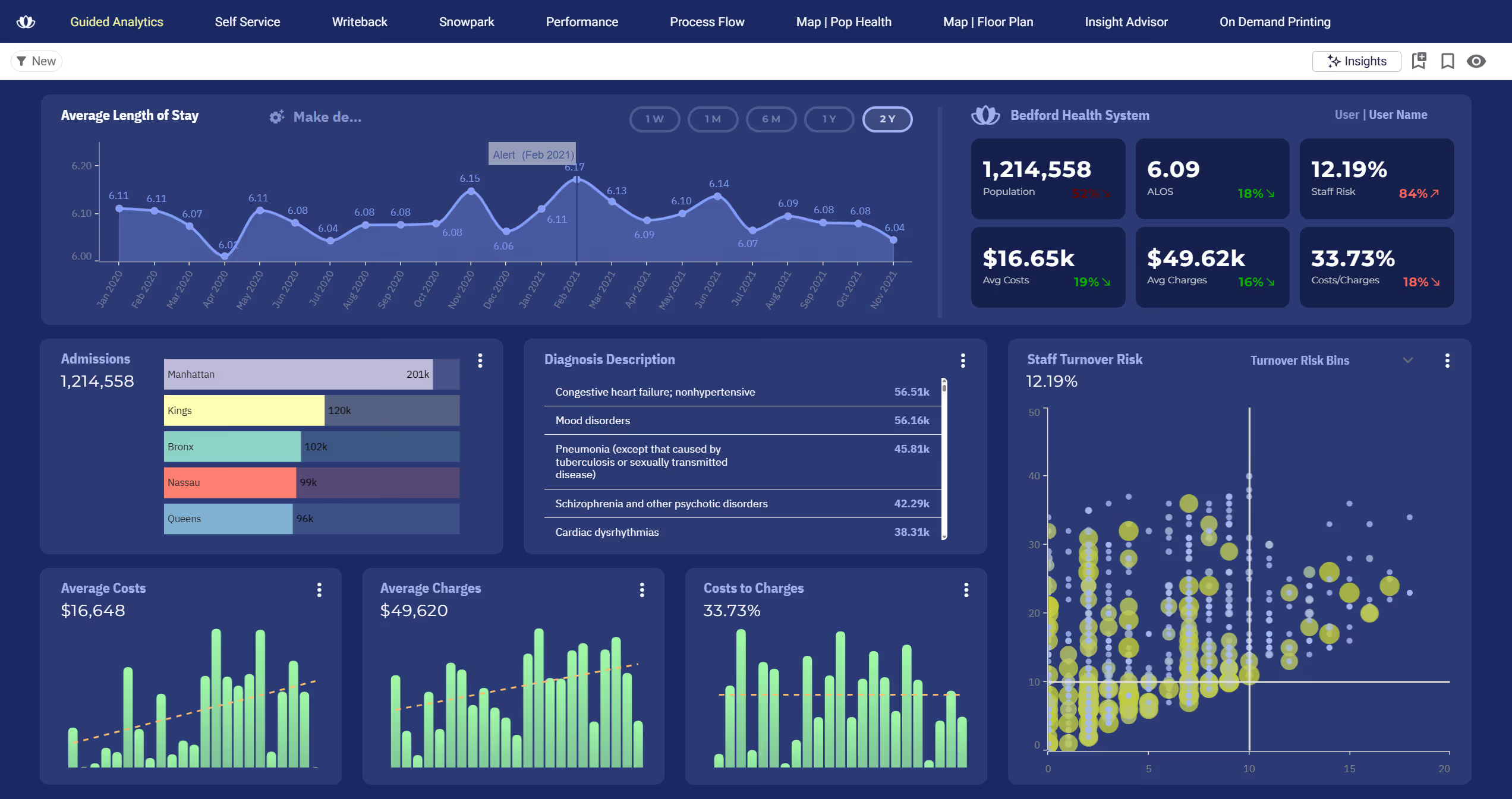
Astrato's Edge Over QlikView
Astrato attacks four specific gaps that QlikView's sunset trajectory has opened. The architectural contrast is clearest when you lay the two products side by side: QlikView assumes the data lives inside the BI tool, while Astrato assumes the data lives in the warehouse. Every downstream difference follows from that split.
For QlikView teams, the four edges matter unevenly depending on which pain point triggered the migration review. Teams whose load scripts have become unmaintainable care most about the architecture edge. Teams whose executive sponsor asked "why don't our dashboards do what ChatGPT does" care most about the AI edge. The edges map to specific internal conversations, not generic feature comparisons.
- Modern warehouse architecture vs. in-memory QVD files. QlikView's associative engine was a 1993 innovation built for a world where warehouses were slow and expensive. For organizations that have invested in Snowflake, BigQuery, or Databricks as their system of record, Astrato queries those warehouses directly — no QVD maintenance, no memory ceiling, no parallel data universe to manage.
- Cloud-native vs. Windows-on-prem infrastructure. QlikView requires Windows Server, QVS/Publisher, and on-premises hardware planning. Astrato runs in the browser on any OS, removing the entire infrastructure footprint QlikView customers are currently paying to maintain.
- Live operational workflows vs. read-only dashboards. QlikView dashboards are read-only by design — any workflow action requires export, email, or a custom extension. Astrato's native writeback turns dashboards into data apps and workflows where users enter forecasts, approve budgets, and sync changes back to the warehouse.
- Active AI investment vs. frozen AI story. Qlik's AI investment in 2025–2026 is going into Qlik Sense and Qlik Answers, not QlikView. Astrato's native LLM integration is a direct answer — and doesn't require stacking a Qlik Sense license on top of an existing QlikView deployment to unlock.
What Users Are Saying
Organizations migrating off legacy BI platforms — including QlikView, Qlik Sense, Tableau, and Power BI — consistently highlight Astrato's warehouse-native architecture, speed of dashboard development, and live-query performance against cloud warehouses. Customers report 50–75% cost savings compared to legacy BI tools and 25–50% faster dashboard development. QlikView customers in particular cite the transition away from QVD maintenance and Windows Server infrastructure as structurally different from a Qlik Sense migration.
What users are saying on G2:
"Astrato also goes beyond reporting by supporting interactive and embedded analytics, making it well suited for both internal teams and customer-facing applications. Overall, it's an incredibly strong choice for organizations looking for fast, reliable, and actionable analytics at scale."
Giuseppe L. — Enterprise Customer Success Manager
"The ability to write back to Snowflake and Databricks, and to change the semantic layer on the fly. Additionally, built in version control for dashboards saves so much time and work and allows us to quickly rollback to previous versions as needed."
Christopher A. — Founder
"Very flexible tool with a lot of potential to create new tools beyond simple dashboards. Application customization opens the possibility of building different types of data application allowing a new type of interactive analytics. Semantic layers are always useful and powerful in most cases. The team behind it is always available to help and improve the product as well as being very capable."
Jose V. — Data Analytics Manager
Pricing
Astrato's pricing is usage-based and tied directly to warehouse compute consumption. One license type — no distinction between viewers, creators, and developers, and no feature gating across tiers. For organizations moving off QlikView's CAL model, where Named User CALs, Document CALs, Session CALs, and Usage CALs each have different licensing behaviors, this simplification is a structural improvement. Warehouse compute costs (Snowflake, BigQuery, and similar) are separate — you pay the warehouse for the queries Astrato runs.
Astrato Is Best For
Astrato is best for QlikView teams migrating to a cloud data warehouse and looking to modernize their analytics architecture at the same time — particularly organizations exiting Windows-on-prem infrastructure, teams needing embedded customer-facing analytics, groups requiring native writeback for operational workflows, and companies seeking AI-powered analytics that QlikView's frozen roadmap cannot deliver.
Watch Out For
Astrato is purpose-built for cloud data warehouses — if you require on-premises deployment for regulatory reasons (a genuine QlikView use case) or if your primary data sources are not Snowflake, BigQuery, Databricks, ClickHouse, Redshift, or PostgreSQL, it will not be the right fit.
For a more comprehensive side-by-side comparison, here's our Astrato vs. QlikView review.
2. Qlik Sense — Best for QlikView teams staying in the Qlik ecosystem
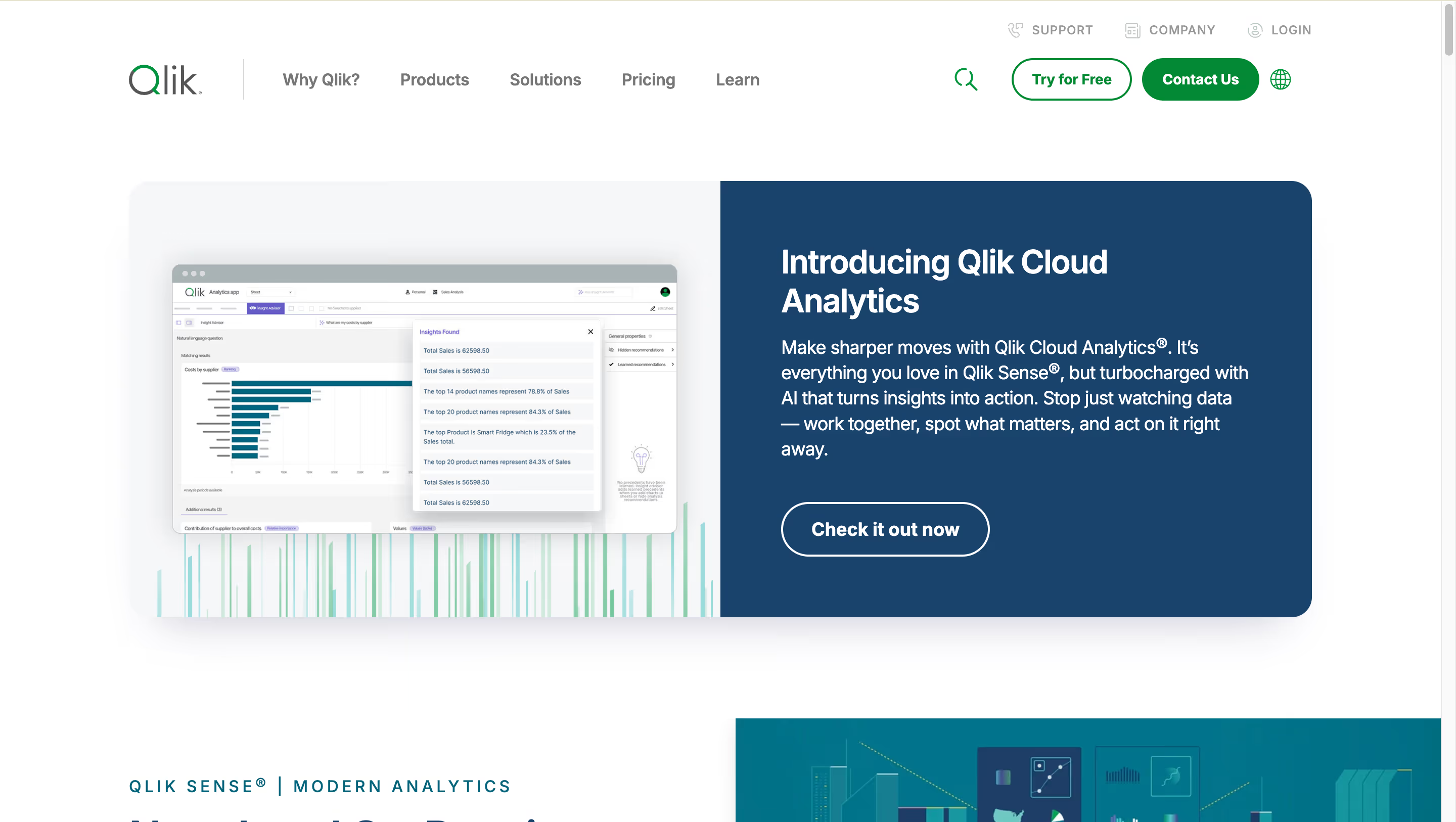
The natural starting point for any QlikView migration conversation is Qlik Sense — the modern successor built by the same vendor, on the same associative engine, with cloud SaaS deployment, AI powered features, and a vendor-supported migration path via the Qlik Analytics Migration Tool. Qlik markets the platform on broad data management and integration capabilities that carry QlikView's associative strengths into the cloud era. It is the default destination, which is not the same as being the automatic right choice. For organizations where advanced analytics sits at the center of the migration brief, Qlik Sense covers the category — but so do several alternatives on this list.
Why Qlik Sense?
- Same associative engine, modernized architecture. Qlik Sense inherits QlikView's differentiating associative engine — the ability to click any data point and instantly see related and unrelated values across the full data model. For customers whose primary value came from associative exploration, this is genuinely continuous capability rather than a compromise.
- Formal migration path from QlikView. Qlik provides the Qlik Analytics Migration Tool specifically for moving QlikView apps into Qlik Sense. No migration is automatic — load scripts, QVDs, and custom extensions all need review — but vendor-supported tooling is a material advantage over "rebuild from scratch" migrations to other platforms.
- Active AI investment. Qlik Sense has Insight Advisor for conversational analytics, Qlik Answers for AI over structured and unstructured data (post-Kyndi acquisition), and Qlik Automate for no-code workflow automation. Qlik's 2024–2026 AI investment is going entirely into Qlik Sense. Staying in the ecosystem means access to the AI capabilities QlikView does not receive.
Qlik Sense's Edge Over QlikView
Qlik Sense's edge over QlikView is simple: it is the same fundamental architecture, but it is the product Qlik is actually building. Every signal points to Qlik Sense as Qlik's future — active AI investment, cloud SaaS deployment, vendor migration tooling, and a Gartner Magic Quadrant "Leader" position that QlikView (Legacy) no longer carries.
For QlikView customers, Qlik Sense is the path of least migration resistance. QVD files port over with some conversion. Load scripts are largely compatible. Associative semantics are preserved. Expressions and set analysis work similarly. The learning curve from QlikView to Qlik Sense is shallower than QlikView to any other platform on this list.
The risk against Qlik Sense is not capability — it is whether staying in the Qlik ecosystem fits the organization's broader data strategy. For teams modernizing onto Snowflake, BigQuery, or Databricks, Qlik Sense is a legitimate option but not a warehouse-native one. For Microsoft-first shops, Power BI's economics are hard to ignore. For AI-first mandates, ThoughtSpot's Spotter 3 is more production-mature than Qlik Answers. Qlik Sense wins the "keep it simple, stay with what we know" buyer — which is a real and substantial portion of QlikView's installed base, but far from everyone.
What Users Are Saying
Reviewers consistently praise the associative engine and set analysis for handling large datasets, while flagging two recurring issues: performance dips during scheduled reload windows, and a steep initial learning curve for new users without strong design guidance. The pattern suggests Qlik Sense rewards organizations with existing Qlik expertise and penalizes those starting fresh.
What users are saying on G2:
"There are several features in Qlik Sense which makes it stand out among BI tools specially while handling large dataset such as its associative model, wide variety of functions to transform data and set analysis to handle the data which is going to be displayed in UI."
Anubhav K. — Technology Analyst
"Sometimes there are loading issues, especially when business intelligence is running updates. It can be an issue, usually on Mondays, from morning into late afternoon, when all my data is pulling in at once. I feel like at times additional resources could be allocated."
Terrance M. — Human Resources Manager
"Initial steep learning curve to get up to speed. More design guidance to ensure best data modelling practices are being adhered to would be very helpful — I found it a bit live and learn based initially until I found some good guidance notes on their online community."
Paul N. — Data Analyst
Pricing
Qlik Sense Business: $30/user/month, billed annually. Qlik Sense Enterprise SaaS: $70/user/month (Professional) or $41.25/user/month (Analyzer), with custom quotes for large deployments. Enterprise Client-Managed (on-premises) is custom. Capacity-based licensing on Qlik Cloud starts at roughly $2,500–$5,000/month for teams with large viewer populations. The gotcha worth naming: QlikView CAL migration to Qlik Sense licensing typically requires a new contract and often a price increase — migrating customers frequently report overall Qlik spend going up, not down.
Qlik Sense Is Best For
Qlik Sense is best for QlikView teams whose primary value came from the associative engine and who want the shortest-possible migration path with vendor-supported tooling — particularly organizations where staying in the Qlik ecosystem is strategically aligned and the cost fit with Qlik's pricing model works.
Watch Out For
Qlik Sense inherits many of QlikView's limitations including complex scripting, RAM-intensive in-memory architecture, and a steep learning curve for new users — the migration from QlikView is supported but not automatic, and licensing costs typically increase rather than decrease in the CAL-to-subscription transition.
3. Microsoft Power BI — Best for Microsoft-first teams with existing Azure and 365 investments
Microsoft's BI platform sits inside the Microsoft ecosystem — tightly integrated with Azure, Excel, Teams, and Microsoft 365 — and offers dramatically lower per-user pricing than Qlik Sense. Microsoft Power BI Pro starts at $14/user/month, though real costs escalate through Fabric capacity requirements once you want Copilot AI and premium features. For enterprise QlikView shops where the broader stack runs on Microsoft tools, the procurement math often decides the migration before capability comparisons begin.
Why Power BI?
- Deep Microsoft ecosystem integration. If your team already runs on Excel, Teams, SharePoint, and Azure, Power BI plugs into existing systems with minimal friction. For QlikView shops where "we're also a Microsoft shop" is the underlying reality (a common pattern given QlikView's enterprise IT customer profile), Power BI Pro is often effectively bundled in Microsoft 365 E5 licensing — and its tight integration with Microsoft 365 gives business users self service analytics capabilities alongside the data sharing workflows they already use in Teams and SharePoint. Power BI's strong integration capabilities across the Microsoft stack are, for Microsoft-first organizations, the single most compelling argument against staying with Qlik.
- Cost advantage vs. Qlik Sense. Power BI Pro at $14/user/month is meaningfully less expensive than Qlik Sense Business at $30/user or Enterprise SaaS at $70/user. For enterprise QlikView deployments with hundreds or thousands of users, the licensing delta at scale can exceed $100,000 annually — often enough to fund the migration project itself.
- Copilot AI integration. Microsoft's AI assistant generates DAX measures, builds report pages, and produces narrative summaries from plain English prompts. Copilot is included within Fabric F64+ capacity or Premium Per User licensing — and for Microsoft-first organizations willing to invest in Fabric, it competes fairly with Qlik Answers.
Power BI's Edge Over QlikView
Power BI's edge over QlikView is cost economics and ecosystem gravity. Where Qlik Sense offers the shortest migration path in capability terms, Power BI offers the shortest migration path in procurement terms — because many QlikView customers already have Power BI available through their Microsoft licensing, making "why are we paying Qlik when Power BI is already included?" a hard question for procurement teams to wave away.
The Microsoft community and talent market is also structurally larger than Qlik's. DAX developers are more available than QlikView scripters at comparable cost. Microsoft AppSource has more third-party visuals and extensions. The broader learning ecosystem — LinkedIn Learning, Pluralsight, Coursera — has far more Power BI content than QlikView content. For enterprise IT teams planning migrations with limited specialist hiring budgets, this matters.
The risk against Power BI is ecosystem lock-in of a different flavor. For non-Microsoft organizations, Power BI Desktop's Windows-only authoring, Azure AD authentication assumptions, and Fabric capacity requirements for AI create the same kind of walled-garden dynamic that QlikView customers are currently trying to escape. For Mac-first orgs or those on AWS/GCP, it swaps one cage for another.
What Users Are Saying
Reviewers consistently praise Power BI's integration with Microsoft tools and real-time dashboard capabilities, especially through Power Automate and SharePoint lists. The critical feedback clusters around two points: licensing costs escalate when everyone on the team needs edit access, and DAX has a real learning curve that surprises users expecting Excel-level ease.
"I like power BI because I use Power Automate to link MS List so it can show real time dashboards. What's critical for me is the ease of integration. Sometimes it's slow to load. Also, everyone should have license to view and edit, it's quite expensive."
"For people who are just starting to use this tool for business reporting or who have little experience in data analysis, there may be a very slow learning curve associated with mastering Power BI. At first I found it a little difficult to handle."
Aneurys Nicanor A. — Project Manager
"There is nothing that I dislike, but managing user permissions can be complex and then unintentionally denies access to embedded reports for authorized team members."
Ramy S. — Analytics Team Manager
Pricing
Power BI Pro: $14/user/month (raised from $10 in April 2025). Premium Per User: $24/user/month (raised from $20). Microsoft Fabric capacity starts at F2 (~$263/month) and scales to F64+ (~$5,258/month), which is required for full Copilot functionality. The gotcha: both creators and viewers need paid licenses unless you invest in Premium capacity, and DAX has a learning curve comparable to QlikView scripting.
Power BI Is Best For
Microsoft Power BI is best for Microsoft-first QlikView shops where the organization already has Microsoft 365 E5 licensing (bundling Power BI Pro), and where migrating off Qlik's ecosystem in favor of Microsoft's is strategically aligned with the broader IT direction.
Watch Out For
Power BI's import-mode default duplicates warehouse data into a separate engine, Copilot requires expensive Fabric F64+ capacity for full functionality, Power BI Desktop remains Windows-only (a limitation comparable to QlikView's Windows dependency), and DAX has a learning curve nearly as steep as QlikView scripting.
4. Tableau — Best for visualization-heavy teams prioritizing dashboard polish
Now owned by Salesforce and positioned as "the world's first agentic analytics platform" via Tableau Next, Tableau is built on Salesforce Hyperforce with Agentforce AI integration, and offers cross-platform authoring (including Mac) that neither QlikView nor Power BI can match. Its position in the market has always been visualization depth, and that has not changed with the Salesforce acquisition.
Why Tableau?
- Industry-leading visualization quality. Tableau remains the benchmark for visual polish — custom chart types, design flexibility, and customization capabilities that other BI tools still struggle to match. For QlikView customers whose dashboards have gradually become "technically functional but visually dated," Tableau's output quality is a genuine modernization, not a marginal improvement.
- Cross-platform authoring, including Mac. Tableau Desktop runs natively on both Windows and macOS — a structural advantage over QlikView's Windows-only model. Tableau Prep also handles data cleaning and data blending from multiple sources without forcing analysts into a separate ETL tool. For organizations that have gradually diversified their endpoint environments since the QlikView era (including creative teams, Mac-first analysts, data science groups, or Linux developers), Tableau removes a structural constraint.
- Massive community and DataFam ecosystem. Tableau Public hosts thousands of community-shared dashboards, the DataFam is the largest active BI community globally, and the extensive online resources around Tableau training dwarf what's available for QlikView. For organizations hiring BI talent post-migration, Tableau expertise is dramatically more available than QlikView expertise — a talent-market advantage that reduces long-term maintenance risk.
Tableau's Edge Over QlikView
Tableau's edge over QlikView is visualization depth and platform flexibility — two areas where QlikView's 1993-era architecture shows its age most visibly. QlikView's native charts are functional but templated in a way that feels dated in 2026; Tableau produces genuinely modern, polished, customizable visualizations. For QlikView customers where dashboard quality directly influences executive adoption, this is decisive.
The cross-platform authoring story also addresses a specific QlikView structural limitation. QlikView Desktop and Server are Windows-only. Tableau Desktop runs on macOS. For organizations modernizing the entire tooling stack — not just the BI layer — this matters more than a feature-comparison chart would suggest.
Tableau's community and talent market is also structurally larger than QlikView's and growing, while QlikView's talent pool is shrinking. For organizations planning a 10-year migration horizon, hiring future BI engineers who know Tableau is easier and cheaper than hiring QlikView engineers. The risk to QlikView: Tableau is the tool talent expects to use, and that expectation compounds over time.
What Users Are Saying
Reviewers praise Tableau's drag-and-drop interface and the quality of interactive dashboards, with common callouts around fast stakeholder comprehension and professional chart output. The recurring tradeoff: advanced table calculations get tricky, and pricing is a real obstacle for small teams.
"I like Tableau's drag-and-drop feature, which is very convenient for creating visualizations. It helps me directly create visualizations by allowing me to just pull and place charts."
Sivakumar N. — Reviewer
"One thing that could be improved is the learning curve for advanced features. While basic charts are easy to make, trying to learn complex calculations or Level of Detail (LOD) expressions can be really overwhelming. It feels like there is a huge jump in difficulty between 'beginner' and 'intermediate' tasks."
Saurabh S. — Reviewer
"Tableau was fantastic pre Salesforce takeover. The community was thriving and the product was accelerating at a rate you would expect. However despite a promise during the takeover that Tableau would remain untouched the inevitable happened and it became diversified, lost its identity and ultimately lost its user base / community."
Gartner Peer Insights reviewer — Verified Reviewer
Pricing
Creator: $75/user/month, billed annually. Explorer: $42/user/month. Viewer: $15/user/month. Enterprise Creator up to $115/user/month. Tableau+ (which includes Tableau Next and Agentforce Tableau capabilities) is licensed separately. Tableau Cloud adds hosting; Tableau Server requires separate server licensing. The gotcha: per-user pricing is comparable to Qlik Sense Enterprise SaaS, not a cost-saving over QlikView maintenance.
Tableau Is Best For
Tableau is best for QlikView organizations with trained analyst teams prioritizing visualization depth and cross-platform authoring — particularly creative industries, consulting firms, and companies where dashboard aesthetics directly influence stakeholder adoption of the migrated platform.
Watch Out For
Tableau's per-user pricing runs well above Power BI's and is comparable to Qlik Sense Enterprise SaaS, 60–80% of analyst time still gets spent on data prep outside Tableau, and the post-Salesforce Tableau Next pivot is aligning the roadmap with Salesforce ecosystems in ways that may not serve non-Salesforce organizations.
5. Sigma Computing — Best for spreadsheet-native analysts on cloud data warehouses
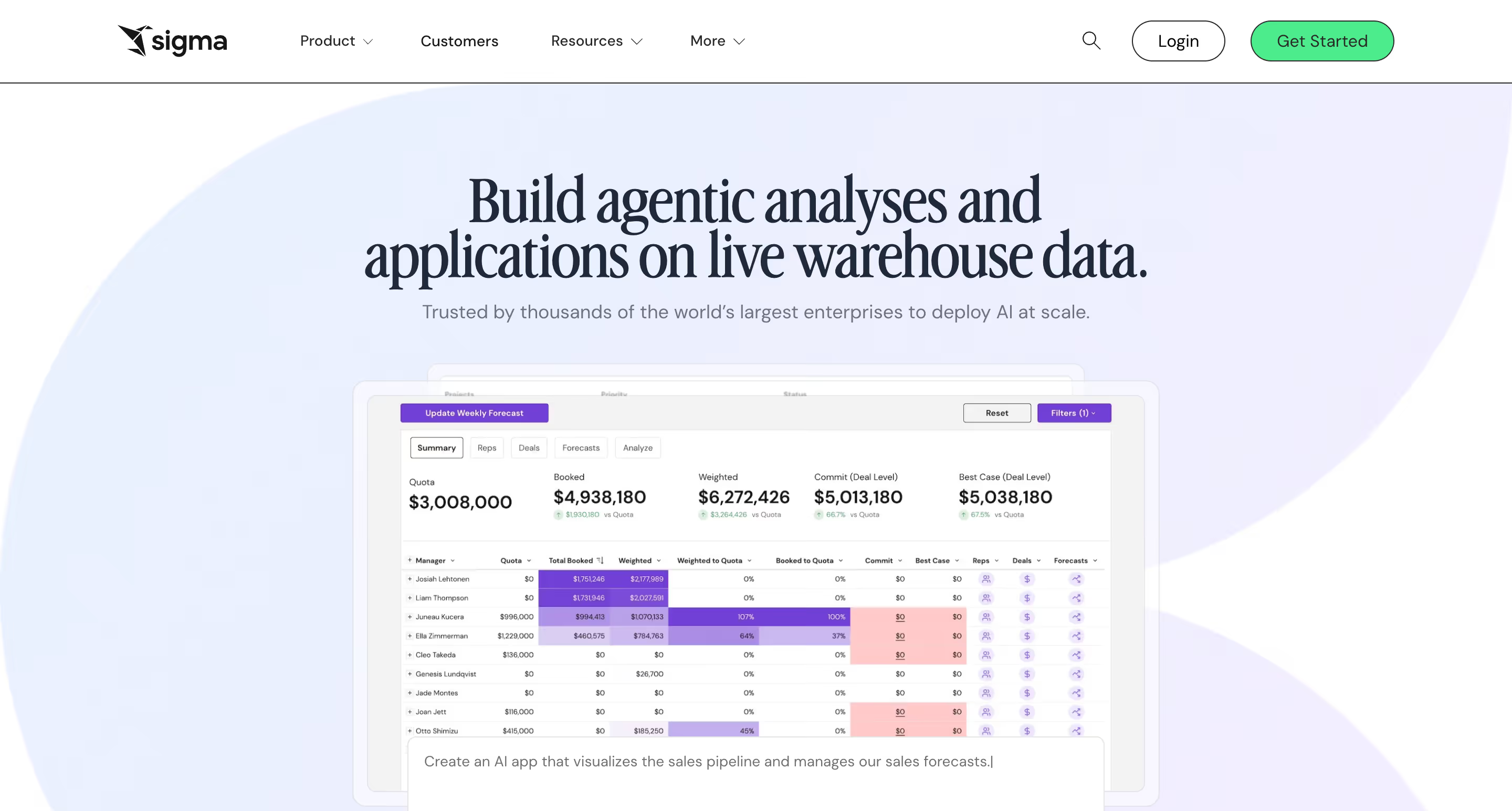
Sigma is a warehouse-native cloud based BI platform with a spreadsheet-first interface that lets business analysts explore live cloud warehouse data using Excel-style formulas — no SQL, no load scripts, no QVD files. It is a different architectural choice from QlikView's in-memory associative model, and a different UX bet from Qlik Sense's drag-and-drop authoring. For teams that have historically needed deep data exploration across complex datasets but lacked the technical expertise to write QlikView scripts themselves, Sigma's spreadsheet interface removes the bottleneck.
Why Sigma?
- Excel-style formulas on live warehouse data. Sigma's core differentiator is the spreadsheet UI that auto-generates SQL against Snowflake, BigQuery, Databricks, and Redshift. Business analysts who know Excel can analyze billion-row datasets without learning QlikView scripting, set analysis, or associative expression syntax. For organizations expanding BI beyond the specialist QlikView developer pool, this is adoption-changing.
- Input tables enable native writeback. Users can edit data directly in dashboards via input tables, with changes syncing back to the warehouse. QlikView has no native writeback — workflow actions require export, email, or custom extensions. Sigma's input tables turn dashboards into operational applications natively.
- No on-premises infrastructure to maintain. QlikView requires Windows Server, QVS, Publisher, and ongoing IT hardware planning. Sigma is cloud-native SaaS with no infrastructure to procure. For organizations migrating off QlikView's on-premises footprint, this removes an entire category of ongoing cost.
Sigma's Edge Over QlikView
Sigma wins the QlikView buyer who wants to escape the developer-led BI model entirely. QlikView's power comes from scripting — QVDs, load statements, set analysis, expressions — which requires technical expertise to maintain. Sigma's spreadsheet UX targets business analysts directly. For organizations where "we have three QlikView developers and they're a bottleneck on every new dashboard" is the actual pain point, Sigma's UX-first approach is a structural solution rather than a marginal improvement.
The warehouse-native architecture is the second edge. QlikView's in-memory associative engine was revolutionary when warehouses were expensive and slow. In 2026, Snowflake and BigQuery have made live queries against massive datasets cheap and fast — removing the original technical justification for QlikView's in-memory model. Sigma's architecture aligns with where modern data stacks actually are.
The risk against Sigma is feature depth for advanced users. QlikView's associative engine and expression language can handle genuinely complex analytical patterns that Sigma's spreadsheet UX is not designed for. For QlikView power users doing multidimensional set analysis, the migration to Sigma will feel like losing capability — even if 80% of users never touched those features.
What Users Are Saying
Reviewers consistently highlight Sigma's spreadsheet familiarity and the ease of connecting to Snowflake with live queries. Critical feedback tends toward two issues: performance with very large or complex workbooks, and some advanced features being harder to discover than the spreadsheet interface suggests.
"The way Sigma presents information is excellent; the worksheets are impressive and can be personalized as needed. I love the ability to filter data instantly, which saves me time and helps me make decisions that align with company requirements."
Christian Raul C. — Customer Support Specialist
"Gets a bit laggy when workbooks have a lot going on lots of elements, big datasets, that kind of thing. Some of the advanced features aren't super intuitive at first, you kind of have to figure them out on your own."
Keerthan P. — Associate Data Analyst
"I don't like the performance lags with complex workbooks and the limited visual customization. If your data warehouse is slow or if your Sigma workbook has dozens of complex joins and calculated columns, you might experience loading spinners."
Venkata M. — Bench Sales Recruiter
Pricing
Essentials starts at $300/month base with unlimited viewers. Pro and Enterprise tiers are custom-priced by user licenses, features, and embedded deployment. Third-party data (Vendr) shows typical annual contracts ranging $15,000–$250,000+. The gotcha: live queries push compute costs to your warehouse — Snowflake or BigQuery bills can spike with heavy usage.
Sigma Is Best For
Sigma Computing is best for QlikView teams modernizing onto cloud data warehouses who want to escape the specialist-developer bottleneck and enable spreadsheet-native business analysts to work directly with live warehouse data.
Watch Out For
Sigma requires a cloud data warehouse to function (no on-premises option, which rules out regulated QlikView use cases), and power users relying on QlikView's set analysis and associative-expression depth may find Sigma's spreadsheet UX limiting for complex multidimensional analytical patterns.
6. ThoughtSpot — Best for AI-first natural-language analytics

Built around natural language search, ThoughtSpot has spent years positioning itself as the leading platform for AI-first BI. Spotter 3 agentic analytics interpret business questions in plain English and return optimized SQL against live warehouse data, delivering instant insights on modern data environments — and the production-mature AI experience that QlikView's frozen roadmap simply cannot match.
Why ThoughtSpot?
- Spotter 3 AI Agent — production-mature agentic BI. Users type business questions in plain English and Spotter translates them into optimized SQL against live warehouse data. Spotter 3 handles multi-step analysis, pulls context from Slack and Confluence via MCP, and uses human-in-the-loop governance. Where QlikView's AI capabilities are effectively frozen and Qlik Answers sits at the Qlik Sense layer, ThoughtSpot has been shipping agentic natural language analytics in production for years.
- SpotIQ automated insights. Machine learning automatically detects anomalies, trends, and patterns across your data, surfacing questions users did not think to ask. SpotIQ layers predictive analytics onto live warehouse queries, flagging drivers of change rather than just descriptive metrics. This shifts analytics from "build dashboards to answer known questions" toward "have the system surface questions worth asking" — a different model from QlikView's associative exploration.
- Warehouse-native live querying. ThoughtSpot connects directly to Snowflake, BigQuery, Databricks, Redshift, and Azure Synapse with live queries — no extracts, no QVD files, no data duplication. For organizations modernizing onto cloud warehouses as part of their QlikView migration, this is architectural alignment.
ThoughtSpot's Edge Over QlikView
ThoughtSpot's edge over QlikView is AI capability at a depth QlikView's architecture cannot match. QlikView's AI story in 2026 is essentially non-existent — the associative engine was a 1993 innovation, and Qlik's modern AI investment (Insight Advisor, Qlik Answers) is going into Qlik Sense. For QlikView customers whose migration is partly driven by "we need AI capabilities our current tool cannot deliver," ThoughtSpot is a direct answer with a more production-mature offering than Qlik Sense.
ThoughtSpot also works from a different starting point than QlikView. QlikView's model is "build an app, load data, explore associatively to find insights." ThoughtSpot's model is "ask a question in natural language, get an answer." For organizations where the primary user frustration is "our business users cannot find answers without a QlikView developer," ThoughtSpot's search-first interface addresses that bottleneck directly.
The risk against ThoughtSpot is visualization depth and data-modeling overhead. ThoughtSpot requires upfront data modeling for natural language search to work accurately — more analytics-engineering discipline than QlikView's load-script approach. And its auto-generated visualizations lag Tableau and Power BI in polish. The risk to QlikView: if the migration mandate specifically cites AI, ThoughtSpot arrives with the strongest story in the room.
What Users Are Saying
Reviewers consistently note ThoughtSpot's evolution toward Spotter and Sage has changed how they work with data — plain-language questions replace manual chart construction. Recurring criticism clusters around access workflows (permission management is more tedious than it should be) and auto-generated visuals that feel basic next to traditional BI tools.
"I like the fact that ThoughtSpot has evolved impressively throughout our journey with it. Its introduction of GenAI tools like Spotter and Sage have revolutionized our manual searches and build visualizations. For example, I can simply ask plain-language questions about causes that have resulted in changes in data and get insightful answers along with visual explanations."
Maayan B. — Data Analyst
"Adding users to dashboards and granting access also feels unnecessarily drawn out. Users request access, it comes through via email, and when you click 'grant' it takes you to the dashboard—where you then have to remember the user's name and manually add them yourself. On top of that, if someone needs to use the dashboard filters, you're required to give them access to the underlying sources. Why? Overall, there are just too many steps."
Isabelle N. — Associate Data Engineer
"ThoughtSpot's auto-generated visuals often appear basic and can feel sluggish during in-depth analysis. The user interface can be tedious, making it less suitable for presentation-ready reports when compared to the pixel-perfect designs offered by competitors."
Verified User in Entertainment
Pricing
Essentials: $25/user/month (up to 25M rows, 5–50 users, billed annually). Pro: $50/user/month (Spotter AI with 25 queries/user/month cap, up to 250M rows). Enterprise: custom. Embedded plans priced separately. Third-party data (Toucan) suggests average annual contracts around $140,000. The gotcha: Spotter Pro's 25-queries-per-user-per-month cap creates overage costs for heavy AI users.
ThoughtSpot Is Best For
ThoughtSpot is best for QlikView organizations where modernization is driven by AI capability requirements, and where letting business users ask natural language questions directly (without QlikView developer intervention) is a primary goal of the migration.
Watch Out For
ThoughtSpot requires significant upfront data modeling for natural language search to work accurately, visualization customization lags Tableau and QlikView's chart flexibility, and consumption-based pricing can create unpredictable costs at scale — particularly for embedded deployments with high query volumes.
7. Looker — Best for Google Cloud and BigQuery teams needing governed metric modeling
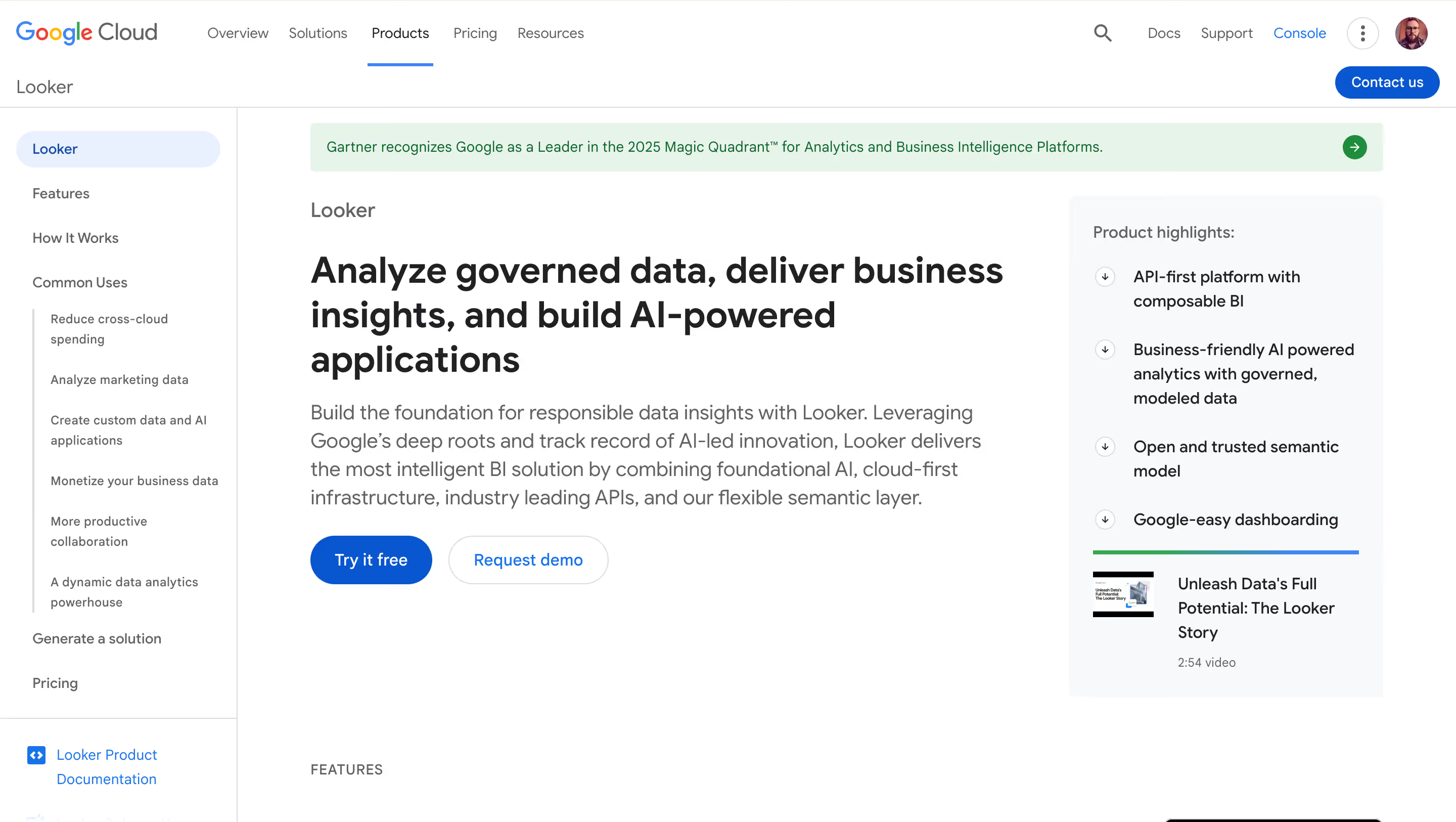
Google Cloud's enterprise BI platform, Looker is built around LookML — a proprietary modeling language that creates a centralized semantic layer — and delivers Gemini AI for conversational analytics, with deep BigQuery integration and governance-first architecture designed for data-mature organizations. For teams where the goal is a reliable tool that keeps governed data accessible to the whole business, Looker is a powerful analytics platform purpose-built for that job.
Why Looker?
- LookML semantic layer for metric governance. LookML is the gold standard for metric consistency. Define metrics, relationships, and business logic once in code, then reuse them across every dashboard and report. For QlikView organizations where metric drift across apps has become a recurring problem (a common long-term outcome of QlikView's developer-led model), LookML's enforced consistency is a structural answer.
- In-database architecture against BigQuery. Looker queries BigQuery and other supported warehouses directly — no extracts, no load scripts, always-current data. For QlikView customers migrating to Google Cloud as part of their broader modernization, Looker is the natural first-party BI choice.
- Gemini in Looker for AI-powered BI. Conversational Analytics, LookML Assistant, Formula Assistant, and Visualization Assistant — all grounded in Looker's semantic model. For Google Cloud customers, this is the natural AI-BI path rather than a bolt-on.
Looker's Edge Over QlikView
Looker's edge over QlikView is governance depth and cloud platform alignment. Where QlikView's scripting-based modeling leaves metric definitions scattered across hundreds of QVDs and load scripts, LookML centralizes business logic in version-controlled code. For data-mature organizations where "we have 47 definitions of revenue across our QlikView apps" is the migration driver, Looker solves that problem structurally.
The Google Cloud ecosystem alignment gives Looker a distinct positioning. The same way Microsoft shops default to Power BI, GCP shops default to Looker. For QlikView customers whose broader infrastructure is migrating to Google Cloud (a common pattern for organizations modernizing off Windows-on-prem), Looker is the natural destination.
The risk against Looker is the specialist-developer problem in a different form. LookML requires dedicated analytics-engineering expertise, just as QlikView scripting does. Organizations trading QlikView scripters for LookML developers are swapping one specialist skill for another — not solving the underlying talent-scarcity problem. The risk to QlikView: for Google Cloud shops, Looker closes the ecosystem loop the same way Power BI does for Microsoft shops.
What Users Are Saying
Reviewers appreciate the visual flexibility once inside a dashboard and LookML's power as a governance layer. The dominant concern is the LookML learning curve — views, explores, and joins are conceptually abstract for non-technical users, and complex customization often falls back to developer time.
"What I like most about Looker is how flexible it feels once you're inside a dashboard. Creating charts, applying filters, and adjusting dimensions happens visually, which makes experimentation easy. I can quickly compare metrics like sales, quantity, and cost without rebuilding reports from scratch."
Priyanka T. — Software Engineer
"While self-service aspect is strong onboarding non-technical users still required training: concepts like 'views', 'explores', 'joins' are slightly abstract and some stakeholders got frustrated with what does this drop-down actually mean, moments."
Avyan S. — Software Developer
"While Looker is powerful, its reliance on LookML can have a steep learning curve for new users, especially those without a technical background. Customizing complex dashboards sometimes requires developer support, which can slow down quick changes."
Karthik K. — Application Engineer
Pricing
Custom enterprise pricing, contact sales. Third-party data indicates starting costs of $35,000–$60,000/year for small deployments, scaling well into six figures for enterprise. Viewer, Standard, and Developer user types range roughly $30 to $125/user/month. Viewer licenses cited at ~$400/year. All pricing figures — Looker does not publish pricing publicly.
Looker Is Best For
Looker is best for QlikView organizations migrating to Google Cloud with dedicated analytics-engineering resources who prioritize centralized metric governance and LookML-based semantic modeling over visualization polish or broad ecosystem support.
Watch Out For
Looker's LookML learning curve rivals QlikView scripting in complexity and requires specialist analytics-engineering staffing, viewer licensing around $400/year makes embedded analytics economically unfeasible for most customer-facing SaaS scenarios, and Google Cloud dependency deepens with every Gemini-in-Looker release.
8. Domo — Best for enterprise teams wanting an all-in-one cloud BI platform
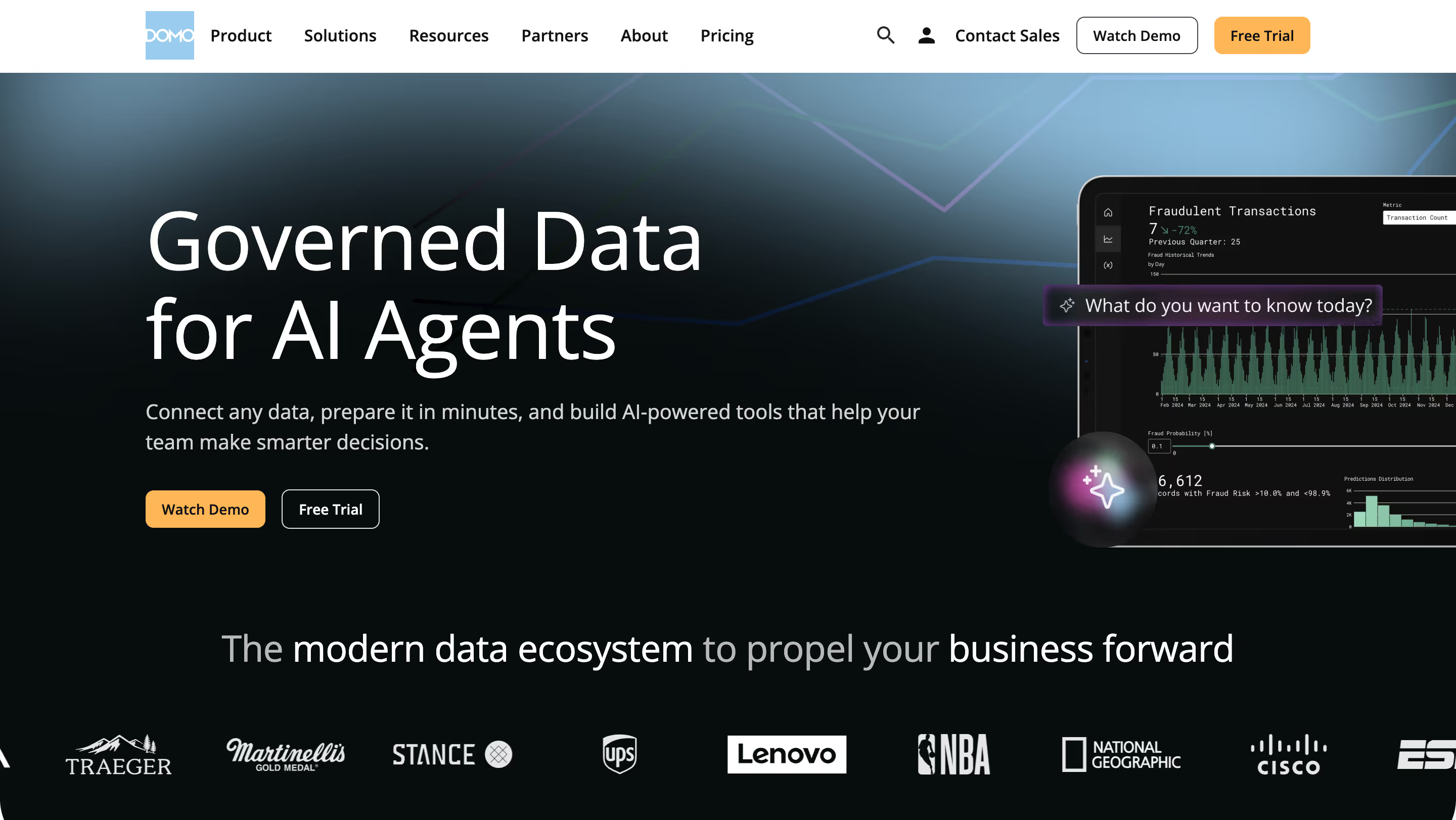
The enterprise-focused all-in-one cloud BI platform, Domo combines data integration (1,000+ connectors, Magic ETL), visualization, writeback, and mobile-first executive dashboards in a single platform. For enterprise QlikView shops wanting to replace their entire BI stack in one move — rather than assembling a warehouse plus a BI tool plus a reverse ETL tool — Domo is the "big platform to big platform" migration path. It fits organizations with complex data environments and complex data needs that span dozens of SaaS applications, and the single-vendor procurement process often appeals to enterprise buyers tired of stitching together point solutions.
Why Domo?
- 1,000+ data connectors with Magic ETL. Domo's connector library covers cloud applications, databases, spreadsheets, and APIs far beyond what QlikView's native connectors support. Magic ETL provides no-code transformation, and Adrenaline (Domo's query engine) handles large-scale data processing. For QlikView shops whose load scripts have become sprawling and unmaintainable, Domo's end-to-end data pipeline is a replacement-in-kind at enterprise scale.
- Native writeback and executive mobile experience. Domo supports native writeback workflows (Domo Apps, Workflows) and has the most polished executive mobile BI experience in the market. For QlikView deployments where C-suite reporting is a primary use case, Domo's mobile-first design often exceeds what QlikView delivers through its mobile interface.
- Cloud-native with enterprise governance. Domo is a fully cloud based platform with governance, row-level security, SSO, and compliance certifications for regulated industries. For QlikView customers migrating off Windows Server infrastructure who want a managed cloud platform without assembling multiple vendors, Domo is the single-vendor answer.
Domo's Edge Over QlikView
Domo's edge over QlikView is the all-in-one platform story at enterprise scale. Where QlikView requires Windows Server infrastructure, QlikView Publisher for ETL, QlikView Server for distribution, QlikView Desktop for authoring, and NPrinting for formatted reports, Domo delivers equivalent capability as a single cloud platform. For enterprise QlikView customers currently running five separate QlikView components, the consolidation is operationally meaningful.
The connector library is the second edge. QlikView connects well to traditional enterprise data sources (SQL databases, SAP, Oracle) but poorly to modern cloud applications. Domo's 1,000+ connectors cover Salesforce, HubSpot, Google Analytics, Stripe, and the full modern SaaS stack natively. For QlikView customers whose data sources have expanded beyond original enterprise databases into SaaS sprawl, Domo's connector depth is a real capability difference.
The risk against Domo is cost. Domo's consumption-based credit model is notoriously unpredictable, and user reviews consistently cite cost overruns as a primary pain point. Vendr data shows average annual contracts around $134,000, with enterprise deployments exceeding $250,000–$600,000 annually. For QlikView shops whose primary migration driver is cost reduction, Domo will likely increase total BI spend rather than decrease it — a risk to QlikView that works in reverse for procurement-led evaluations.
What Users Are Saying
Reviewers praise Magic ETL as the standout feature, alongside quick integration with Salesforce and other SaaS sources. Critical feedback centers almost entirely on cost — consumption credits are consumed faster than expected, and renewal pricing can change sharply between contract terms.
"Domo can quickly feel overwhelming because of the sheer number of filters and boards, and I sometimes find it difficult to tell whether I’m interpreting the data correctly."
Stephanie R. — Director of Product Design
"Domo pulls data quickly from Salesforce, which is vital for our company. Salesforce reporting isn't excellent, but Domo gives us everything we need."
Benny F. — Implementation Manager
Pricing
Consumption-based credit model — no published list prices. Vendr data shows average annual contract value approximately $134,000 across 84 Domo deals. Minimum viable deployment ~$30,000/year. Mid-market deployments typically $80,000–$250,000; enterprise deployments $250,000–$600,000+. The gotcha: Magic ETL reportedly double-bills credits on both input and output transformations, and Domo does not allow hard credit caps — overages accumulate without warning and appear as end-of-quarter bills.
Domo Is Best For
Domo is best for enterprise QlikView organizations wanting to replace their entire BI stack (authoring, distribution, ETL, and mobile) with a single cloud platform — particularly those with significant SaaS data sources that QlikView's traditional enterprise-database connectors do not handle well.
Watch Out For
Domo's consumption-based credit model creates unpredictable costs that frequently exceed initial quotes, Magic ETL double-charges on input and output transformations, and multiple user reviews cite surprise renewal price increases — making budget planning difficult without direct vendor negotiation experience.
9. Metabase — Best for budget-conscious teams and developer-led organizations
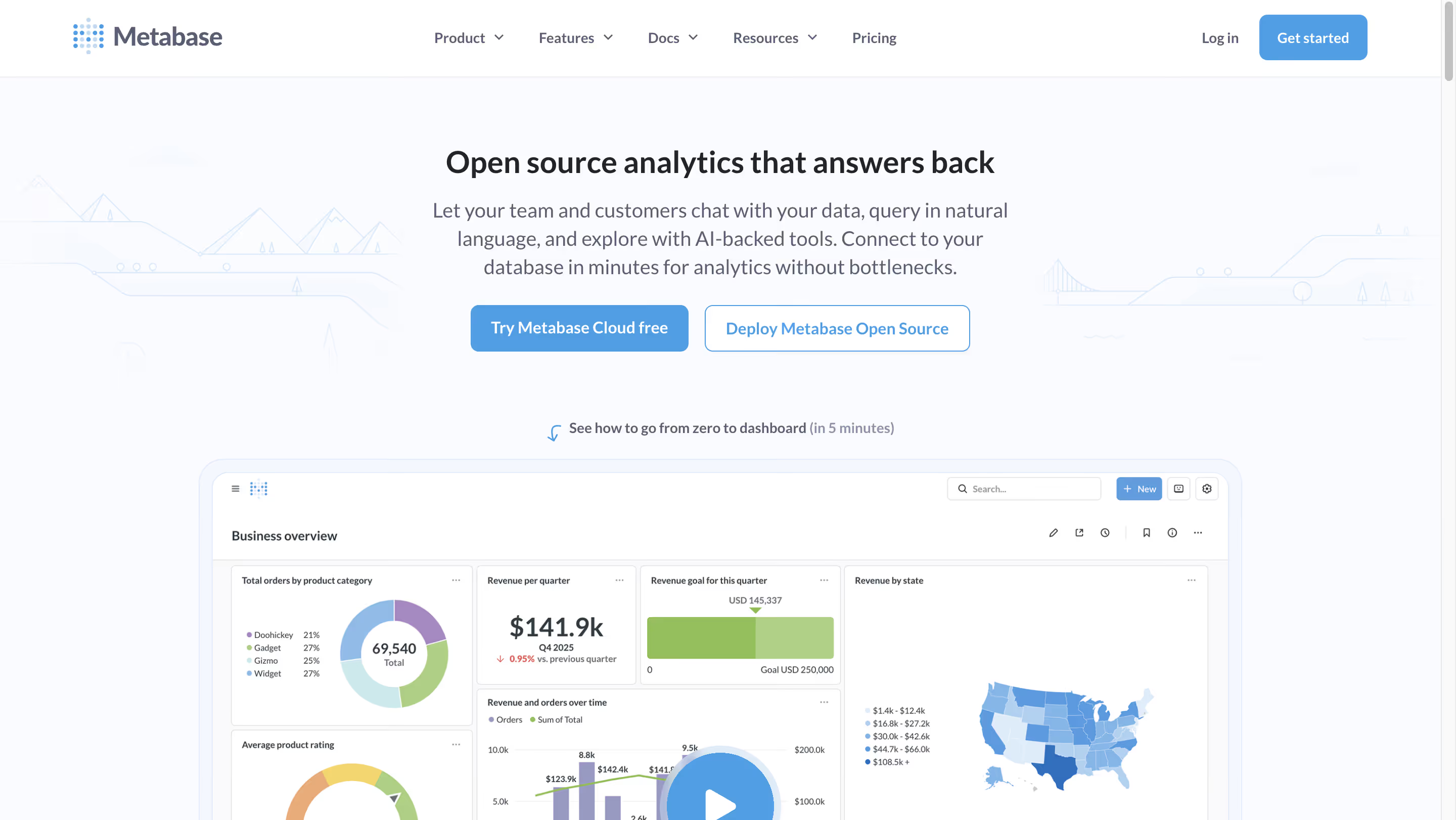
The open-source side of the BI market, Metabase prioritizes simplicity and accessibility, offering a free self-hosted edition alongside managed cloud tiers. It is the natural "what if we just migrated to something much simpler and cheaper?" option for QlikView departmental deployments and smaller organizations — less capable than QlikView at the power-user end, and intentionally so.
Why Metabase?
- Free open-source edition. Self-host Metabase for free under AGPL v3 with full core BI functionality — no artificial limits on dashboards, charts, or connections. For QlikView shops whose renewal costs have become hard to justify for departmental deployments, Metabase's $0 software cost is a structural change in the cost equation.
- Intuitive visual query builder for non-technical users. Metabase's Question feature lets non-SQL users explore data and build dashboards through a point-and-click interface. For QlikView users frustrated with the scripting-heavy authoring model, Metabase's UX is genuinely simpler to learn and deploy — though with dramatically reduced analytical capability at the power-user end.
- 60+ database connectors. Metabase connects to PostgreSQL, MySQL, BigQuery, Snowflake, Redshift, and most other production databases. For QlikView replacements in smaller organizations where the data stack has modernized onto cloud databases, Metabase covers the common cases without enterprise licensing.
Metabase's Edge Over QlikView
Metabase and QlikView sit at opposite ends of the BI cost and sophistication spectrum, and that is precisely Metabase's angle. QlikView's per-user CAL licensing (even grandfathered) is expensive for smaller deployments where sophistication is not the priority. Metabase's free self-hosted tier is the simplest possible counter: $0 software licensing, bring your own infrastructure, no specialist developer required.
For departmental QlikView deployments originally justified on enterprise-wide licensing logic — where 15 analysts in one business unit ended up with QlikView because the company-wide deal already covered them — the Metabase math is immediate. A free self-hosted edition or $100/month Cloud Starter replaces a pro-rata slice of enterprise CALs that would cost multiples more.
The risk against Metabase is capability ceiling. Metabase is deliberately simple — no associative engine, no advanced scripting, no complex multidimensional analysis. For QlikView power users doing set analysis and expression-based calculations, Metabase will feel like losing 80% of the capability, even if 80% of the user base never used those features. It is a legitimate fit for simple internal BI, not a replacement for sophisticated QlikView enterprise deployments. The risk to QlikView: for the departmental edges of a QlikView estate, Metabase makes the renewal conversation impossible to win.
What Users Are Saying
Reviewers praise the Question feature and overall ease of use for non-technical users. The recurring tradeoffs are predictable for an open-source tool: access controls are less granular than enterprise BI platforms, performance suffers on large datasets without database-level tuning, and AI features lag commercial competitors.
"I love the Question feature of Metabase, which allows for the creation of no-code SQL queries that can be easily and intuitively answered even by non-technical users."
Tobias S. — Sr. BI Manager
"Working with bigger teams might be difficult due to the absence of fine-grained access constraints. If you don't optimize at the database level, performance may suffer while searching massive datasets."
Sampath K. — Security IAM Engineer II
"I find that Metabase could benefit from having an AI assistant that understands the databases and assists in building queries. This feature would significantly ease the process of creating data consultations without any SQL knowledge."
matias d. — CRM & Lifecycle Manager
Pricing
Open Source: Free (self-hosted under AGPL v3). Cloud Starter: $100/month + $6/user (5 users included). Cloud Pro: $575/month + $12/user (10 users included; adds SSO, row-level security, interactive embedding). Enterprise: custom, approximately $20,000+/year. Metabot AI add-on: $100/month for 500 requests. The gotcha: the jump from Starter ($100) to Pro ($575) is steep — if you need SSO or row-level security, there is no intermediate tier.
Metabase Is Best For
Metabase is best for small teams, departmental QlikView deployments, and developer-led organizations that want simple BI without enterprise complexity or licensing costs — particularly engineering teams comfortable with self-hosting and smaller QlikView footprints where sophistication is not the priority.
Watch Out For
Metabase hits real walls for sophisticated analytical patterns QlikView power users rely on (no associative engine, no advanced scripting), the free version requires engineering maintenance time for self-hosting, and the jump from Starter ($100/month) to Pro ($575/month) is steep for organizations needing SSO or row-level security.
Key Takeaways: Which QlikView Alternative Fits?
The right QlikView replacement is the one that fits your data stack, your ecosystem, and your reason for migrating. These six scenarios map the most common QlikView buyer profiles to the tools that answer them.
Frequently Asked Questions
Is QlikView being discontinued?
Qlik has stated publicly that it has "no plans to end-of-life QlikView and no plans to force migration to Qlik Sense." The signals around the product are less ambiguous: new perpetual license sales were discontinued in 2021, Qlik's product description classifies QlikView as "an Add On to Qlik Sense Enterprise," Gartner Peer Insights labels the product "QlikView (Legacy)," and Qlik ships a formal migration tool to move QlikView apps into Qlik Sense. QlikView is in managed sunset — continuing to receive support but not meaningful new investment.
What is the best QlikView alternative in 2026?
The best QlikView alternative depends on your priority. For warehouse-native BI modernization, Astrato and Sigma lead. For the shortest migration path, Qlik Sense is Qlik's own successor. For Microsoft ecosystems, Power BI. For AI-first analytics, ThoughtSpot. For Google Cloud alignment, Looker. For all-in-one enterprise platforms, Domo. For budget-conscious smaller deployments, Metabase. There is no universal winner — the right choice depends on your data architecture, cloud ecosystem, and whether you're modernizing broader infrastructure alongside BI.
Should I migrate from QlikView to Qlik Sense?
Migrating QlikView to Qlik Sense is the path of least resistance — same associative engine, vendor-supported migration tooling, preserved QVD investments, and active AI investment that Qlik Sense receives and QlikView does not. It is the right choice for organizations whose primary value came from QlikView's associative engine and where staying in the Qlik ecosystem is strategically aligned. It is not the right choice if your broader IT direction is modernizing onto cloud data warehouses, Microsoft ecosystems, or Google Cloud — where Qlik Sense becomes a point solution fighting against ecosystem gravity.
How much does QlikView cost in 2026?
New QlikView licenses are not available — Qlik discontinued stand-alone QlikView perpetual license sales in 2021. Existing customers with legacy Client Access Licenses (CALs) can purchase additional CALs for existing license sites. For organizations currently paying maintenance on existing QlikView deployments, the Qlik Software Product Description classifies QlikView as an add-on to Qlik Sense Enterprise SaaS or Client-Managed pricing. For any new QlikView-like capability, expect to purchase Qlik Sense licensing at $30/user/month (Business) or $70/user/month (Enterprise SaaS).
Can I migrate QlikView dashboards to Qlik Sense automatically?
Qlik provides the Qlik Analytics Migration Tool specifically for moving QlikView apps to Qlik Sense. No migration is fully automatic — load scripts, QVDs, custom extensions, and set analysis expressions all need review and often manual adjustment. QVD files typically port over cleanly. The overall migration project for a substantial QlikView deployment is usually measured in months, not weeks. Budget for parallel running, user retraining, and the rebuild of complex dashboards that do not translate cleanly through the automated tool.
What's the best QlikView alternative that isn't Qlik Sense?
For QlikView teams specifically looking outside the Qlik ecosystem, the best alternative depends on your data stack. Astrato is strongest for warehouse-native modernization with embedded analytics and writeback. Power BI is strongest for Microsoft ecosystems. ThoughtSpot is strongest for AI-first analytics. Tableau is strongest for visualization depth and cross-platform authoring. Domo is strongest for enterprise all-in-one platform replacement. The warehouse-native options (Astrato, Sigma) are particularly relevant for QlikView customers whose broader infrastructure is modernizing onto Snowflake, BigQuery, or Databricks.
Why are companies leaving QlikView in 2026?
The most common reasons QlikView customers evaluate alternatives are: Qlik's own signals that QlikView is a legacy product (discontinued perpetual licenses, "Add On" classification, Gartner "Legacy" label); Windows-on-premises infrastructure costs that do not fit modern cloud strategies; QlikView's frozen AI story while competitors ship agentic analytics; talent scarcity as QlikView developer expertise shrinks; and QVD-based architecture that does not align with modern warehouse-native data stacks. The trigger is usually a multi-factor decision where QlikView stops making sense across several dimensions at once.
How long does a QlikView migration typically take?
QlikView migrations typically take 6–18 months for enterprise deployments, depending on app count, complexity of load scripts, and choice of destination platform. Migrations within the Qlik ecosystem (QlikView to Qlik Sense) are shortest due to vendor-supported tooling, typically 3–9 months. Migrations to modern warehouse-native platforms (Astrato, Sigma) are medium-length and include data architecture modernization alongside BI migration. Migrations to Power BI, Tableau, or Domo require rebuilding data models and dashboards from scratch, typically 9–18 months for substantial QlikView deployments. Plan for parallel running during transition and meaningful user retraining time.
Ready to See What Focused, Warehouse-Native BI Looks Like?
Picking a QlikView alternative is not about the cheapest option on the list or the longest feature matrix. It is about fit with how your team actually works and where your data architecture is heading over the next five years. A migration driven by "we need to escape Windows Server" ends differently than one driven by "we need AI our current tool cannot deliver" — and the wrong choice locks you into the next ten-year legacy problem.
Astrato is built for the QlikView teams whose migration is also a cloud modernization project. Live queries against Snowflake, BigQuery, and Databricks — no QVDs, no extracts, no Windows servers. Native writeback that turns dashboards into operational apps. Embedded analytics with usage-based pricing that does not compound per seat. AI features grounded in the semantic layer, not bolted on. If the migration mandate is "we want BI that works with where our data lives now," Astrato answers it directly.
Book a demo with the Astrato team and see how warehouse-native BI works with your actual data.
Ready to experience next-gen analytics?
See how Astrato runs natively in your warehouse.